-
using knoppix: i need to find where the boot ini xp file
i've lost it all and kinda need to get it all back xtrra problems (xp) refuses to load citing it cant find the boot ini file as fate would have ive sat on the disk a week prior and the back up os of win2k bluescreens can any help me please to locate where the boot ini file would be for xp if as ive loaded knoppix and i cant for the life of me find it. please help.
-
Senior Member
registered user
It's hidden file in C:
Have you tried booting the XP CD and running the commands fixmbr and fixboot from the recovery console?
-
i dont have my xp disk anymore so i cant use the repair console
-
is there no way of acessing it from knoppix or is that a lost cause
-
or can i use the 2k cd to fix it all
-
Senior Member
registered user
I don't think 2k will let you login to the recovery console in order to repair an XP install. If you know someone who you can borrow an XP disk from that'd be the easiest fix.
If your XP partition is not formatted in NTFS you could fix the boot.ini file from Knoppix.
-
im sure if it is partioned on ntfs to be honest but if it is do u no how i could do it.
-
Senior Member
registered user
Boot the CD
Mount the XP partition (probably /dev/hda1)
Change the read-write mode
^ Both of those can be done in KDE by right-clicking the drive icon and choosing those options. If the drive is NTFS, it will complain when you try to enable write mode.
Assuming it is FAT32, you would then run these commands from a terminal
su
cd /mnt/hda1
kedit boot.ini
The default boot.ini file would look like this:
[boot loader]
timeout=30
default=multi(0)disk(0)rdisk(0)partition(1)\WINNT
[operating systems]
multi(0)disk(0)rdisk(0)partition(1)\WINNT="Windows XP" /fastdetect
-
Senior Member
registered user
I think a win2k CD should be able to help you restore the NT boot loader, otherwise just borrow an XP one as suggested.
-
the drive is ntfs is there no way except to get an xp cd
Similar Threads
-
By jct in forum Hardware & Booting
Replies: 0
Last Post: 03-20-2005, 08:04 PM
-
By macgregor in forum Customising & Remastering
Replies: 0
Last Post: 12-11-2004, 07:03 AM
-
By snippy in forum General Support
Replies: 12
Last Post: 12-04-2004, 02:49 PM
-
By riviereg in forum General Support
Replies: 2
Last Post: 09-04-2004, 12:21 PM
-
By Neo855 in forum General Support
Replies: 3
Last Post: 02-23-2004, 03:14 PM
 Posting Permissions
- You may not post new threads
- You may not post replies
- You may not post attachments
- You may not edit your posts
-
Forum Rules

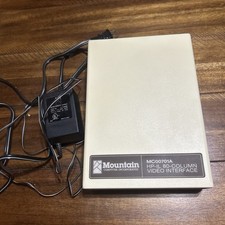
Mountain Computer MC00701A HP-IL 80-Column Video Interface w power cord vintage
$95.00
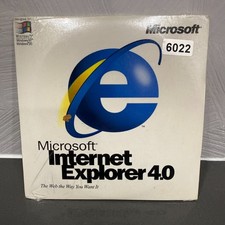
VINTAGE FACTORY SEALED MICROSOFT INTERNET EXPLORER 4.0 CD-ROM - NEW RARE BLUE CD
$34.99

Vintage NEC CDR-1410A 50 Pin SCSI CD-ROM Optical Drive Used
$39.99
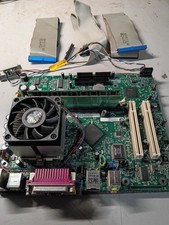
vintage Gateway motherboard, socket 370 1ghz cpu, 256mb ram, cables, power switc
$86.99
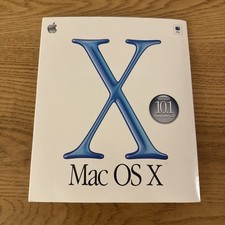
Vintage Apple Mac OS X Version 10.1 Upgrade CD 2001
$15.00

Vintage CD-ROM Lot 50 Promo Demo Trial Software Y2K AOL Juno Palm Pilot Intel
$35.50
Apple Mac OS 8.5 Original Bootable Install CD-ROM 1998 Vintage Macintosh
$17.50

Original Vintage Old Style STANDARD Black CD Jewel Case (Heavy Duty) 90g Lot
$316.95
Apple iic A2S4000 vintage computer
$200.00
Vintage Gazelle Systems OP-Tune 1.3 Box Complete CIB Dual Floppy 3.5 5.25 DOS
$54.99



 Reply With Quote