

 Reply With Quote
I like KDE best and run it on slower PCs than that one.


I have a few questions:
What should I use for my window manager? I'm running a Pentium3 400Mhz 384Ram, Knoppix finds all my ahrdware and everything it's installed on my HD... I don't know what I should use, KDE seems the best for my and I tried a few others likr iceWM, I want to know what one is the best for a Linux noobie?
I'm on windows right now on my gaming PC, but when I'm on knoppix I have to xkill alot sometimes programs won't start and I have to xkill Gaim alot, I would use other Distros but for some odd reason only Knoppix works on that PC, I ttried Redhat 9, mandrake 9.1, Fedora, and Slackware.... They all had some error booting so I switched to knoppix and installed on my HD
I don't know what the problem is:
I like KDE best and run it on slower PCs than that one.
Yes but KDE runs slow on my 400Mhz p3

Well, then try xfce or fluxbox! Xfce looks quite nice, uses gtk and is still fast on older hardware. Fluxbox is a little more 'barebones' but should be even faster. After all, the best way to find out is to try 'em!
Also note that the performance of your hdds may have a large impact on the "feel" of your system! When running from CD use the "knoppix dma" cheatcode to set dma transfer mode on all disks (this will make them a lot faster!). On a installed system.. I dunno.. see "man hdparm" for this but be careful!
Just play with the options and see which one you like best. My favorite is IceWM for its small memory profile, easy configurability, and efforts to allow you to operate without using the mouse -- but each of the Knoppix-featured window managers has advantages and you may discover that you prefer another.
The most important window manager missing from the Knoppix CD is Gnome. (Rationale: It's big, like KDE, and both don't fit on a single Knoppix CD; Klaus prefers KDE.) Among the existing options, it is comparatively closest to KDE -- lots of features, big hard drive and memory footprint. Open Source purists tend to like Gnome over KDE for licensing reasons -- you can get acquainted with the debate by searching Slashdot or the Web in general. The big decision is whether you want an "everything-and-the-kitchen-sink" manager like KDE and Gnome or a leaner manager with alternative features like mouse independence (icewm) or tiny memory footprint (several contend for this).
Play around and make your own decision -- the playing is part of the fun!
 Posting Permissions


New Barebones Supermicro 5019D Server, 4C/8T Xeon D-2123T, 1U Rackmountable, 10G
$449.99

HP ProLiant MicroServer Gen8 G1610T @2.3 GHz, 16GB, 712317-001 NO HDD/OS
$199.00

$280.00

1U Edge Firewall Server X11SCW-F Xeon E-2174G 0 RAM M.2 NVME 3x PCI-e 2x PSU X
$175.00

Supermicro 2U X10DRU-i 2x E5-2680 v3 2.5ghz 32gb Ram 240gb SSD 2x GPU *READ*
$369.99

SuperMicro 4U CSE 847 36 Bay LFF Barebone 2x 1280W w/ 2x Bays 2.5 Rear w/Trays
$499.99

Supermicro 5019D-4C-FN8TP Xeon D-2123IT (4C/8T) 64GB DDR4 10GbE 480GB 1U Server
$689.00
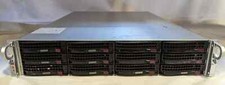
Supermicro X10DRU-i 2U 12LFF 2x E5-2680 v4 128gb Ram 480gb SSD 2x Nvidia K80
$749.99

Nasuni NF-50 Supermicro Server, Atom CPU C2558, @ 2.40GHz, 8GB RAM-No HDD/OS/AC
$250.00

Supermicro CSE-937 3U Storage Chassis No CPU No HDD No Ram Tested & Reset
$129.99