-
Heres howto config sound for Toshiba 460CDT hd install
*** HOWTO enable sound on a Toshiba 460CDT with a Knoppix hard drive installation ***
(I tried to make these instructions moron proof so sorry if it goes on a bit, it actually takes just a few minuits)
Open a shell console window (command line window),
If you are not in the "/home/knoppix/" directory then enter the command "cd /home/knoppix/" (or just enter it anyway if your not sure).
Enter the following command to create a new file called "tsnd"-
nedit tsnd
A text editor will open up. Click on "New File" if a dialogue box pops up asking you to make a choice.
Use the editor to enter the following-
#! /bin/bash
modprobe soundcore
modprobe sound
modprobe opl3sa2 irq=5 dma=1 dma2=0 io=0x370 mss_io=0x530 mpu_io=0x330
modprobe sb io=0x220
modprobe opl3 io=0x388
Save the file by choosing "Save" in the "File" menu.
Exit the editor by choosing "Exit" in the "File" menu. If that didn't close the editor window (it has a bug) then click in the cross at the top right of the editor window and if it asks to save the file again then select "yes" as chances are it didn't the first time (due to the bug).
We should now be back at the shell console window.
If you are not loged in as "root" then enter the command "su" and then enter the root password if prompted to. (you can enter the command "su" anyway if your not sure)
Enter the following command to make the script you entered in the above file executable-
chmod 777 tsnd
Enter the following command to put a copy of the now executable script where it will be executed when booting your laptop-
cp tsnd /etc/rc.boot/
The next time you boot you will hopefully have sound. You may have to use one of the mixers to adjust the sound settings first. Knoppix comes with both "aumix" and "kmix". Both can be reached via the menu bar or you can type there names in a shell console
window.
If you wish to test the sound before you reboot the system then type "./tsnd" and run the game "xgalaga" to see if the script works.
If there is still no sound then you may have to tweek some of the values in the "tsnd" file you copied in to the "/etc/rc.boot/" folder to take effect when you boot. You can compare these values in your Laptop's BIOS settings which can be accessed by pressing the [Esc] key during the memory test when booting the laptop.
If it still doesn't work then I hope it gets someone a step closer to getting it to work. It works for me at least so i'm happy.
I am all for a better way though and I do realise the most logical place for these settings is somewhere like modules.conf or editing the config file in the /boot/ directory or many other ways. I just can't get it to work that way though after 9 months. It seems that you just have to let knoppix set up everything else as per normal without adjusting the sound settings first and then add this simple script at the end of it all to work correctly on this model. The sound chip setup seems a tad differant to other Toshiba models around that era apparently. It's not even in the Linux compatability list even though the 470CDT onwards is.
www.jagaroth.da.ru
-
Senior Member
registered user
Re: Heres howto config sound for Toshiba 460CDT hd install

Originally Posted by
jagaroth
I am all for a better way though and I do realise the most logical place for these settings is somewhere like modules.conf or editing the config file in the /boot/ directory or many other ways. I just can't get it to work that way though after 9 months. It seems that you just have to let knoppix set up everything else as per normal without adjusting the sound settings first and then add this simple script at the end of it all to work correctly on this model. The sound chip setup seems a tad differant to other Toshiba models around that era apparently. It's not even in the Linux compatability list even though the 470CDT onwards is.
www.jagaroth.da.ru
You may want to try creating (or move the file) a file called sound in the /etc/modutils/ and then run update-modules and the information will be entered into the /etc/modules.conf and should be used on boot.
Code:
## /etc/modutils/sound  Created by me to have sound recognized on boot

modprobe soundcore
modprobe sound
modprobe opl3sa2 irq=5 dma=1 dma2=0 io=0x370 mss_io=0x530 mpu_io=0x330
modprobe sb io=0x220
modprobe opl3 io=0x388
Similar Threads
-
By LinhChau in forum Networking
Replies: 2
Last Post: 01-17-2005, 08:23 PM
-
By wazeh in forum Laptops
Replies: 0
Last Post: 09-27-2004, 01:58 AM
-
Replies: 8
Last Post: 07-25-2004, 02:32 AM
-
By teststrips in forum Laptops
Replies: 2
Last Post: 12-14-2003, 02:13 AM
-
By jtsai256 in forum Laptops
Replies: 8
Last Post: 11-02-2003, 04:15 AM
 Posting Permissions
- You may not post new threads
- You may not post replies
- You may not post attachments
- You may not edit your posts
-
Forum Rules


Fujinet 1.7.1 Atari 400 800 800XL 130XE 65XE XEGS Assembled, Tested, Working
$99.99

Atari 400 / 800 Computer Memory Module 16K RAM PCB CX853 - Works Perfectly
$18.95
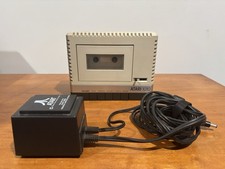
Atari 1010 Cassette Recorder/Player w/ Power Adapter For Parts/Repair Turns On
$25.00
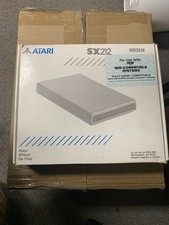
Atari SX212 Modem for IBM-Compatible Systems w/ Power Adapter & Manuals NOS
$125.00

A8PicoCart Multicart for Atari 800xl /65xe / 130xe / XEGS
$16.95
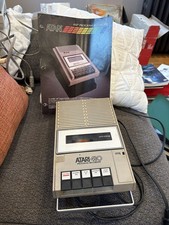
Atari 410 Program Recorder repair w manual sheet/ adapter cord
$23.99

Gotek USB Floppy Emulator v3.44 OLED (no speaker) Amiga Atari IBM Roland AKAI
$44.00
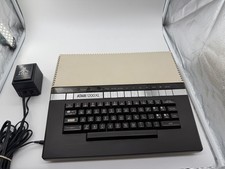
Atari 1200XL Home Computer, Tested Boots & Plays Cart, OEM PSU, Box - Read
$329.95

Atari 130 XE/Atari 1050 Bundle W/ Cords And Extras (Powered On)
$300.00

DEFECTIVE Atari 810 Vintage Computer Disk Drive powers on Unit Only Boo G3D
$49.29



 Reply With Quote