

 Reply With Quote
We need more details: which windows version are you running (win9x vs XP), which FS are you using (fat vs ntfs). Also, can you boot from a diskette?


I have got the iso file of konppix and burned it onto a disk.But the cdrom of my laptop broken recently.I want to install knoppix from the other computer on the lan.What should I do?What should I shceme on my own laptop and another computer?Wish you answer.I am appreciate for you.
We need more details: which windows version are you running (win9x vs XP), which FS are you using (fat vs ntfs). Also, can you boot from a diskette?
I'm not the original poster here, but I'd like to do something similar to what I think he/she is trying to do.
I have an old Compaq Presario 1245 laptop. It has an AMD K6-2 3D-Now! 333 Mhz processor, 128 MB Ram, NeoMagic MagicGraph 128XD 2 MB video, and a 3.2 GB HD.
The CD-ROM is bad, doesn't work. This laptop currently has no OS loaded. I've been trying for 2 days to get Debian Woody installed by booting from a floppy, configuring the PCMCIA network card, and installing via the network. It downloads all of the base packages, but errors out when it start installing/configuring the system.
What I really wanted to do was to do a HD-install of Knoppix, but the CD-ROM doesn't work. How else could I get Knoppix/Debian installed on this thing?
Thanks,
BamaRob
Okay, I'll give this a whirl. If the CD rom does not work, here is one option.
Start a knoppix server and enable terminal services. On the client side, set your card to boot from the network. If your card does not have a boot rom, all is not lost. You can (most likely) create a boot disk that will enable your card to boot from the network. Roms and instructions at:
http://rom-o-matic.net/
Boot up the client machine from the network. From there you can run knx-hdinstall, knoppix-installer from the cd boot, or use "knoppix tohdd=/dev/yourhdpartition from the boot screen.
A potential bottleneck / consideration... You will need at least 128-256M or ram on the client machine or knoppix will need to create a swap drive on an ext2 or fat formatted partition. If this is the partition you want to install knoppix to, it will tie up the drive and you can't install (to that partition). A work around would be to try to boot using "knoppix noswap" which will still probably boot but dump you in the basic window manager (don't remember name, but its NOT kde) and run everything from an xterm.
Think I thought of everything. Good luck, you can do it!
pau1knopp,
Thanks for the reply. I had considered that, but I thought commands run from a terminal services client actually ran on the terminal services server, and the display just got exported to the client. If this is the case, running knoppix-installer or tohdd in an xterm on the client would want to install to the hdd on the server. Is that not correct? If not, that may be a way of getting knoppix on this box.
Thanks again,
BR
 Posting Permissions


SFP TO RJ45 TRANSCEIVER SFP MODULE COPPER SFP OPTICAL PORT TO RJ45 ETHERNET PORT
$7.99

Dell Intel X710-DA2 5N7Y5 Dual-Port 10GbE SFP+ PCIe 3.0 x8 Network Adapter
$27.50

Cisco Acacia DP04QSDD-E25-840 400G QSFP-DD Coherent DCO Transceiver Module
$699.99

Cisco QSFP-40G-SR-BD Module 10-2945-02 NEW CLAMSHELL
$45.50

Genuine Cisco SFP-10G-SR 0-2415-03 10 Gigabit Transceiver
$5.40

Intel X520-DA2 10Gb 10Gbe 10 Gigabit Network Adapter NIC Dual Port E10G42BTDA
$28.94

HP 560SFP+ 10GB 2-port PCIe NIC Ethernet ADAPTER 669279-001 w/ (2) 10GB SFP+
$16.99

NEW Sealed Cisco SFP-10G-LR 10GBASE-LR SFP+ 1310nm 10km *US Shipping*
$24.00

Dell 10 Gigabit SFP+ SR Transceiver 0XYD50 NEW SEALED
$24.99
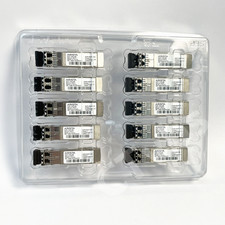
Lot of 10 ARISTA SFP-10G-SR 10GBASE-SR SFP LC Connector Optic Transceiver Module
$60.72