

 Reply With Quote
I even tried booting to runlevel 2, editing XF86Config and then manually starting X. That didn't help either...


I have mouse problem . My "Microsoft Wireless Optical Mouse 1.0A" is detected at boot, but does not work.
I have searched the forum and FAQs and tried all the suggested solutions...
I have tried modprobe -r usbmouse, then modprobe HID, no good.
I have tried unplugging it and plugging it in again, no good.
I have tried mouseconfig, no good.
I have tried booting with the noapic option, no good.
This mouse works fine in Gentoo, and I don't remember having to do anything special there...
Any suggestions for other things to try?
(We are talking boot from CD, not HDD install.)
TIA,
Martin
I even tried booting to runlevel 2, editing XF86Config and then manually starting X. That didn't help either...
 Posting Permissions

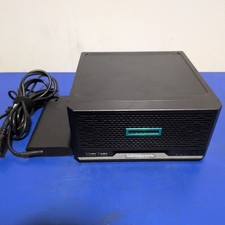
HPE ProLiant MicroServer Gen10 Plus with Power Adapter
$599.00

HP ProLiant MicroServer Gen8 Tower Server Xeon E3-1220 v2 2.3GHz 16GB RAM
$289.99

HP Proliant MicroServer Gen 8 2.23GHz Xeon 16GB RAM NO SSD
$249.99

Supermicro E300-12C Mini 1U Barebone X12SCV-LVDS LGA1200 SNK-P0073A4 w/ Adapter
$225.00

Supermicro 5019D-4C-FN8TP Xeon D-2123IT (4C/8T) 64GB DDR4 10GbE 480GB 1U Server
$649.00

New Barebones Supermicro 5019D Server, 4C/8T Xeon D-2123T, 1U Rackmountable, 10G
$449.99
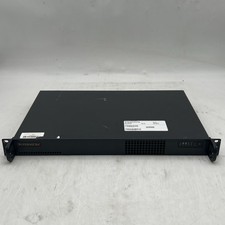
Supermicro 510-2 U1 Rack Mount 3.30GHz 4-Core 4GB RAM No Drive No OS
$179.99
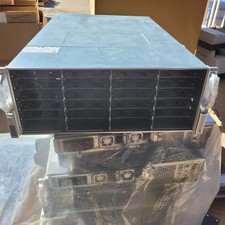
Supermicro CSE-847BE1C4-R1K23LPB 4U Server Chassis 2x1200W 36-Bay SAS3
$699.99

Supermicro CSE-937 3U Storage Chassis No CPU No HDD No Ram Tested & Reset
$129.99
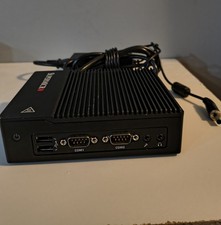
New Supermicro SuperServer E50-9AP-Wifi Mini PC Server
$175.00