

 Reply With Quote
Try the following cheat code at the boot prompt:
knoppix screen=1280x1024
or any other resolution You need. Good luck.


my laptop is using 1024-768, but it would be better to use 1400-1050. where can I change this under Knoppix?
Try the following cheat code at the boot prompt:
knoppix screen=1280x1024
or any other resolution You need. Good luck.
I also need to add the alsa command, so can I do this:
knoppix screen=1400x1050 alsa
?
thanks for your help by the way!
Yes you can as many cheat codes as will fit on the command line, 256 characters IIRC.Originally Posted by raapie
that works fine, thanks!
 Posting Permissions


OPNsense pfSense 8-Core Atom C3758 2.2GHz 8GB DDR4 64GB SSD 8x NIC QAT AES VPN
$145.00

OPNsense Firewall 16-Core Atom C3958 16GB DDR4 RAM 64GB SSD 8x 1Gbe QAT AES-NI
$195.00

OPNsense Firewall 8-Core Atom C3758 4GB DDR4 RAM 64GB SSD 8x 1Gbe QAT AES-NI VPN
$95.00

SonicWall TZ280 Firewall 03-SSC-6933 Advanced Edition 3YR NEW SEALED
$999.99
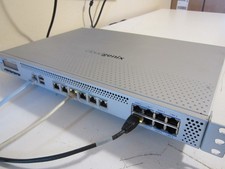
PfSense/OPNsense 14x1Gb, 8-Core, 8GB RAM, 80GB SSD, AES-NI, QAT (Lanner FW-7573)
$149.00
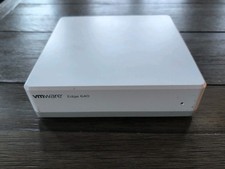
10GbE pfSense Firewall VPN AES QAT 8-Core Atom C3758 2.20GHz 32GB DDR4 256GB SSD
$220.00

Fortinet FortiGate 60F FG-60F UTM UTP License Until 2027 Network Security FW VPN
$229.99
Sophos XG 125 Rev.3 Desktop Firewall 8x GbE 1x SFP Wiped - No Power Adapter
$74.99

Zero Trace Pen: All-in-one Tor Network Anonymous Drive + Cryptocurrency Wallet
$147.00

Check Point 1590 Firewall & w builtin WiFI and builtin LTE sim slot
$95.99