

 Reply With Quote
Try putting in your lilo.conf one of this lines:
vga=791 (for 1024x76
or
vga=788 (for 800x600)
or
vga=785 (for 640x400).
Glad if I could help...


Hi everyone,
I am running a HD install of Knoppix-3.2. It's 99.99% fantastic!!
I compiled & installed my first kernel, 2.6.1, and after some hair-pulling, got it to boot successfully. The one thing that's vexing me is: The TTY font size is huge, and I don't know how to reduce it (toldja it was a newbiw question!). When 2.4.22 boots, the TTY font size is nice & small - Is there a command I can pass the kernel to do this and more than that, a way to automate it?
TIA!!
Try putting in your lilo.conf one of this lines:
vga=791 (for 1024x76
or
vga=788 (for 800x600)
or
vga=785 (for 640x400).
Glad if I could help...
Aha! my lilo.conf has 'normal'; I'll try '791' Thanks!
dit it work as you expected?
Little off topic but probably a similar problem; I used to have knoppix-hd-install on my system with 2.6.0 and I did not see any of the "dmesg-output" until kdm came up. Otherwise the kernel ran just fine. Just curious what might have caused this. any ideas?
The framebuffer that is being used (vga=791 in the /etc/lilo.conf) is not working with the 2.6 kernel when you boot you should use Linux vga=normal at the lilo screen (change the Linux to whatever is displayed for the kernel being booted) or edit the /etc/lilo.conf and make the change there to be used everytime you boot do not forget to run /sbin/lilo after making the change to have it written to the disk.Originally Posted by EmDee
ok, cool, thanks a lot, I'll remember that for my next 2.6 trial! Are there any compile time options that I should know about regarding this issue?
If I remember correctly this is what I tracked it down too needing to be set.
If you want the little penguin logo.Code:# # Character devices # CONFIG_VT=y CONFIG_VT_CONSOLE=y CONFIG_HW_CONSOLE=y CONFIG_SERIAL_NONSTANDARD=y # # Graphics support # CONFIG_FB=y # CONFIG_FB_CYBER2000 is not set # CONFIG_FB_IMSTT is not set # CONFIG_FB_VGA16 is not set CONFIG_FB_VESA=y CONFIG_VIDEO_SELECT=y # CONFIG_FB_HGA is not set # CONFIG_FB_RIVA is not set # # Console display driver support # CONFIG_VGA_CONSOLE=y # CONFIG_MDA_CONSOLE is not set CONFIG_DUMMY_CONSOLE=y CONFIG_FRAMEBUFFER_CONSOLE=y CONFIG_PCI_CONSOLE=y CONFIG_FONTS=y CONFIG_FONT_8x8=y CONFIG_FONT_8x16=y # CONFIG_FONT_6x11 is not set # CONFIG_FONT_PEARL_8x8 is not set
And if you want the PC speaker to make noise.Code:# # Logo configuration # CONFIG_LOGO=y # CONFIG_LOGO_LINUX_MONO is not set # CONFIG_LOGO_LINUX_VGA16 is not set CONFIG_LOGO_LINUX_CLUT224=y
Code:# # Input Device Drivers # CONFIG_INPUT_MISC=y CONFIG_INPUT_PCSPKR=y
In fact, this was my problem exactly. When I set vga=791 in lilo.conf, no TTY. vga=normal = VGA!!. Still can't get the font size where I want it, but I think I'll wait for a few more revs before I try 2.6 again. I found in X when I opened > 1 konsole, there was serious weirdness ... none of my typing showed up, screen wouldn't clear, etc. Thanks for the sound tip also!!
 Posting Permissions


HPE ProLiant MicroServer Gen10 Plus 32GB RAM Xeon E-2224 3.40Ghz No HDD No AC
$750.00

HP Proliant MicroServer Gen 8 2.23GHz Xeon 16GB RAM NO SSD
$249.99

HP ProLiant MicroServer Gen8 Tower Server Xeon E3-1220 v2 2.3GHz 16GB RAM
$289.99

Supermicro CSE-937 3U Storage Chassis No CPU No HDD No Ram Tested & Reset
$129.99
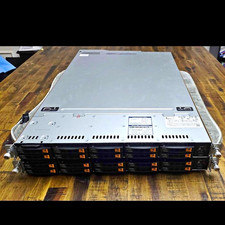
Supermicro Super Server 1029U-TN10RT Dual Xeon Silver 4210 - 10-Bay NVMe Rack
$500.00

New Barebones Supermicro 5019D Server, 4C/8T Xeon D-2123T, 1U Rackmountable, 10G
$449.99

1U Edge Firewall Server X11SCW-F Xeon E-2174G 0 RAM M.2 NVME 3x PCI-e 2x PSU X
$200.00

Supermicro 5019D-4C-FN8TP Xeon D-2123IT (4C/8T) 64GB DDR4 10GbE 480GB 1U Server
$689.00

Nasuni NF-50 Supermicro Server, Atom CPU C2558, @ 2.40GHz, 8GB RAM-No HDD/OS/AC
$250.00

Supermicro E300-12C Mini 1U Barebone X12SCV-LVDS LGA1200 SNK-P0073A4 w/ Adapter
$225.00
