-
Senior Member
registered user
PCalitracck,
Great 
btw - I was guessing on that one. I have had, many, occasions that "something" just gets the BIOS wacky [wacky? stupid word to use here], and by just going in and saving it back out, it tends to get things working again - don't know why though - because the information is correct when you come into the BIOS, possibly some "backup" copy of it or something - kind of like the backup copy of your FAT, if they are not sync'ed the same, a lot of OS's get wierded out about it. (Windoze is that way)
Hopefully, it won't happen again, but if it does, you might try this trick again - as I said - sometimes a little BIOS refresh helps 
Glad I helped you out on this one, and that your back up and running,
Cuddles
Similar Threads
-
By bob151 in forum General Support
Replies: 1
Last Post: 05-11-2005, 11:26 PM
-
By pjafrombbay in forum Hardware & Booting
Replies: 2
Last Post: 05-03-2005, 06:58 AM
-
By billyjobob in forum General Support
Replies: 7
Last Post: 11-04-2003, 07:17 AM
-
By pro-logic in forum General Support
Replies: 3
Last Post: 10-14-2003, 10:26 PM
-
By rrolsbe in forum General Support
Replies: 1
Last Post: 09-12-2003, 09:42 PM
 Posting Permissions
- You may not post new threads
- You may not post replies
- You may not post attachments
- You may not edit your posts
-
Forum Rules

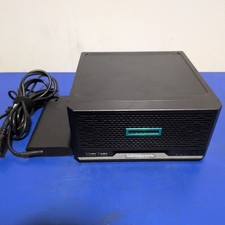
HPE ProLiant MicroServer Gen10 Plus with Power Adapter
$600.00

HP ProLiant MicroServer Gen8 Tower Server Xeon E3-1220 v2 2.3GHz 16GB RAM
$289.99

HP Proliant MicroServer Gen 8 2.23GHz Xeon 16GB RAM NO SSD
$249.99

Supermicro E300-12C Mini 1U Barebone X12SCV-LVDS LGA1200 SNK-P0073A4 w/ Adapter
$225.00
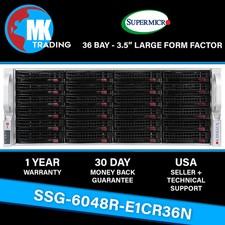
Supermicro SYS-6048R-E1CR36N 36B LFF 4U Server -V3- Choose CPUs/RAM - Wholesale
$4574.00
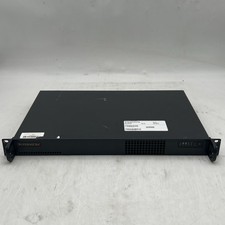
Supermicro 510-2 U1 Rack Mount 3.30GHz 4-Core 4GB RAM No Drive No OS
$179.99

Supermicro 5019D-4C-FN8TP Xeon D-2123IT (4C/8T) 64GB DDR4 10GbE 480GB 1U Server
$649.00

New Barebones Supermicro 5019D Server, 4C/8T Xeon D-2123T, 1U Rackmountable, 10G
$449.99
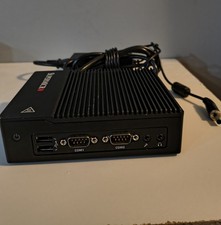
New Supermicro SuperServer E50-9AP-Wifi Mini PC Server
$175.00

Supermicro CSE-937 3U Storage Chassis No CPU No HDD No Ram Tested & Reset
$129.99



 Reply With Quote