

 Reply With Quote
i just tried what both of you tried. neither worked..


I have knoppix running on my Dell Inspiron 8500 I had the same problem initially but if you type the cheatcode:
knoppix fb1600x1200 screen=1600x1200
at the boot prompt it will fix it. Just replace the 1600x1200 part with what ever your laptops native resolution is. Works for me. Hope that helps.
i just tried what both of you tried. neither worked..
same here. Nothing works.
I've had the stupid 2inch black border around my knoppix for ages. <grumble> I've searched sooo many forums, discussions and faqs but still havn't found a solution yet. <sigh>
i've got an 3800, can't remember if i got this black border with knoppix, but i did get it with windows. i had to hit the function key then F7(or it might be F8, says font in purple letters on it) and that fixed it, worth a try!
I had the same black border problem with Knoppix before too and I was also going to suggest the Fn+F7 (or F8 - I don't remember right now) key combination. You may need to repeat that combination 2 or 3 times before it works though, but I never figured out why.
Originally Posted by CatamountJack
what is the "FN" key?
FN (function key) at the bottom left hand side of the keyboard
yeah the Fn+F8 activates the CRT/LCD function. But it didn't work on my Dell Inspiron 1100. Just stuffed up my screen even more coz my menu bar at the bottom disappeared and a fuzzy inaccessable bar appeared up the top. but the black border's still there. I tried pressing Fn+F8 for like 5 times but still the same result.
thx for trying anewayz.
i also have the same problem with a 1100 someone has to have an idea that shoudl work lol
The solution must be the screen cheat code, as mentioned before. If I use anything but 'knoppix screen=1600x1200' when booting i get the black bars around the edge of the screen. 1600x1200 is my native screen resolution. Figure out your screens native resolution and try again. Remember to type "knoppix" before the cheat code.
 Posting Permissions


HP ProLiant MicroServer AMD Athlon II Neo N36L 1.3GHz 8GB RAM 4-Bay NAS Server
$99.00

Supermicro 1027GR-TSF 1U Rackmount Server 2x Xeon 2.3GHz 128GB DDR3
$219.99

Supermicro 721-2 Mini Tower Black Computer Server NO Hdd
$375.00

$280.00

New Barebones Supermicro 5019D Server, 4C/8T Xeon D-2123T, 1U Rackmountable, 10G
$449.99

1U Supermicro SuperServer 5019D-4C-FN8TP Xeon D-2123IT 4 Core 32GB X11SDV-4C-TP
$699.00
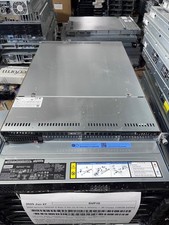
Supermicro 1U Server X11SCW-F Xeon E-2174G 16GB RAM 1x M.2 NVME 3x PCI-e 2x PSU
$220.00

Supermicro 1U Server 514-4 (X11SSZ-QF) | i7-7700 - 16GB DDR4 Ram - Rackmountable
$249.00

BOXX B157552 SuperMicro X10DRT-L 2x Intel 2630V4 NO RAM & SSD Server
$160.99
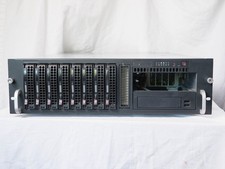
Supermicro CSE-833 3U 8-Bay Barebones, w/ power supply, trays, backpane, fans
$200.00