-
Now booting off a RAID drive
I got this working, so I thought I would post an FYI for anyone else who might want SCSI drivers other than the ones the script installs by default.
The knx-hdinstall script is smart about only loading those SCSI drivers that are necessary for your particular machine into the initrd file. The trouble is that the SCSI devices it works with are not the full range that Knoppix supports, but just those that are included in the miniroot. So my solution was to create my own modified miniroot with the device driver I needed, and change the knx-hdinstall script to use my miniroot. There may be easier fixes, but this worked for me.
Here is what I did from a root prompt:
1) cp /usr/local/bin/knx-hdinstall /tmp
2) mkdir /mnt/work
3) mount -t vfat -o loop,ro /cdrom/KNOPPIX/boot.img /mnt/work
4) gzip -cd /mnt/work/miniroot.gz > /tmp/miniroot
5) umount /mnt/work
6) mount -t ext2 -o loop /tmp/miniroot /mnt/work
7) cp /lib/modules/2.4.22-xfs/kernel/drivers/scsi/aacraid/aacraid.o /mnt/work/modules/scsi
(you'll want to substitute your own device driver here)
8) umount /mnt/work
9) Edit knx-hdinstall and change:
Code:
      mount -t vfat -o loop,ro /cdrom/KNOPPIX/boot.img $TL1
      gzip -cd $TL1/miniroot.gz > $TR/miniroot
      umount $TL1
to:
Code:
cp /tmp/miniroot $TR
10) rmdir /mnt/work
11) /tmp/knx-hdinstall
That should do it. When working with your own driver, make sure you get any dependencies it may have. I'm no module guru but I think the simplest way is using lsmod. If you don't want to trust that you can use depmod -n > /tmp/modlist.txt and check over the file for your driver.
Hope that helps anyone in a similar situation.
Similar Threads
-
By Islington in forum Hardware & Booting
Replies: 4
Last Post: 06-10-2005, 08:36 PM
-
By Khufu in forum Hdd Install / Debian / Apt
Replies: 0
Last Post: 05-19-2005, 05:37 PM
-
By Whiskers in forum General Support
Replies: 3
Last Post: 12-29-2003, 09:50 PM
-
By znmeb in forum Laptops
Replies: 10
Last Post: 11-26-2003, 09:02 AM
-
By apu222 in forum General Support
Replies: 2
Last Post: 12-27-2002, 05:00 AM
 Posting Permissions
- You may not post new threads
- You may not post replies
- You may not post attachments
- You may not edit your posts
-
Forum Rules

Vintage Apple Macintosh Microsoft BASIC Interpreter OEM Sealed NOS ver 1.01
$269.99
Vintage Apple iBook G3 Clamshell M2453 Dead HDD For Parts As is
$159.99

Lot of 3 VIntage Apple Computer Rainbow Logo Sticker Decal Macintosh 1980s NOS
$7.00
Rare Vintage Apple PC Compatibility Card P166 In Box 820-0930-A M5782LL/A READ
$649.00
Retro Rare Vintage TransWarp GS Accelerator Card Apple IIGS Applied Engineering
$449.00
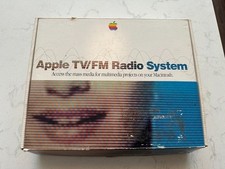
Rare Vintage Apple TV/FM Radio System In Box w Remote For Mac M4586LL/A
$449.00
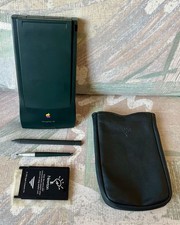
Vintage Apple Newton MessagePad 130 PDA - Working, Clean + Batteries & Extras
$149.99
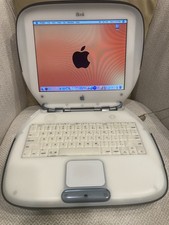
Vintage Apple iBook Clamshell Graphite 466MHz 60GB HD 128 Ram OS 9 & 10
$350.00

Vintage Apple Multiple Scan 15av Display Monitor M4681
$299.99
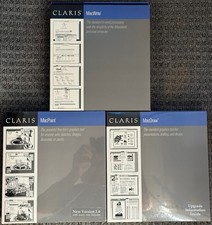
3 Boxes-Vintage Apple Claris Macwrite MacPaint MacDraw - Sealed - NOS Rare 1988
$74.99



 Reply With Quote