-
Senior Member
registered user
Knoppix 3.3 HDbased install problem.
Hello all,
I'm new to linux, and I like knoppix a lot! I am trying to do a hdbased install of knoppix to my hd so I can use the cd to boot and then have the hd install take over. Or have the xp boot.ini boot to the hd based install. I have a limited amount of space on my hard drive so can't do a full install yet until I get a new (larger) hd. Here's what I have and did. My config as follows on my laptop: 6 partitions- c:=FAT (200mb), d: thru g:=NTFS(4.5gb), j:=FAT32 (1.5gb) *note*:had to resize G: to 3 gb to make the J: partition for the hdbased install of Knoppix. I used qtparted to do this, and was successful. Booted cd and then copied the cd to J: using the instructions from the hdbased howto. Everything went ok, till I had problems with the lilo part. I don't want to install Lilo to be the boot manager on C:, but wouldn't mind if I could somehow get lilo written into boot.ini or use the cd to boot and then turn over to the hd. The kernel panics when I attempted the fromhd=/mnt/hda9 cheatcode when booting from the cd. It attempts to look for it from /mnt/hda1 instead and crashes. Is there a way to do this? If so, how?
-
Yes, there are several ways...
Here's (the) one to get the NT-Bootloader boot linux as well...
First, you need to boot up into linux.
(Knoppix works well for this.)
once running, issue these commands (as root):
# mount -t vfat /dev/hda1 /mnt/hda1 -o rw
# dd if=/dev/null of=/mnt/hda1/bootsect.lin count=1 bs=512
when you have already installed lilo into the partition-bootrecord
(/dev/hda9) you can now run:
# dd if=/dev/hda9 of=/mnt/hda1/bootsect.lin count=1 bs=512
now you can configure lilo to write it's bootblock to this file...
# boot=/dev/hda1/bootsect.lin
# root=/dev/hda9
All you need to do is now set up C:\boot.ini to include a line like:
C:\bootsect.lin="Linux"
# echo C:\bootsect.lin=Linux >> /mnt/hda1/boot.ini
You're done.
Hope this helps!
-
Senior Member
registered user
Well, I gave it a shot and it failed. Re-ran the hdbased steps again and when I got to the "lilo -C /mnt/hda9/boot/lilo.conf", it returned the following error: "Warning: partition type 0x0B on device 0x0309 is a dangerous place for a boot sector. A DOS/Windows/OS2 system may be rendered unbootable. The backup copy of this boot sector should be retained.
Proceed? [N/y]y
Fatal: Filesystem would be destroyed by LILO boot sector: /dev/hda9".
Still, I went ahead and used your commands, edited the boot.ini file and rebooted. That came up with a black screen with a blinking cursor in the left hand window. So, basically I think it's unable to create a lilo boot sector in /dev/hda9 so that I can boot into that. Any other ideas or clues to sort this out?
-
Senior Member
registered user
If this would help some more, here is what I have modified my lilo.conf file from /mnt/hda9/boot/:
lba32
boot=/dev/hda1/bootsect.lin
root=/dev/hda9
install=/boot/boot-menu.b
backup=/dev/null
map=/boot.map
timeout=100
vga=normal
default=Knoppix
image=/boot/vmlinuz
append="lang=us myconf=/mnt/hda9 home=/mnt/hda9 dma ramdisk_size=100000 init=/etc/init apm=power-off hda=scsi hdb=scsci hdc=scsi hde=scsi hdf=scsci hdg=scsi hdh=scsi vga=791 initrd=/boot/miniroot.gz quiet BOOT_IMAGE=knoppix"
root=/dev/hda9
label=Knoppix
read-only
That's what I have it set to now. I hope that's correct as far as I can tell.
-
Senior Member
registered user
Simon,
Your tip helped a lot, but left out one thing I needed to do to get this working: I needed to chroot to /mnt/hda9 where knoppix was copied to and run lilo from there to get the bootloader installed in the partition and then run your commands. Too bad I figured this all out after finally giving up and resorting to a full hd install instead of a hdbased install. But that's ok, I'm learning and believe it or not, this is only my 7th day of working with Linux. 
 I'm so used to working with MS, and if I didn't take to the command line like a duck to water, I would have just used the cd forever.
-
Senior Member
registered user
HDbased install problem-CLOSED!
Sorted this out with a full install of the Knoppix distro. Thanks to all who helped out.
Similar Threads
-
By adamherb in forum Hdd Install / Debian / Apt
Replies: 0
Last Post: 01-03-2005, 02:49 AM
-
By Popovn in forum General Support
Replies: 0
Last Post: 03-19-2004, 01:18 PM
-
By Popovn in forum Hdd Install / Debian / Apt
Replies: 0
Last Post: 03-19-2004, 01:16 PM
-
By ktheking in forum General Support
Replies: 4
Last Post: 07-03-2003, 01:23 AM
-
By reub2000 in forum General Support
Replies: 9
Last Post: 05-27-2003, 10:10 PM
 Posting Permissions
- You may not post new threads
- You may not post replies
- You may not post attachments
- You may not edit your posts
-
Forum Rules


Supermicro 1027GR-TSF 1U Rackmount Server 2x Xeon 2.3GHz 128GB DDR3
$219.99

Supermicro 721-2 Mini Tower Black Computer Server NO Hdd
$375.00

Supermicro 1U Server 514-4 (X11SSZ-QF) | i7-7700 - 16GB DDR4 Ram - Rackmountable
$249.00

Supermicro 505-2 Server
$280.00

New Barebones Supermicro 5019D Server, 4C/8T Xeon D-2123T, 1U Rackmountable, 10G
$449.99

HP ProLiant MicroServer AMD Athlon II Neo N36L 1.3GHz 8GB RAM 4-Bay NAS Server
$99.00
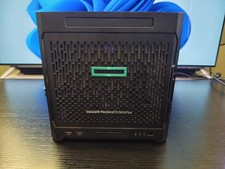
HP HPE Proliant Gen10 Microserver, AMD Opteron X3216, 8GB DDR4 RAM 240GB SSD
$449.00

1U Supermicro SuperServer 5019D-4C-FN8TP Xeon D-2123IT 4 Core 32GB X11SDV-4C-TP
$699.00

BOXX B157552 SuperMicro X10DRT-L 2x Intel 2630V4 NO RAM & SSD Server
$160.99

Nasuni NF-50 Supermicro Server, Atom CPU C2558, @ 2.40GHz, 8GB RAM-No HDD/OS/AC
$250.00



 Reply With Quote