

 Reply With Quote
Is there an equivalent command in mandrake? I've also booted off the Knoppix CD and tried this, but it says I need to be "root" to run pump. How do I do that?Originally Posted by aay
thanks.


Well, sure, that's practical advice, but let's face it, there's darn little about Linux that's practical for a lot of us, right? I mean, Windows satisfies my needs, and Linux takes a boatload of tweaking to get it to work. It's a hobby, and it's fun, and I'm learning. Maybe it will be as natural for me as Windows some day, but it isn't now. Personally, I think it still needs a lot of development, but it is getting dramatically better, and it has a lot more potential than anything else I know of. So, rather than take the path of least resistance, let's take a look at what we need to do to advance the cause. The forums are loaded with wlan card detection problems - for all brands of cards. Even the most recommended Orinoco card seems to have its share of problems with Knoppix. Contrary to your skepticism, the MS card uses recognized standards, and comes highly recommended by a number of reviewers. Say what you want, but history shows that MS has a way of BECOMING the standard, more often than not. As I said, it's detected and recognized, but Knoppix isn't finding the prism2_cs driver, which is a pretty solidly established standard (in fact, a few posts up, Tim White recommended prism 2 based cards). Also, the MS card has already been reported on a number of sites as being fully linux compatible. More than I want my card to work, I wanted to share a hypothesis and diagnostic data in hopes of helping Knoppix to work better and to become a viable desktop alternative to Windows. As I see it, the fault is with Knoppix, not the card. The card itself works fine.
Anyway, much as I appreciate the practicality of your advice, I didn't come here to debate cards and manufacturers.
[EDIT] I found one problem. See http://www.knoppix.net/forum/viewtop...?p=51055#51055 [/edit]
So, does anyone have an idea of how I can get Knoppix 3.4/2.6.6 to "find" prism2_cs?
TIA
JD
Is there an equivalent command in mandrake? I've also booted off the Knoppix CD and tried this, but it says I need to be "root" to run pump. How do I do that?
thanks.
I have been following these posts and have not got past the wlcardconfig stage - it tells me that there is no network card found. However - pcmcia services are started and lspci identifies my 3com network controller: unknown device. I'm new to linux, so please give any advice as an idiot guide! Thanks.
Martin
wlcardconfig dosen't work for me. it says there is no card.
no lights light up either so could it be a pcmcia problem?
my card is netgear model wg511t.
p.s. is this the string to post in for wifi?
nevermind. i got it working. it was installed with failsafe!
On my Pc the T Sinus Data 130 is not recognised. Under W2000 it works fine. It is connected to USB.
What can I do?
Many thansk
Feuerbeke
Thanks for the instructions. I have two wireless cards on my Toshiba. One is builtin, the other is a an pcmcia card. The builtin is recognized by Knoppix, the other is not. However, wlcardconfig recognized neither. I solved that problem by adding the folliing steps:
1. cp /usr/sbin/wlcardconfig /tmp/wlcardconfig
2. edit /tmp/wlcardconfig to explicitly use eth0, instead of a cat of /proc/net/wireless.
3. Turn on the antenna switch for the builtin card. (Normally I leave it off because the pcmcia card gets much better reception.)
I left the rest of the steps as is, and I am posting the message from Knoppix on my wireless laptop now...
Bill
Another small tip - when entering the encryption key, use HEX vs. ASCII. You can convert your ASCII key to HEX via KHexEdit. Remove the spaces and you should be set.
hey im new here and to linux for that matter. and im having trouble setting up my wireless connection. I've got a dell 700m and im using the stock wifi card and i have a linux router. I was able to use wlcardconfig to set everything up but i couldnt execute the pump -i eth0 command. it just says operation failed. so i still cant get onto the internet. plz help thx
Does anybody has experience setting up a CompUSA wireless card any version ?
What is your opinion on this card
 Posting Permissions


HP ProLiant MicroServer AMD Athlon II Neo N36L 1.3GHz 8GB RAM 4-Bay NAS Server
$99.00

Supermicro 1027GR-TSF 1U Rackmount Server 2x Xeon 2.3GHz 128GB DDR3
$219.99

Supermicro 721-2 Mini Tower Black Computer Server NO Hdd
$375.00

Supermicro 1U Server 514-4 (X11SSZ-QF) | i7-7700 - 16GB DDR4 Ram - Rackmountable
$249.00

New Barebones Supermicro 5019D Server, 4C/8T Xeon D-2123T, 1U Rackmountable, 10G
$449.99
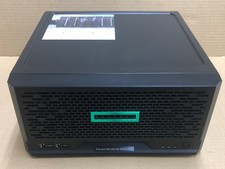
HPE ProLiant MicroServer Gen10 Plus Xeon E-2224 8GB Japan
$588.18

1U Supermicro SuperServer 5019D-4C-FN8TP Xeon D-2123IT 4 Core 32GB X11SDV-4C-TP
$699.00
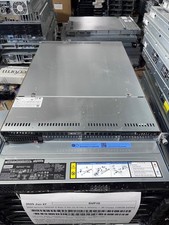
Supermicro 1U Server X11SCW-F Xeon E-2174G 16GB RAM 1x M.2 NVME 3x PCI-e 2x PSU
$220.00

$280.00

BOXX B157552 SuperMicro X10DRT-L 2x Intel 2630V4 NO RAM & SSD Server
$160.99