-
Senior Member
registered user
Re: It worked!

Originally Posted by
tony_c
That was it!!! I'm in knoppix right now, using my wireless card to connect! I made it way more complicated than it was. Thank you so much.
So for any other linux newbies out there who's wireless card is detected and loaded without errors, but you aren't connecting over your wireless card:
1. Go to the command line and type... wlcardconfig
2. Enter your wireless network's name (SSID) when prompted.
3. Enter your WEP key/password (if your network is encrypted) when prompted.
4. Leave the other specs blank.
5. After you complete the config, at the command line type... pump -i eth0
(where "0" is the number of your wireless card)
Glad to hear it's working.
Similar Threads
-
By squard in forum Networking
Replies: 0
Last Post: 03-20-2005, 10:27 PM
-
By puggled in forum Networking
Replies: 3
Last Post: 05-09-2004, 04:10 PM
-
By mapezaid in forum Hardware & Booting
Replies: 3
Last Post: 04-28-2004, 08:19 PM
-
By imipolex in forum Networking
Replies: 6
Last Post: 04-18-2004, 05:07 AM
-
By bopper in forum General Support
Replies: 1
Last Post: 03-26-2003, 05:14 PM
 Posting Permissions
- You may not post new threads
- You may not post replies
- You may not post attachments
- You may not edit your posts
-
Forum Rules


IBM System X3850-X5 Server w/4x Intel Xeon E7-4870 CPU , 512 GB DDR3 RAM,NO HDD
$1599.99

DELL POWEREDGE HP IBM SERVER XEON GOLD 5315Y 8 CORE PROCESSOR 3.2 GHZ SRKXR
$1100.00

IBM QRadar xx29 2x Xeon E5-2650v4 2x 900W PSU M5120 12x 3.5" Bay Server No RAM
$179.99

IBM ADP Server Type 7870 AC1 NO HDD | 128GB RAM PC3L | 2 x Xeon E5620
$199.99

IBM X3650 M5 5462-AC1,2 X E5-2640V3 2.6GHZ 8C, 16 GB, DUAL 750W, 2 X 1TB SERVER
$349.99

IBM SYSTEM X3500 M3 SERVER 7380AC1 TOWER Server XEON E5620 8GB RAID SEE NOTES
$111.70

IBM x3550 M4 1x 3.50GHz Quad Core Xeon E5-2637v2 32GB RAM 8-Bay No HDDs - READ
$20.00

IBM System x3550 M3 1U Server 2x Xeon E5645, 192GB RAM, 2x 300GB HDD (7944-AC1)
$150.00

IBM 7915 AC1 M4 E27R704 Server Intel 2650V2 32GB RAM NO HDD w/ 2x 750w PSU
$225.00
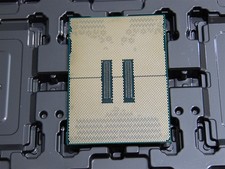
DELL POWEREDGE HP IBM SERVER XEON GOLD 5415+ 8 CORE PROCESSOR 2.9 GHZ SRMGC
$1299.00



 Reply With Quote