
I've found that my problem was a corrupted cloop file
can you mount your created KNOPPIX file from the environment that you create it in ?
ie
insmod cloop file=/home/dave/master/KNOPPIX/KNOPPIX
mount /dev/cloop /tmp
ls -l /tmp


I've found that my problem was a corrupted cloop file
can you mount your created KNOPPIX file from the environment that you create it in ?
ie
insmod cloop file=/home/dave/master/KNOPPIX/KNOPPIX
mount /dev/cloop /tmp
ls -l /tmp
Hey,
I was getting the EXACT SAME PROBLEM
I burned ISO with xcdroast under Fedora Yarrow and it would bomb just as above.
After reading this post, I decided to install K3B and burned it with that just a second ago.
All I did to the master was
REMOVE tetex base
ADD iperf
And then burned it with K3B. Just rebooted and it works like a charm...) This is my very very first remaster, ever! I have gained the confidence now to tweak it to my liking.
Once thing I noticed was that my MOZILLA Icon on the taskbar changed from the red mozilla to the blue M
Cheers
Manny
Where is your isolinux directory? I had this problem and the solution was to move isolinux to the root of "cdrom".
cesman
I have remastered KNOPPIX V3.3 the 16th Feb release and it works fine.
Have you got that partition you are developing the KNOPPIX file system in a ext2 or ext3 file system?
I would like to say I have the exact proeblem.
Apparently it has to do with the original environment. My host OS is MandrakeLinux 9.2, and I am using cloop-utils-1.02-1mdk.
Which version should I use, and where do I get it from?
and...
is it possible to remaster from teh chrooted environment?
I think I can boot from theoriginal knoppix and remaster from there, but that is a really unconfortable way of working.
I had the exact same problem.
I have a P4 2.6 Ghz with HT and 1 gig of RAM.
When I created the KNOPPIX image it gave me the error, but when I re-created the image, it worked just fine.
I also have the same problem, but also a work around.
I have four partitions
hda1 - 500M swap
hda2 - 700M partion for a "poor man's dual boot"
hda3 - 2G ext2 partition complete bootable linux file system (knx-hdinstall)
hda4 - 10G ext2 partition used for remastering and poor man's dualboot
Partitions hda2 through hda4 are bootable via LILO. All run essentially the same base version of KNOPPIX (Version 3.3 2-16-2004)
I use the hda2 partition as my default boot, preferring to work from a CD based workstation while saving a my configuration (config.tgz) on hda2. I have no persistent home directory.
Here's the problem. The HDA2 poor man's dualboot consistently boots great for me. And of course the fully installed linux partion (HDA3) boots as well. When I remaster on HDA4 and create my iso and burn to CD, the CD boot well. But if I copy the remastered compressed KNOPPIX filesystem to the poor man's dual boot setup on HDA4, I get the error described (filesystem could not be found, sorry, etc.) As noted, it is not the newly created filesystem, because I can burn it to a CD and it works great.
Here's the work around. I copy the newly remastered compressed KNOPPIX filesystem to the poor man's dual boot on HDA2 and it boots just fine (same as the remastered CD).
However, I like to keep HDA2 as my "known good" partition and not fool around with it. I would MUCH more prefer to boot from the development partition (HDA4) to test my remasters and leave the production environment alone.
I have learned to live with this, but I would REALLY appreciate any suggestions anyone would have regarding why this seems to only boot from the first ext2 partition available.
Thanks in advance,
~paul
Hi,
i had the same problem too. But I found a solution. When you try to master the image don't forget the switch -J (Joilet Extensions) for mkisofs. This switch allows lower-case and (!) upper-case file-/directorynames. If it isn't set the directory "KNOPPIX" on cd is lower-case but it has to be upper-case.
After this my self-mastered Image is working really good.
HTH
RedCash
Can anyone tell me - as I have NO knowledge about Linux - how do I get my CD to work after the "Can't find Knoppix filesystem" appears? The computer boots from CD (wouldn't get this message otherwise). I don't want to install anything on my machine. I thought the point with the Noppix CD was to introduce Linux to people... but this doesn't seem to be working...
I have exactly same problem.
but "knoppix nodma" option is ok
 Posting Permissions


Genuine Cisco SFP-10G-SR 0-2415-03 10 Gigabit Transceiver
$5.40

NEW Sealed Cisco SFP-10G-LR 10GBASE-LR SFP+ 1310nm 10km *US Shipping*
$24.00

Cisco Acacia DP04QSDD-E25-840 400G QSFP-DD Coherent DCO Transceiver Module
$699.99

Cisco WS-C3650-12X48UR-L 48-Port Stackable Layer 3 8x10G SFP+ Port Switch
$129.99

SFP TO RJ45 TRANSCEIVER SFP MODULE COPPER SFP OPTICAL PORT TO RJ45 ETHERNET PORT
$7.99

Intel X520-DA2 10Gb 10Gbe 10 Gigabit Network Adapter NIC Dual Port E10G42BTDA
$28.94
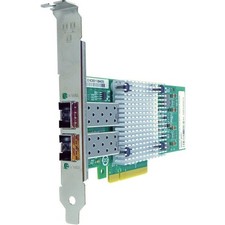
Axiom 10Gbs Dual Port SFP+ PCIe 3.0 x8 NIC Card for Synology - E10G17-F2
$456.99

HP 560SFP+ 10GB 2-port PCIe NIC Ethernet ADAPTER 669279-001 w/ (2) 10GB SFP+
$16.99

Arista SFP-10G-SR 10GBASE-SR XVR-10001-20 850nm SFP+ Optical Transceiver
$20.70

Dell 10 Gigabit SFP+ SR Transceiver 0XYD50 NEW SEALED
$24.99

 Reply With Quote