-
Junior Member
registered user
Auto run of programs.
Is it possible to setup Knoppix so that it will auto run a console based program as soon as the machine boots? Please use details on any methods described. Thanks.
-
I'm sure there are better and more efficient ways of doing this but this should work. And I assume this is after a HD install.
Creat a text file that begins with #! /bin/sh and follow with the commands you want executed.
Save your file in the /etc/rc5.d directory.
Make sure your file name starts with S99
Make sure it is executable by root (I believe).
It will now be one of the last scripts to be executed when your computer to boots (at least to the KNOPPIX default run level 5).
Good Luck,
Mike
-
Junior Member
registered user
I gave your suggestion a shot and it gives me a permission error. I have made sure that it and the file to executed by the script are executable by all users.
Is there anything else that I need to place in the script file? I placed the text you gave mean and the following command:
"/cdrom/program/program"
Thanks again for the help.
-
What are you trying to do? More specifics might help.
-

Originally Posted by
mmaki
I'm sure there are better and more efficient ways of doing this but this should work. And I assume this is after a HD install.
Creat a text file that begins with #! /bin/sh and follow with the commands you want executed.
Save your file in the /etc/rc5.d directory.
Make sure your file name starts with S99
Make sure it is executable by root (I believe).
It will now be one of the last scripts to be executed when your computer to boots (at least to the KNOPPIX default run level 5).
This assumes that one is using the Knoppix off of the hard drive, and that the user is entering run level 5.
If you are using a console-based program, you might be entering run level 2, in which case the program should be put into /etc/rc2.d. Make sure the program has permissions of 755 (rwxr-xr-x).
Better yet is to put the program into /etc/init.d and put a link in /etc/rc2.d:
cd /etc/rc2.d
ln -s ../init.d/myprog S99myprog
Notice that the link starts with S99 but the standard program does not.
Another way which works with the Knoppix CD is to put a shell script on a floppy and enter "floppyconfig" at the command line. With a console-based program, you probably want to use the "2" option also.
-
Junior Member
registered user
And persistent home??
And persistent-home, what level run ??
1,2, 5???
/home/knoppix in /ramdisk is mounted in that level??
-
Junior Member
registered user
Thanks for everyones help. I had the permissions wrong before I compressed the Knoppix file but when I looked at them on the cd they appeared differently. Stupid mistake #542.
Similar Threads
-
By darksky in forum General Support
Replies: 1
Last Post: 02-20-2005, 03:50 AM
-
By necokop in forum Networking
Replies: 9
Last Post: 05-25-2004, 05:14 PM
-
By fkbangun in forum Networking
Replies: 1
Last Post: 06-27-2003, 08:33 AM
-
By KnoppIXuser in forum Customising & Remastering
Replies: 1
Last Post: 04-30-2003, 09:55 AM
-
By maddany in forum Hdd Install / Debian / Apt
Replies: 1
Last Post: 04-16-2003, 02:19 AM
 Posting Permissions
- You may not post new threads
- You may not post replies
- You may not post attachments
- You may not edit your posts
-
Forum Rules


One Of A Kind Homemade Vintage Mainframe Computer, Logic Module Wood Bookends
$149.00

Vintage Telex 952003-112 Mechanical Terminal Keyboard IBM 3270 Mainframe DB25
$594.99

HP 13210-60001 Disc Drive Interface PCB HP 7900A 7901A Vintage
$157.93

Vintage Intel Mainframe Server MCM CPU Substrate Lot Prototyping PGA Validation
$500.00

4x Various Brands 8.5" Mainframe 9-Track Reel Computer Data Tape 6250 CPI .5"
$24.99
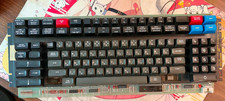
Vintage Japanese Katakana Double Shot Sperry Univac UTS 4000 Keyboard 1981
$199.99
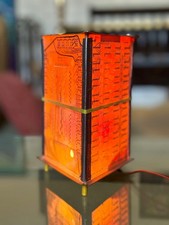
Vintage UNIVAC Mainframe Circuit Board Lamp - Cyberpunk Tech Geek Industrial Art
$225.00
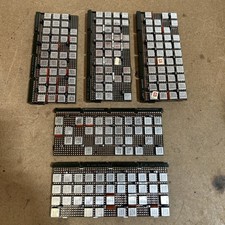
Vintage IBM Syst 370 MST Boards Lot Of 5 Heavily Populated IBM 22 Alu Can Chips
$89.00
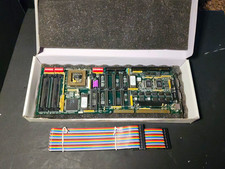
MCSI IND-486DX Industrial ISA SBC PC/104 Motherboard NOS Untested No CPU RAM
$189.99

HP 5060-8359 8K Semiconductor Memory Module 5080-9747 Vintage HP Computer
$157.30



 Reply With Quote