

 Reply With Quote
Personally I prefer GRUB because it's more flexible and breaks less often


Hi
Today I tried the "tohd" command for the first time. One thing I was thinking about was to make a scipt which run lilo and install a boot manager on the hd.
The script could possibly be run from inside /etc/init.d/knoppix-autoinstall.
One problem is to detect if there is already is a boot manager installed. I guess this this could be done by looking for a lilo.conf or grub.conf on all the partitions but it might be better just to ask the user: "Are you sure would install a boot-loader".
The other problem is to find where the Windows installations is located. Usually they would be found at hda1.
Here is the lilo.conf I used today:
To install the lilo I start up from the cdrom and run the following commands as root:Code:boot=/dev/hda default=knoppix prompt nowarn timeout=100 image=/mnt/hda1/knoppix/vmlinuz label=knoppix root=/dev/hda1 # probably not needed initrd=/mnt/hda1/knoppix/miniroot.gz append="lang=da quiet noscsi" # home=scan myconf=scan vga=normal read-only other=/dev/hda1 label=windows table=/dev/hda
The following commands should be run each time lilo.conf has to be changed:Code:mount /mnt/hda1 mount -o loop /cdrom/KNOPPIX/boot.img /mnt/test cp -f /mnt/test/vmlinuz /mnt/hda1/knoppix/ cp -f /mnt/test/miniroot.gz /mnt/hda1/knoppix/ umount /mnt/test umount /mnt/hda1
Would you think it is safe to write a script which does the above? I find it a bit scaring to write a boot manager to an end-user harddisk.Code:mount /mnt/hda1 vi /mnt/hda1/knoppix/lilo.conf rm -f /boot # don't know how to avoid this ln -s /mnt/hda1/knoppix /boot # and this lilo -v -C /mnt/hda1/knoppix/lilo.conf -b /dev/hda umount /mnt/hda1
/hans
Personally I prefer GRUB because it's more flexible and breaks less often
chlor,
I just tried your example and it worked great! I can now boot my system without the Knoppix CD....and using the "tohd" command
I ran into a few places in your script where the "knoppix" should be capital "KNOPPIX" because that's how the "tohd" command writes it to the drive... not knowing what version you used, maybe your's was different. Not a big oops, but it might really confuse some newbies.
Code:
note: change the 'da' to 'en' for all you english speakers!!
After the '#' is commented out...add those inside to use them.
I also deleted the other section because the drive only has Knoppix on it...if that's the case you'll get an error lilo tries to find windows.
I created my lilo.conf on the desktop using the default editor cause I'm not good at vi yet....that may help some newbies out there. Also, for some reason, it wouldn't let me make the hda1 read/write, so I had to copy over lilo.conf from the root shell.Code:boot=/dev/hda default=knoppix prompt nowarn timeout=100 image=/mnt/hda1/KNOPPIX/vmlinuz label=knoppix root=/dev/hda1 # probably not needed initrd=/mnt/hda1/KNOPPIX/miniroot.gz append="lang=da quiet noscsi" # home=scan myconf=scan vga=normal read-only other=/dev/hda1 label=windows table=/dev/hda
Code:
from the default root prompt {KNOPPIX}
to copy the lilo.conf file from the desktop
Code:cd Desktop cp -f lilo.conf /mnt/hda1/KNOPPIX/
To install the lilo I start up from the cdrom and run the following commands as root:
Code:
Code:mount /mnt/hda1 mount -o loop /cdrom/KNOPPIX/boot.img /mnt/test cp -f /mnt/test/vmlinuz /mnt/hda1/KNOPPIX/ cp -f /mnt/test/miniroot.gz /mnt/hda1/KNOPPIX/ umount /mnt/test umount /mnt/hda1
The following commands should be run each time lilo.conf has to be changed:
Code:
Code:mount /mnt/hda1 rm -f /boot # don't know how to avoid this ln -s /mnt/hda1/KNOPPIX /boot # and this lilo -v -C /mnt/hda1/KNOPPIX/lilo.conf -b /dev/hda umount /mnt/hda1
Hope this helps somebody else out!
That 'tohd' function is GREAT!!! Thanks everybody!
 Posting Permissions


New Barebones Supermicro 5019D Server, 4C/8T Xeon D-2123T, 1U Rackmountable, 10G
$449.99

HP Proliant MicroServer Gen 8 2.23GHz Xeon 16GB RAM NO SSD
$249.99

HP ProLiant MicroServer Gen8 Tower Server Xeon E3-1220 v2 2.3GHz 16GB RAM
$289.99

Supermicro CSE-937 3U Storage Chassis No CPU No HDD No Ram Tested & Reset
$129.99

1U Edge Firewall Server X11SCW-F Xeon E-2174G 0 RAM M.2 NVME 3x PCI-e 2x PSU X
$175.00

Supermicro 5019D-4C-FN8TP Xeon D-2123IT (4C/8T) 64GB DDR4 10GbE 480GB 1U Server
$689.00
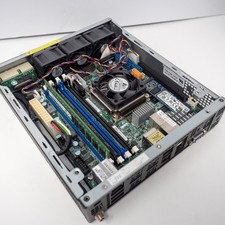
Supermicro E200-8D Xeon D-1528 8GB RAM 256GB SSD 2x10GbE X10SDV-6C-TLN4F w/ PSU
$525.00

Supermicro SuperServer E300-15 - SYS-e300-9C - 16GB RAM 240GB Samsung SSD
$199.99

POGO ATLAS 1102 Server 32 Gb RAM 4TB Storage 2x2TB HDD’s (Tested-Working) No OS
$179.85

Supermicro E300-12C Mini 1U Barebone X12SCV-LVDS LGA1200 SNK-P0073A4 w/ Adapter
$225.00