-
Senior Member
registered user
First of all, GoWater, nicely put, excellent wording, and descriptions 
As for the "filesystem" structure, I tend to think of it "like" the old DOS prompt directory structure, its easy to follow then. (just with a "starting point" being slightly different:
In DOS, a tree structure would look something like this:
C:\DOS\SCSI\DRIVERS\CDROM\YAMAHA\SCSICD.SYS
Whereas, if this same (which an extension would not be necessary, but for explanation purposes) above "tree" structure, in Linux/Knoppix/Debian/etc... would look like this:
hda1/dos/scsi/drivers/cdrom/yamaha/scsicd.sys
The only "wrinkle" in this theory, is that if hda1 was manually mounted, and not the operating system, it could have a "mount point" that adds to the first part of the string... Lets say that device hda1 has a "mount point" of /cdromdrives/archived - then the above Linux/Knoppix/Debian/etc... line of a translated DOS tree structure, would actually look like this now, with the mount point involved:
/cdromdrives/archived/dos/scsi/drivers/cdrom/yamaha/scsicd.sys
The whole "file system" in Linux/Unix/Debian/Knoppix/etc... is far more "advanced" than a "file system" in any Windows system. It can do more, it can be expanded more, and it has less "limitations", which are mostly placed on top of the "file system" by the operating system, than Windows systems have. And, lets not even get started on the security of Linux's file system, either - considering that if a file is made "global" to all users, it can get its "security" from an inherited folder, or device (hard drive). In other words, a device can be read-only, and ANY file, or folder, on the device is also read-only, even if the file has read/write access.
This may be where a lot of people get stumped, I did, from the start. The whole "security" measures of Linux are in the "complete" tree structure. A file can have all user access read and write, but if the folder, or any of its parent folders, or the device, is not also read-write to all users, the it won't allow changes to even the file.
I think Unix, and Linux, have a more powerful way of "locking down" a file system, than any other OS I have ever seen. (this is serious security, considering I had a heck of a time trying to get a few users ability to access a few files.)
Oh well, I think I've said enough -=- graveyard shift, and way past my bedtime 
Cuddles
Similar Threads
-
By sonicdragon14 in forum General Support
Replies: 4
Last Post: 12-11-2004, 06:25 PM
-
By el_santo in forum General Support
Replies: 0
Last Post: 11-23-2004, 01:04 PM
-
By miguipda in forum Ideas
Replies: 3
Last Post: 06-29-2004, 02:07 AM
-
By dvest in forum General Support
Replies: 1
Last Post: 08-14-2003, 06:40 AM
-
By thegroover in forum General Support
Replies: 3
Last Post: 07-08-2003, 09:59 AM
 Posting Permissions
- You may not post new threads
- You may not post replies
- You may not post attachments
- You may not edit your posts
-
Forum Rules


HP ProLiant MicroServer Gen8 G1610T @2.3 GHz, 16GB, 712317-001 NO HDD/OS
$199.00

Supermicro 1U Network Server Appliance 16GB RAM 800GB SSD 6 LAN Ports Powers On
$450.00

Nasuni NF-50 Supermicro Server, Atom CPU C2558, @ 2.40GHz, 8GB RAM-No HDD/OS/AC
$250.00

Supermicro CSE-937 3U Storage Chassis No CPU No HDD No Ram Tested & Reset
$129.99
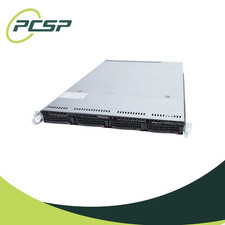
Supermicro CSE-815-5 4B LFF Xeon E3-1245v6 16GB DDR4 1x 9361-8i 4x 1TB SATA HDD
$483.99
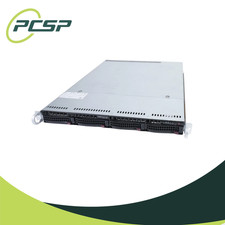
Supermicro CSE-815-5 4B LFF Xeon E3-1240v5 16GB DDR4 1x 9361-8i 4x 1TB SATA HDD
$484.00

HP PROLIANT MICROSERVER GEN8 E3-1220LV2 @ 2.30GHz, 8GB RAM, NO HDD/OS
$164.97

New Barebones Supermicro 5019D Server, 4C/8T Xeon D-2123T, 1U Rackmountable, 10G
$449.99

Supermicro CSE-937 3U Storage Chassis No CPU No HDD No Ram Tested & Reset
$129.99

Supermicro 505-2 Server
$280.00



 Reply With Quote