-
Newbie troubles with DSL
Hello,
I've been struggling for about a week and a half now setting up Debian. Building the Knoppix Live CD has been a big help. I love the new OS. Connecting to the Internet is my last major hurdle. At least once that's taken care of I'll be able to do my research for any future problems from home.
I have a VIA Rhine ethernet card. When running Linux off of the CD I was unable to connect to my DSL (Time Warner - RoadRunner). When running PPPOE/ADSL, first it would acknowledge my ethernet card (eth0), and then it would time out waiting for the PADO packets and I would get a message saying there was no Access Concentrator response from my provider. No DSL, no internet access.
I searched the fprums and here are some of the fixes I found and tried. Booting from the CD using the cheatcode "Knoppix Noapic" had no effect. I read the messages concerning Microsoft Security Updates changing the eeprom in the hardware so it does not run Linux. The recommended fixes for this, running "sudo mii-tool -r" and ifconfig from a shell were also ineffective for my problem. Perhaps I should mentioin that running ifconfig did bring up the line "UP BROADCASET RUNNING-MULTICAST" in reference to eth0.
Finally, I saw some messages that echoed the advice of the FAQ for those who use DHCP to connect to the Internet. The FAQ states that the hard disk installed system is "normal" Debian and that for DHCP I need to add these lines to /etc/network/interfaces:
- auto eth0
- iface eth0 inet dhcp
Well, after spending a day or so trying to edit that file I figured out that I needed root privileges to do so, and acquiring that capability would require installing to my hard drive. So, I did. I inserted those two lines at the end. Saved the file and no results. Then I tried some other things, put the lines in various position, moved the word loopback around to the end, etc etc.
Well, I'm pretty stumped. Any help or insight would be very much appreciated. While I am certainly willing to do my own homework and I look for the opportunity to do so, please keep in mind that I am very new to Linux and babytalk is encouraged.
Thank you.
GreenShirt
Similar Threads
-
By DusteD in forum General Support
Replies: 6
Last Post: 07-28-2004, 03:45 PM
-
By cameik in forum Hdd Install / Debian / Apt
Replies: 8
Last Post: 06-01-2004, 01:35 AM
-
By cold in forum Hdd Install / Debian / Apt
Replies: 0
Last Post: 05-03-2004, 08:51 PM
-
By PyroBoy101 in forum Hdd Install / Debian / Apt
Replies: 1
Last Post: 01-06-2004, 11:13 PM
-
By Emanem in forum Hardware & Booting
Replies: 2
Last Post: 03-23-2003, 10:37 PM
 Posting Permissions
- You may not post new threads
- You may not post replies
- You may not post attachments
- You may not edit your posts
-
Forum Rules


SFP TO RJ45 TRANSCEIVER SFP MODULE COPPER SFP OPTICAL PORT TO RJ45 ETHERNET PORT
$7.99

Dell Intel X710-DA2 5N7Y5 Dual-Port 10GbE SFP+ PCIe 3.0 x8 Network Adapter
$27.50

NEW Sealed Cisco SFP-10G-LR 10GBASE-LR SFP+ 1310nm 10km *US Shipping*
$24.00

New Sealed Cisco GLC-LH-SMD 1000BASE-LX/LH SFP Transceiver Module *US
$17.00

Genuine Cisco SFP-10G-SR 0-2415-03 10 Gigabit Transceiver
$5.40

HP 560SFP+ 10GB 2-port PCIe NIC Ethernet ADAPTER 669279-001 w/ (2) 10GB SFP+
$16.99

Intel X520-DA2 10Gb 10Gbe 10 Gigabit Network Adapter NIC Dual Port E10G42BTDA
$28.94
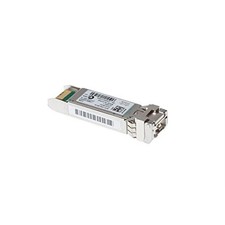
Cisco SFP-10G-SR-S 10g Transceivers ( 5 Pack )
$70.00
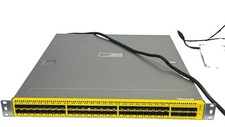
Penguin Computing Arctica 4806XP 48-Port 10G SFP+ 6x 40G QSFP+ Switch Dual PSU
$385.00

Cisco QSFP-40G-SR-BD Module 10-2945-02 NEW CLAMSHELL
$45.50



 Reply With Quote