-
Can't mount USB drive in knoppix
Linux newbie here trying to get rid of M$.
I cannot seem to get my usb thumb drive to mount in knoppix.
I am running knoppix on a computer that has windows xp and suse 9.0 on a dual-boot hard drive.
when I try to mount it by:
knoppix@ttyp0[knoppix]# sudo sh
knoppix@ttyp0[knoppix]# sudo sh
knoppix@ttyp0[knoppix]# modprobe usb-storage
knoppix@ttyp0[knoppix]# mkdir /mnt/usb
knoppix@ttyp0[knoppix]# mount -t vfat /dev/sda1 /mnt/usb
mount: wrong fs type, bad option, bad superblock on /dev/sda1,
or too many mounted file systems
knoppix@ttyp0[knoppix]# mount -t vfat /dev/sdb1 /mnt/usb
mount: /dev/sdb1 is not a valid block device
knoppix@ttyp0[knoppix]# mount -t vfat /dev/sdc1 /mnt/usb
mount: /dev/sdc1 is not a valid block device
knoppix@ttyp0[knoppix]# mount -t vfat /dev/sdd1 /mnt/usb
mount: /dev/sdd1 is not a valid block device
knoppix@ttyp0[knoppix]# mount -t vfat /dev/sde1 /mnt/usb
mount: /dev/sde1 is not a valid block device
knoppix@ttyp0[knoppix]# mount -t vfat /dev/sdf1 /mnt/usb
mount: /dev/sdf1 is not a valid block device
knoppix@ttyp0[knoppix]# mount -t vfat /dev/sdg1 /mnt/usb
mount: /dev/sdg1 is not a valid block device
knoppix@ttyp0[knoppix]# mount -t vfat /dev/sdh1 /mnt/usb
mount: /dev/sdh1 is not a valid block device
knoppix@ttyp0[knoppix]# mount -t vfat /dev/sdi1 /mnt/usb
mount: special device /dev/sdi1 does not exist
knoppix@ttyp0[knoppix]#
Help.......thanks in advance!
Newbie leaving M$
-
Junior Member
registered user
I'm also quite new, but I have a Kingston Datatraveler USB 2 drive (formatted as FAT32) on Knoppix 3.3 20040209 and all I do is plug it in, and it shows up on the desktop as an scsi hard disk partition.
From there I usually right-click on the partition and select 'mount' and 'change read/write mode'.
Going into the console (as a user, root doesn't seem to be necessary) and typing
mount /dev/sda1
also works for me... I don't remember if that mounts it read-write or not.
In both cases my drive then shows up in either /mnt/sda1/ or /mnt/sdb1/ depending on which port I plug it into.
I just kinda go with what Knoppix wants to do. That said, I've never gotten my USB floppy disk drive to work.
Similar Threads
-
By pubo in forum Hardware & Booting
Replies: 0
Last Post: 06-15-2005, 12:27 PM
-
By glidetothehoop in forum Hdd Install / Debian / Apt
Replies: 2
Last Post: 12-24-2004, 02:41 PM
-
By timepilot in forum Hardware & Booting
Replies: 1
Last Post: 12-18-2004, 12:21 AM
-
By hfinger in forum Hdd Install / Debian / Apt
Replies: 1
Last Post: 04-05-2004, 11:10 AM
-
By akiruss in forum General Support
Replies: 3
Last Post: 02-06-2004, 06:42 PM
 Posting Permissions
- You may not post new threads
- You may not post replies
- You may not post attachments
- You may not edit your posts
-
Forum Rules

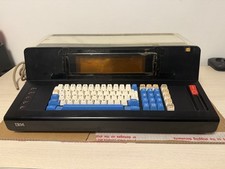
Rare Vintage IBM 3604 Model 2 Keyboard Display Terminal, Beam-Spring, Blue Caps
$1749.00

Vintage GTE XT300 Action Station Terminal 1984 - Tested Works Orig. Box & Foam
$889.00

Vintage Tandy Computer Varsity Scripsit Word Processing 3.5 & 5.25 Disks SEALED
$29.95
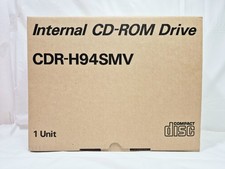
Vintage Sanyo CDR-H94SMV Internal SCSI CD-ROM Drive. 1994 NIB
$70.00

Original Vintage Old Style STANDARD Black CD Jewel Case (Heavy Duty) 90g Lot
$316.95
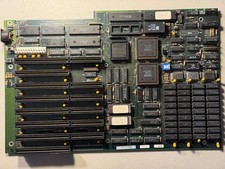
Vintage Everex EV1812 Intel 80286-10 640K Motherboard - Works
$160.00
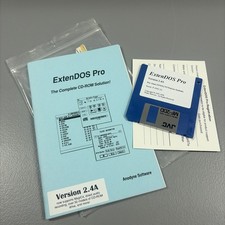
Vintage Software Package ExtenDOS Pro Atari CD-Rom Solution Anodyne Software 90s
$39.99
Vintage Siemens 286-16 Motherboard - Works
$140.00
Vintage Super Rare Exxon Office Supplies Keyboard Mechanical Untested* 1980-85
$499.99

VINTAGE COLLECTIBLE Comp USA Maxtor 20 GB 3.5 Inch EIDE Hard Drive NEW SEALED
$500.00



 Reply With Quote