

 Reply With Quote
You might try LinNeighborhood, it is a port of network neighborhood. It will give you a gui for samba that lets you set up file and printer sharing. It might not be exactly what you want but it is a start. Just apt-get it


Hi @ all
I am a newbie on linux (3 Days) and I have a lot of problems, but I think everyone has problems in begining.
But I work harder to become better.
For 3 days now I am searching for a solution.Google is my best Friend, but I found nothing that could help me.
My problem is that I have no connections from linux to my windows PC´s.
All PC´s are connected over a Router ( 192.168.1.1)
Internet works fine.
Ping works also in both directions.
DHCP Broadcast: No
IP for eth0: 192.168.1.35
Mask: 255.255.255.0
Broadcast 192.168.1.255
Default-Gateway 192.168.1.1
Nameserver 192.168.1.1
I think that I have to change Samba.conf
I tried this tutorial but it doesn´t work. http://knoppix.net/docs/index.php/FaqSambaQuick
cd/etc/samba
bash: File not found
ok I tried it without cd
/etc/samba
bash: is a dirctory
cp smb.conf smb1.conf
cp: no stat: File not found

I wolud be nice to have Knoppix Linux as a fileserver, but how?
Knoppix runs from cd and I suppose that it must work as Fileserver also from cd or is it necessary that I have to install it on HD with knx-hdinstall skript?
I read on google that there is a webfrontent swat but I didn´t find it on Knoppix linux. Is there anybody who can help me with this problem?
(The answer can also be in German, or dutch.)
Thanks a lot to all
Best regards Piet
You might try LinNeighborhood, it is a port of network neighborhood. It will give you a gui for samba that lets you set up file and printer sharing. It might not be exactly what you want but it is a start. Just apt-get it
Hi there ...
Ok When you were installing Knoppix to your HD, after it copied the files to your HD, it started to Ask you questions so it could configurate your box correctly; some of these questions where as follows:
Start a Mail Server (smail) at boot? (y or N) (No)
Start sshd at boot? (y or N) (Yes)
Start Samba at boot? (y or n) (Yes)
Start KDE at boot? (y or n) (Yes)
Ok the thing is if you answered "NO" to the Samba question
samba is not starting at boot and no communication can ocurre. the other thing is Knoppix already bring a utility called XSMBrowser which in it's onw way is somelike MSN NetworkNeighborhood. I hope this helps....
Originally Posted by piet
Problem 1: put a space after every command and every argument in UNIX. DOS doesn't care; UNIX does...
Problem 2: You can't "execute" a directory.
Problem 3: smb.conf is missing; if you couldn't cd to the directory, then that's why.
There are a lot of good introductory books to Linux and UNIX; I would recommend a book called "Running Linux" from O'Reilly and Associates.
Just try smbmount this should work fine
 Posting Permissions


New Barebones Supermicro 5019D Server, 4C/8T Xeon D-2123T, 1U Rackmountable, 10G
$449.99

HP ProLiant MicroServer Gen8 G1610T @2.3 GHz, 16GB, 712317-001 NO HDD/OS
$199.00

$280.00

Supermicro CSE-937 3U Storage Chassis No CPU No HDD No Ram Tested & Reset
$129.99

Supermicro 2U X10DRU-i 2x E5-2680 v3 2.5ghz 32gb Ram 240gb SSD 2x GPU *READ*
$369.99

SuperMicro 4U CSE 847 36 Bay LFF Barebone 2x 1280W w/ 2x Bays 2.5 Rear w/Trays
$499.99

1U Edge Firewall Server X11SCW-F Xeon E-2174G 0 RAM M.2 NVME 3x PCI-e 2x PSU X
$175.00
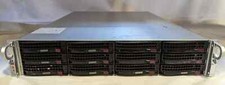
Supermicro X10DRU-i 2U 12LFF 2x E5-2680 v4 128gb Ram 480gb SSD 2x Nvidia K80
$749.99

Nasuni NF-50 Supermicro Server, Atom CPU C2558, @ 2.40GHz, 8GB RAM-No HDD/OS/AC
$250.00

Supermicro 1U Network Server Appliance 16GB RAM 800GB SSD 6 LAN Ports Powers On
$450.00