

 Reply With Quote
Sorry, but I know of no way to do this that is safe.


I tried not to come with too newbies question, but was not able to find a proper answer to this:
I'm trying to modify an NTFS harddrive mounted with Knoppix. I'm quiet well aware that this is very risky and not supported, at least by linux (reading FAQs and all).
The modification I'd like to do are very simple (rename file like foo.dlx to foo.dlx.tej or whatever).
But even this is not permitted. It looks like I'm definately not able to mount any NTFS drive in RW mode.
Even if I'm using the "mount -o remount,rw /mnt/<whatever>" or unchecking the read only attribute on the icon proprety, or event mount manually the file system with a command like : "mount -o rw -t ntfs /dev/hda1 /mnt/hda1". In the latest, a "mount" command show me that the partition is mounted as "rw", but if I just try to "touch" a file, the system tells me it's still a read only filesystem.
Is this a new feature of the new version ? Is there a way to workaround this behavior?
Again, I don't really want to do very destructive modifications, and if they happen, I can assume I'm the only responsible of it, but at least, I'd like to be able to try them...
Sorry, but I know of no way to do this that is safe.
And what would be an unsafe way ?
If you boot up into kde, you can just right click on the hard drive icon on your desktop and choos to change read/write permissions. Then you should be able to write to your NTFS partition in an albeit "unsafe" way.
No, this is not working neither.
In that specific case, I got a windowed message telling me that, because of NTFS, the GUI will not allow me to do such a thing.
I'm looking for a more in depth workaround.
Or maybe they are none...
Sorry, I actually did not mention in my first mail that I tried also that way alredy.
BTW, I also forgot to mention, that, despite of it, I'm quite well amazed by the product.
I looked into this when sussing the 'read-only' Quake2 how-to. I wanted to mount NTFS RW so I could execute off the HD... but whatever I tried, it didn't work.
I think that is the way to go, though - if it can't be done, no accidents
Nick
--My question is, WHY would you want to play around with a semi-supported (read: crudely hacked and incomplete Linux driver) foreign filesystem in Linux? Is there something about these files that you can't modify them from NT?
--AFAIK the only way to enable NTFS write-support is to recompile the kernel. And the kernel contains STRICT WARNINGS against enabling write on NTFS:
NTFS write support (DANGEROUS)
CONFIG_NTFS_RW:
If you say Y here, you will (maybe) be able to write to NTFS file
systems as well as read from them. The read-write support in NTFS
is far from being complete and is not well tested. If you say Y
here, back up your NTFS volume first, since it will probably get
damaged. Also, download the Linux-NTFS project distribution from
Sourceforge at <http://linux-ntfs.sf.net/> and always run the
included ntfsfix utility after writing to an NTFS partition from
Linux to fix some of the damage done by the driver. You should run
ntfsfix _after_ unmounting the partition in Linux but _before_
rebooting into Windows. When Windows next boots, chkdsk will be
run automatically to fix the remaining damage.
Please note that write support is limited to Windows NT4 and
earlier versions.
If unsure, say N.
--When in doubt, dump NTFS and go back to FAT32.
Originally Posted by Till
Don't do it. There is no safe way. There are a few utilities that have experimental support for changing the Admin password that mount and write to an NTFS volume. They only work (about 70% of the time) because of known files in known places in the file tables and my understanding is that they do a lot of padding to make the file appear untouched at the end.
AFAIK even just simply changing the name of a file on an NTFS system an irrevocably corrupt the entire system with the current drivers. There is no safe way to do it.
If you want to be able to interact with the windows side of things, install the system with a FAT32 partition.
That is really your only option.
 Posting Permissions

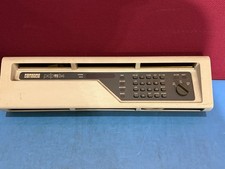
DEC PDP-11/34 Front Panel Complete PDP11 RARE
$450.00

Vintage Intel Mainframe Server MCM CPU Substrate Lot Prototyping PGA Validation
$500.00

HP 5060-8359 8K Semiconductor Memory Module 5080-9747 Vintage HP Computer
$224.72

HP 13210-60001 Disc Drive Interface PCB HP 7900A 7901A Vintage
$225.61

Vtg IBM Mainframe Prototype Chip Module Lot 146 pc 1988-1993 ES/9000 Lab Arcive
$649.00

Computer Tape Reel 1600 BPI 9 Track Vintage Mainframe LOT OF 2 WITH BOX
$89.95

Vintage Mainframe Computer Disk Drive Pack Dyson SMD 5 Level Disks
$79.00

Commodore 64 PC with Model 1541 Diskette Drive and Flight Simulator II *READ*
$199.99

Vintage Telex 952003-112 Mechanical Terminal Keyboard IBM 3270 Mainframe DB25
$799.00
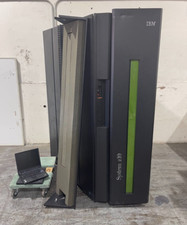
IBM System Z10 Type 2098 Mainframe (As-Is)
$6999.99
