

 Reply With Quote
try to save some space from the "space eating" things, like logo.16 and other graphic stuff
you can also get rid of part of f2 ...


after customizing - after the HOWTO - , I wanted to make a bootdisk to check everything.
However, the command:
mkboot -r /dev/hdb1 /mnt/hdb1/KNOPPIX/boot.img
exits with "no space left on device": in fact, KNOPPIX/boot.img is 1.5MB !
What have I to do?
Thanks for any info...
Alessandro
try to save some space from the "space eating" things, like logo.16 and other graphic stuff
you can also get rid of part of f2 ...
thanks,
I found the easiest way is just to use dd if=boot.img of=/dev/fd0 bs=1440
strange, boot.img is 1.5M, yet this works
Alessandro
 Posting Permissions


HP ProLiant MicroServer Gen8 G1610T @2.3 GHz, 16GB, 712317-001 NO HDD/OS
$199.00

Supermicro 1U Network Server Appliance 16GB RAM 800GB SSD 6 LAN Ports Powers On
$450.00

Supermicro CSE-937 3U Storage Chassis No CPU No HDD No Ram Tested & Reset
$129.99

Nasuni NF-50 Supermicro Server, Atom CPU C2558, @ 2.40GHz, 8GB RAM-No HDD/OS/AC
$250.00

Supermicro 2U X10DRU-i 2x E5-2680 v3 2.5ghz 32gb Ram 240gb SSD 2x GPU *READ*
$369.99

New Barebones Supermicro 5019D Server, 4C/8T Xeon D-2123T, 1U Rackmountable, 10G
$449.99
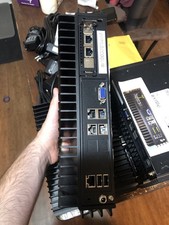
Supermicro SYS-E302-9A Fanless Firewall Atom C3558 16GB ECC 64GB SSD 6x GbE i350
$325.00

Supermicro 5019D-4C-FN8TP Xeon D-2123IT (4C/8T) 64GB DDR4 10GbE 480GB 1U Server
$689.00

$280.00

Supermicro CSE-937 3U Storage Chassis No CPU No HDD No Ram Tested & Reset
$129.99