

 Reply With Quote
Try hitting Ctrl+Alt+- (That's the minus key) or Ctrl+Alt+F2.


Got it installed to hd and can dual boot (using the knoppix boot manager) knoppix or xp. since i've run knoppix from cd, i knowthe pc can handle it. but now with it installed to the hd, after it boots knoppix and all the stuff loads, i get a monitor out of frequency range type message. the screen goes black and stays black, but I can see the hd being accessed. of course with nothing on the screen, kind of hard to guess what it's doing. what i think i need is for it to boot 800x600, so how do i get it to do that? i say that because on some other live cds if i didn't select that, i got the blank screen. help!!
Try hitting Ctrl+Alt+- (That's the minus key) or Ctrl+Alt+F2.
you could copy the /etc/X11/XF86Config from knoppix to your /etc/X11... and remove everything larger than 800x600... that might work well.
 Posting Permissions


Genuine Cisco SFP-10G-SR 0-2415-03 10 Gigabit Transceiver
$5.40
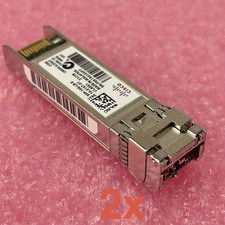
Cisco SFP-10G-LR-S Reset & Tested Lot of 2
$32.99

NEW Sealed Cisco SFP-10G-LR 10GBASE-LR SFP+ 1310nm 10km *US Shipping*
$24.00

Cisco Acacia DP04QSDD-E25-840 400G QSFP-DD Coherent DCO Transceiver Module
$699.99

SFP TO RJ45 TRANSCEIVER SFP MODULE COPPER SFP OPTICAL PORT TO RJ45 ETHERNET PORT
$7.99

Intel X520-DA2 10Gb 10Gbe 10 Gigabit Network Adapter NIC Dual Port E10G42BTDA
$28.94

HP 560SFP+ 10GB 2-port PCIe NIC Ethernet ADAPTER 669279-001 w/ (2) 10GB SFP+
$16.99

Cisco SFP-10G-SR V03 850nm 10GBASE-SR SFP+ MMF 10-2415-03 Transceiver
$4.99
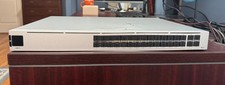
Ubiquiti Unifi USW PRO AGGREGATION 28x10Gbe 4x25Gbe QSFP28 Layer 3 Switch
$700.00

Cisco WS-C3650-12X48UR-L 48-Port Stackable Layer 3 8x10G SFP+ Port Switch
$129.99