-
Senior Member
registered user
Re: ...

Originally Posted by
Xpiral
No I am certain that I have two gateways and two dns ip-s because I am was a windows user (still am) but I want to change that, and in the internet connection I have 2 gateways and in the enable dns tab I have also 2 ip-s and I have something like am address like: iasi.astral.ro and a host name. Where should I put this in Linux, because there are so few options?
I do not see how you can have two gateways that would mean that you have two entirely separate network connections coming in and at least three network cards in the machine at the start of your network and doing some kind of load balancing between the two connections even that does not matter to you because that machine takes care of that part of it and handles the connections made to the third card and passes them on to the proper place. So do you have such a setup? If not then this is what you have to do for your machine where if I read your first post correctly the cable from it's network card runs to another machine where the connection is then passed on to the internet. In the machine where it connects too the card the cable enters it is this IP that you have to use for the Gateway setting. Now if there is a hub/switch that it passes through on the way this is not important but if there is a router that has an IP and is not simply passing the connection on then it is this IP that you must use. Now on the machine you want to be connecting up the IP Address must be on the same IP range as the gateway IP eg. If the gateway is 192.168.0.254 then the IP of the machine connecting to it must be in the range 192.168.0.1 to 253. An example of what the /etc/network/interfaces file where these settings are kept can look like.
Code:
>$ cat /etc/network/interfaces
# /etc/network/interfaces -- configuration file for ifup(8), ifdown(8)

# The loopback interface
auto lo
iface lo inet loopback

# The first network card - this entry was created during the Debian installation
# (network, broadcast and gateway are optional)
auto eth0


iface eth0 inet static
        address 192.168.0.1
        netmask 255.255.255.0
        network 192.168.0.0
        broadcast 192.168.0.255
        gateway 192.168.0.254
Now the DNS or nameservers go into the /etc/resolv.conf that I mentioned in my first post and it would look like this.
Code:
>$ cat /etc/resolv.conf
search wolf
nameserver 192.168.1.10
nameserver 192.168.1.34
The search line for your domain should be optional (you will have to edit manually to get it in the file) and you only need one nameserver a second is not necessary but nice to have for a backup in case the first becomes unavailable. You can either edit these files as root and put in the proper settings for your IP settings you are using or you can as root again in a console window type in and then enter key netcardconfig to have a graphic dialog wizard to allow you to enter the settings one at a time and if you want the two nameservers then separate them by a ; and a space between in the window that you enter the settings into in the only line available. If you edit by hand then you need to type in and enter key again /etc/init.d/networking restart to restart the network with the new settings and get a connection.
Similar Threads
-
By lotech in forum Hdd Install / Debian / Apt
Replies: 8
Last Post: 04-09-2005, 11:49 AM
-
By algernon in forum General Support
Replies: 3
Last Post: 10-11-2004, 11:29 PM
-
By Romen in forum General Support
Replies: 5
Last Post: 02-07-2004, 05:27 AM
-
By hawgs74 in forum General Support
Replies: 1
Last Post: 10-01-2003, 05:34 PM
-
By bongski55 in forum Hdd Install / Debian / Apt
Replies: 6
Last Post: 09-06-2003, 05:58 AM
 Posting Permissions
- You may not post new threads
- You may not post replies
- You may not post attachments
- You may not edit your posts
-
Forum Rules

VINTAGE RARE Overland 9 Track tape drive for mainframe computer storage
$800.00
IBM MST-2 370 Integrated Circuit Computer Chips Lot Of 43 Rare 1970s Vintage
$249.00

HP 5060-8359 8K Semiconductor Memory Module 5080-9747 Vintage HP Computer
$165.58

Vintage Telex 952003-112 Mechanical Terminal Keyboard IBM 3270 Mainframe DB25
$679.15

Vintage IBM #192726 Paper Tape Punch Mainframe Computer Programming Tool 1960s
$94.95

Vintage Cullinet IDMS IBM Mainframe Magnetic Tape Reel Software 1980s JCL
$98.99
DEC ALPHA DS20E system complete, posts good. 512mb, no disks, Digital Equip Corp
$699.00

Vtg IBM Mainframe Prototype Chip Module Lot 146 pc 1988-1993 ES/9000 Lab Arcive
$649.00
Mystery Vintage Computer Mizar Motorola 68000 Based System W Shugart Drives
$500.00
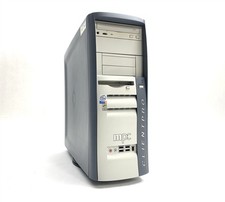
MPC ClientPro 545 Pentium 4 2.40GHz 512MB NO/HDD RV100 Vintage PC Retro Computer
$149.97



 Reply With Quote