

This is the latest budget printer in NZ to replace the C42 and C41ux inkjet printers. However it doesn't have drivers in knoppix. I managed to get around this, and the below is for those who use this printer and want to get it working in Knoppix. I'm using Knoppix version 3.3 on a hdd install.
Open the KDE Control Center. Click on Peripherals, then Printers. Make sure CUPS is selected. Use the Add button to add a printer and follow through the wizard. Select Local Printer, then find it under USB printer #1, it should be listed as Epson Stylus C43. Click on that then next. You get to a Manufacturer Model window, so choose Epson Stylus C42UX and click next. Now comes the part I had fun with. Instead of using the recommended Epson Stylus C42UX (Foomatic + Gimp-print) use the Epson Stylus C42UX (Foomatic + gimp-print-ijs). Hit next then test. It should print out a testes page.
Sounds simple, but when you use the recommended driver - you won't beable to print. It will tell you everything is working, however nothing goes to the printer. I'm not sure if this works for any other USB printers, but I do know it will get the C43ux on the road.
Cheers
Angela
 Posting Permissions


HP ProLiant MicroServer Gen8 Tower Server Xeon E3-1220 v2 2.3GHz 16GB RAM
$289.99

HP Proliant MicroServer Gen 8 2.23GHz Xeon 16GB RAM NO SSD
$249.99

Supermicro E300-12C Mini 1U Barebone X12SCV-LVDS LGA1200 SNK-P0073A4 w/ Adapter
$225.00

Supermicro CSE-937 3U Storage Chassis No CPU No HDD No Ram Tested & Reset
$129.99
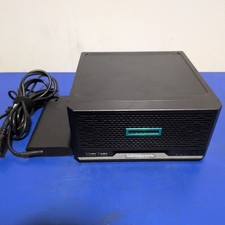
HPE ProLiant MicroServer Gen10 Plus with Power Adapter
$600.00

Supermicro 5019D-4C-FN8TP Xeon D-2123IT (4C/8T) 64GB DDR4 10GbE 480GB 1U Server
$649.00

New Barebones Supermicro 5019D Server, 4C/8T Xeon D-2123T, 1U Rackmountable, 10G
$449.99
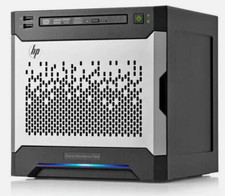
HP MicroServer Gen8 LOADED 12TB + 16GB RAM Win Server 2025 iLO Advanced SSD Boot
$679.00

Nasuni NF-50 Supermicro Server, Atom CPU C2558, @ 2.40GHz, 8GB RAM-No HDD/OS/AC
$250.00
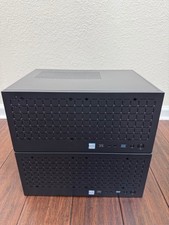
2x Compact Xeon ECC Servers W-2235 32GB 512GB NVMe servers
$1800.00


 Reply With Quote