

 Reply With Quote
Try "fb1024x768" at boot prompt (not "knoppix fb1024x768").
Try "knoppix screen=1024x768 noddc" at boot prompt.
Good luck!


Hey! I'm new to Knoppix and linux, and I've used it only a handful of times. But I must say, I'm very impressed with it's hardware detection! I'm suprised at how well it runs on my HP laptop too! But I do have a problem with the resolution on my desktop... (go figure, it works flawlessly on the laptop, but not my desktop). For some reason the bottom portion of the screen isn't visable at all, and I cannot see the bar. I'm using a TFT screen, and it normally runs at 1024x768 max. I tried "Knoppix screen=1024x768" at the boot options, but nothing changes. I even tried 800x600 resolution, but nothing changes at all... Am I missing something here? I have a nvidia GeForce4 MX 420 card. And a ViewSonic ViewPanel VG150. It's weird how the screen is a perfect fit sideways, but it's just too long in length and runs off the monitor.
Also, while I'm posting... I'm just curious about how different Knoppix is from Debian. If someone wanted to use Debian, would using a HD based install of Knoppix be about equivalent? (minus the absence of some packages) I ask cause I was thinking about downloading Debian, but I already have knoppix downloaded, and so far I love how it runs. And I mean, I'm on 56k, so I'd be happy to not have to download more ISO's lol.
Thanks in advance!
Try "fb1024x768" at boot prompt (not "knoppix fb1024x768").
Try "knoppix screen=1024x768 noddc" at boot prompt.
Good luck!
Thanks, knixkw! "knoppix screen=1024x768 noddc" worked like a charm!Just out of curiosity, what is ddc? And why did disabling it fix it? Just wanted to know since I plan on doing a HD install very soon, and want to have an understanding of how to fix it. Thanks again!
Hello Matrox462,
thanks for the good news.
noddc skips the hardware detection of Your monitor. It's only useful for TFT monitors, because knoppix uses standard refresh rates with noddc (60Hz).
ddc means "Display Data Channel". This is the VESA plug and play standard for monitors.
Thanks again, knixkw, for the great explanation :P
Knoppix is a mix of the testing and unstable releases of Debian. This is not a bad thing, as far as I'm concerned; it's been working great on my machine since July--as my main OS. I'm sure looking forward to the next release in a week or so!Originally Posted by Matrox462
Maybe you could take your machine over to a friend's house with broadband and upgrade and install new packages that way.
 Posting Permissions


New Barebones Supermicro 5019D Server, 4C/8T Xeon D-2123T, 1U Rackmountable, 10G
$449.99

HP Proliant MicroServer Gen 8 2.23GHz Xeon 16GB RAM NO SSD
$249.99

HP ProLiant MicroServer Gen8 Tower Server Xeon E3-1220 v2 2.3GHz 16GB RAM
$289.99

Supermicro E300-12C Mini 1U Barebone X12SCV-LVDS LGA1200 SNK-P0073A4 w/ Adapter
$225.00

Supermicro SuperServer E300-15 - SYS-e300-9C - 16GB RAM 240GB Samsung SSD
$199.99

Supermicro 5019D-4C-FN8TP Xeon D-2123IT (4C/8T) 64GB DDR4 10GbE 480GB 1U Server
$689.00
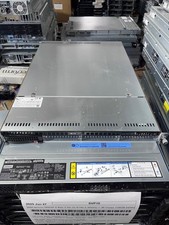
Supermicro 1U Server 5019C-WR X11SCW-F Xeon E-2174G 3.8Ghz 32GB RAM M.2 NVME X
$369.00

Supermicro 2U X10DRU-i 2x E5-2680 v3 2.5ghz 32gb Ram 240gb SSD 2x GPU *READ*
$369.99

Supermicro 938-16 16-LFF MicroCloud SuperServer 5038MR-H8TRF *No Blade Servers*
$159.99

Supermicro CSE-937 3U Storage Chassis No CPU No HDD No Ram Tested & Reset
$129.99