

 Reply With Quote
Forgive me also for being a newbie...I am having the exact same problem..can someone help out there?


Please excuse my ignorance if this is a stupid question as i'm a linux newbie. I can successfully boot up and I'm using Konqueror to write this as I type. However I can't seem to mount my FAT32 partition (I also have an NTFS partition but that doesn't matter) on my laptop. There are 12 hda's listed and each one when I try to mount gives me /dev/hda_: Input/output error, mount:I could not determine filesystem type, and none was selected (where "_" is 1 thru 12). I thought Knoppix can automatically detect the partitions. Am I missing a step or does linux not like my partiticular configSystem configuration is Windows XP Pro with a c:NTFS and d:FAT32 partition. I was hopefully at minimum that I can use the Fat32 partition. Please advise. Thanks in advance!
PS upon startup and when I try to mount any of the 12 hda's, there's a physical noise attributed to linux trying to determine the file system I suppose (hard drive almost grinding, hope that's normal)
Forgive me also for being a newbie...I am having the exact same problem..can someone help out there?
after further investigation, i found out that vfat is missing on my copy of knoppix... is this normal?
modprobe vfat indicates that it's not loaded
then I looked in the lib/module/linux-2...../fs and cannot see vfat listed,
the other fs's seem to be there i.s. nfs, udp etc etc
how come?? any linux expert out there can can shed some light? I then obtained a vfat.o from somewhere and i can't put it in the fs direct nor load it with modprobe for some reason... please help, tnx
You could try cat /proc/filesys* this is what it shows on my system.
[03:32 AM Sun Feb 23: knoppix @ ~]$ cat /proc/filesys*
nodev rootfs
nodev bdev
nodev proc
nodev sockfs
nodev tmpfs
nodev shm
nodev pipefs
ext2
nodev ramfs
msdos
vfat
iso9660
nodev devpts
nodev usbdevfs
nodev usbfs
efs
ext3
nodev autofs
Assuming you see the vfat in there you will have to edit as root in a console the /etc/fstab (vi /etc/fstab) and uncomment (remove the #)out the line #/dev/hda1 /mnt/hda1 auto noauto,user,exec 0 0 and change it to /dev/hda1 /mnt/hda1 vfat rw,auto,user,exec 0 0 this will mount the primary (bootable) partition on your HD just change the hda1 in both places in the line to whatever partition you would like to mount after you save the file you will have to re-boot and you should have read-write access.
Hint when editing in vi use the insert key to add text when your done hit the esc key then
shift : and you will see a : in the lower left type w then enter to write the file then shift : q enter to quit. You can also change the /mnt/hda1 portion of the line to a different one say /windows if you want you just have to cd / then enter while still in the console as root and type mkdir windows then enter when you have re-booted your /dev/hda1 will now be mounted /windows.
I also heard you can't use hfs, mac partitions. I think a possible solution is that the /dev/hda1 is missing. Check with ls hda*. Then Try,
MAKEDEV hda
to fix.
 Posting Permissions

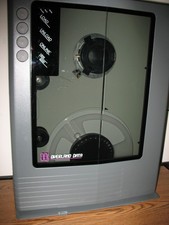
VINTAGE RARE Overland 9 Track tape drive for mainframe computer storage
$800.00
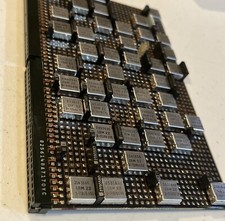
IBM MST-2 370 Integrated Circuit Computer Chips Lot Of 43 Rare 1970s Vintage
$249.00

Vintage Telex 952003-112 Mechanical Terminal Keyboard IBM 3270 Mainframe DB25
$679.15
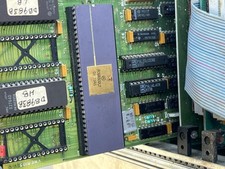
Mystery Vintage Computer Mizar Motorola 68000 Based System W Shugart Drives
$500.00

Vtg IBM Mainframe Prototype Chip Module Lot 146 pc 1988-1993 ES/9000 Lab Arcive
$649.00
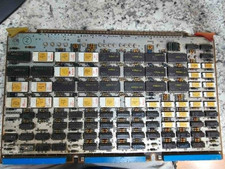
Vintage Sperry Rand Univac Mainframe Control Board Gold IC Rare Piece Of History
$289.95
IBM Prototype ES/9000 Mainframe Computer MCM CPU Vintage White Ceramic Gold
$1000.00

Vintage IBM #192726 Paper Tape Punch Mainframe Computer Programming Tool 1960s
$94.95

HP 5060-8359 8K Semiconductor Memory Module 5080-9747 Vintage HP Computer
$165.58

FOR PARTS Asus CUSL2-C Motherboard PGA370 SDRAM, Intel Pentium III 800EB 800Mhz
$69.99