-
How to change screen resolution
My very first try at using Linux is with the Knoppix v3.3 CD. I am booting from the CD because I cannot install Linux on the Windows PC I am working on. The problem is that I cannot read the text within any of the applications because the font displayed within them is too small. How do I reduce the default screen resolution which hopefully will increase the font sizes in the applications?
Similar Threads
-
By god in forum General Support
Replies: 10
Last Post: 02-02-2008, 04:33 AM
-
By s2smhfrom2005 in forum General Support
Replies: 1
Last Post: 05-17-2005, 03:17 PM
-
By brainstorm in forum The Lounge
Replies: 0
Last Post: 04-08-2004, 06:49 AM
-
By dale_c in forum General Support
Replies: 6
Last Post: 09-02-2003, 06:06 PM
-
By ndori in forum Laptops
Replies: 1
Last Post: 06-24-2003, 01:03 PM
 Posting Permissions
- You may not post new threads
- You may not post replies
- You may not post attachments
- You may not edit your posts
-
Forum Rules


VINTAGE DEC LA34/ LA100 SERIES KEYBOARD W/NUMERIC PAD 70-17864-01C
$140.00

Vintage DEC Digital Starion 200 Desktop PC Powers On Boots To BIOS NO HDD - DW
$269.99

Vintage Digital DEC 54-15688 rainbow color graphics option
$129.99

Vintage DEC Digital VR319-DA 19" High Resolution Monochrome CRT Monitor - Tested
$180.00

Vintage DEC PDT11 (VT100 Series) Terminal (Powers On).
$550.99

Vintage DEC LK201 Computer Keyboard Used
$59.97
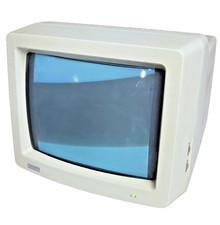
Vintage Digital VR241-A color CRT monitor, powers on, DEC Rainbow or terminal
$185.00

VINTAGE DEC VX20A-OP ACCELERATOR, 54-20309 FOR VXT2000 SYTEMS
$95.00

Vintage DEC/Mostek memory systems MK 8015 AA-00 6805-08015 1100 REV C(B7)
$279.99
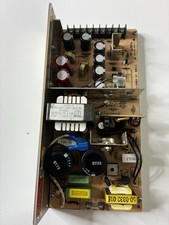
Vintage DEC LR150-11 Power Supply 70-0464-01 Rev C Sun Shoebox Micropolis
$140.00



 Reply With Quote