

 Reply With Quote
yes (I think so). when you install Knoppix to hdd ("sudo knoppix-installer"), you have to choose the installation type between "debian" and "knoppix". If you choose "knoppix" you keep the hardware detection.


Goodmorning everyone,
I couldnt help but notice the boot up from the knoppix cd to the hdd install has changed. Seems like the very stringent HD detection is now bye-bye. Is there any easy way to keep this HDD detection going on the HDD install and not simply by just mirroring the CDROM onto the HD, but going through the HD install?
I do like the hardware detection of Knoppix and would like to keep it in the HDD install, especially for when I use a mirrored version of knoppix from one "master" HD.
--j2
yes (I think so). when you install Knoppix to hdd ("sudo knoppix-installer"), you have to choose the installation type between "debian" and "knoppix". If you choose "knoppix" you keep the hardware detection.
Hi I noticed that too to a much lesser degree....I originally chose the Knoppix installation over Debian, but I had alot of trouble with passwords. I could'nt get in as root. and there were some other very minor things. I re did installation and chose Debian this time and i did have to play around with some things, namely the cdrom....but other than that its great. bob
 Posting Permissions


Supermicro 2U X10DRU-i 2x E5-2680 v3 2.5ghz 32gb Ram 240gb SSD 2x GPU *READ*
$369.99

HP Proliant MicroServer Gen 8 2.23GHz Xeon 16GB RAM NO SSD
$249.99

$280.00

Supermicro CSE-937 3U Storage Chassis No CPU No HDD No Ram Tested & Reset
$129.99

New Barebones Supermicro 5019D Server, 4C/8T Xeon D-2123T, 1U Rackmountable, 10G
$449.99
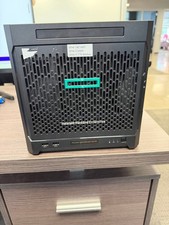
HPe Proliant Microserver Gen10 AMD Opteron 16GB RAM, 3x Intel SSD, Working
$600.00

Supermicro SuperServer E300-15 - SYS-e300-9C - 16GB RAM 240GB Samsung SSD
$239.00

SuperMicro 4U CSE 847 36 Bay LFF Barebone 2x 1280W w/ 2x Bays 2.5 Rear w/Trays
$499.99

Nasuni NF-50 Supermicro Server, Atom CPU C2558, @ 2.40GHz, 8GB RAM-No HDD/OS/AC
$250.00

Supermicro E300-12C Mini 1U Barebone X12SCV-LVDS LGA1200 SNK-P0073A4 w/ Adapter
$225.00