-
Senior Member
registered user
I keep installing the german version
I passed the knoppix lang=us cheat code and it boots to the english version no problem. I do an install immediately thereafter, log in as knoppix and somehow I still installed the german version! BUT (and this is the weird part) if I log in as root it's in english.  I tried adding a user but same deal. I have reinstalled it 4 times. WTF!?!? Any ideas??
-
Senior Member
registered user
When you run KDE for the first time the configuration screen runs just change the default language to US english and click next and the rest of the screens should be in english you will want to change the keymap to US too, by right clicking on the german flag in the kde-menubar and configuring it to US.
-
Senior Member
registered user
did it - still gotta log in root  thanks tho
-
Senior Member
registered user

Originally Posted by
rickenbacherus
did it - still gotta log in root
thanks tho
You can't log in as "knoppix"? I wouldn't recommend staying logged in and doing your daily work as root.
Also for the language issues try running kpersonalizer.
-
Senior Member
registered user
-
Senior Member
registered user
The taskbar 'country' app is for your keyboard selection, not your kde language. For exact step by step instructions look in the FAQ's either here or on your CD for one about language selection.
What you need to do is in your German KDE setup from the "K-menu" you need to go into the control center (Kontrol??) and then click on the sub-menu with a flag (maybe 4th from bottom?) then select the entry with the flag (maybe 2nd from top?) in the drop down select your country flag and then click on the apply button (2nd from right) close the window log-out and then back in.
HTH
rock
-
Senior Member
registered user
Thanks aay - you were right on with your diagnosis but RockMumbles had to explain it a little more clearly to get it through my thick skull. Thanks guys

Similar Threads
-
By freeballer in forum General Support
Replies: 0
Last Post: 12-20-2004, 10:51 PM
-
By Kowood in forum Hardware & Booting
Replies: 0
Last Post: 08-26-2004, 12:25 AM
-
By zainabia in forum General Support
Replies: 2
Last Post: 01-08-2004, 04:24 PM
-
By bongski55 in forum General Support
Replies: 23
Last Post: 08-27-2003, 01:12 PM
-
By howagood in forum Hdd Install / Debian / Apt
Replies: 1
Last Post: 03-23-2003, 07:20 PM
 Posting Permissions
- You may not post new threads
- You may not post replies
- You may not post attachments
- You may not edit your posts
-
Forum Rules


IBM System X3850-X5 Server w/4x Intel Xeon E7-4870 CPU , 512 GB DDR3 RAM,NO HDD
$1599.99

IBM 7915 AC1 M4 E27R704 Server Intel 2650V2 32GB RAM NO HDD w/ 2x 750w PSU
$225.00

IBM QRadar xx29 2x Xeon E5-2650v4 2x 900W PSU M5120 12x 3.5" Bay Server No RAM
$179.99

IBM 9307-RC4 42U 19in Freestanding Server Rack Cabinet 1000 lb Capacity
$100.00

IBM SYSTEM X3500 M3 SERVER 7380AC1 TOWER Server XEON E5620 8GB RAID SEE NOTES
$111.70

IBM X3650 M5 5462-AC1,2 X E5-2640V3 2.6GHZ 8C, 16 GB, DUAL 750W, 2 X 1TB SERVER
$349.99

IBM x3550 M4 1x 3.50GHz Quad Core Xeon E5-2637v2 32GB RAM 8-Bay No HDDs - READ
$20.00

IBM Power 720 8202-E4B Server - POWER7 4-Core 3GHz, 8GB, 2x 146GB HDD, 1725W PSU
$450.00
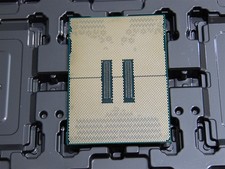
DELL POWEREDGE HP IBM SERVER XEON GOLD 5415+ 8 CORE PROCESSOR 2.9 GHZ SRMGC
$1299.00

DELL POWEREDGE HP IBM SERVER XEON GOLD 5315Y 8 CORE PROCESSOR 3.2 GHZ SRKXR
$1100.00



 Reply With Quote
