

 Reply With Quote
I do not undersand you here. To 'mess up' is usually not a good thing. If you want to install Knoppix to the hdd then simply do this:Originally Posted by roger_girardin
sudo knoppix-installer
If that's not what you wanted to do please post again.


hi all
i have installed knoppix on a terminator box and it's a good distro
i want to mess up with the install
i'have a problem with the make command (dont work at all)
root@tester:/usr/src# make
make: *** No targets specified and no makefile found. Stop.
i have crossed google on various languages to find a makefile for make to copy or download but the one i've found is buggy
and for the people asking for the same prob, i've not seen solution
at the man make command, they say the user has to code the file
does some have that file to share or know some way to generate it automaticly ?
thanks
I do not undersand you here. To 'mess up' is usually not a good thing. If you want to install Knoppix to the hdd then simply do this:
sudo knoppix-installer
If that's not what you wanted to do please post again.
@rickenbacherus
thanks for reply
yes mess up will be bad for the kernel == i want to unustalll kde & install gnome and unustall a lot of modules then unstall a lot of other ones then recompile
so i think i'll destroy the kernell
lol
my prob is at the make command
i can't use it do the makefile the system doesn't find
how can i get that file ?
thanks
make by default looks for Makefile. You don't make things out of nothing. What do you want to 'make' ?
@garyng
thanks for the interest too
i want to do a make menuconfig
and i want to recompile a custom kernel
You can remove almost all of KDE like so:
apt-get remove libarts1
Use Synaptic to select the Gnome packages you want.
Again, use Synaptic to ease the selection of packages to be removed. Be careful though unless you knowwhat you're doing.and unustall a lot of modules then unstall a lot of other ones then recompile
If you want to rebuild the kernel I would suggest trying the Debian way which is quite simple. Here's a quick and easy howto:so i think i'll destroy the kernell
lol
my prob is at the make command
i can't use it do the makefile the system doesn't find
how can i get that file ?
thanks
http://www.desktop-linux.net/debkernel.htm
Makefile comes with kernel-source package and gives instructions to make program how to compile the kernel.
There's some good sites where you can get help in compiling the kernel, too:
http://newbiedoc.sourceforge.net/system/kernel-pkg.html
http://www.desktop-linux.net/debkernel.htm
http://kerneltrap.org/node/view/799
thanks for the links
i was wrong with the makefile
it's in the rep /usr/src/linux when you do the right stuff (i didn't) lol
i have updated to kernel-source-2.6.3
the comp have rebooted without any bug
how can i verify the kernel current version running ?
'uname -r'
thanks all
make command works fine now
even if :
it seems the kernel was not updatedroot@sony_vaio:~# uname -r
2.4.24-xfs
anyway it's a good begin
 Posting Permissions


Dell EMC PowerEdge R740 8 Bay Server w/ 32GB RAM 2x GOLD 6132 2x 1600W PSU H730p
$499.88

Dell EMC PowerEdge R440 Xeon silver 4215 2.5GHz 16 GB ram 2x 550W PSU No HDD
$275.00

Dell EMC VxRail E560F 10-SFF 2*Gold 6230R 2.1GHz No RAM HBA330 iDrac Ent Server
$349.99

Dell PowerEdge R730XD 28 Core Server 2X Xeon E5-2680 V4 H730 32GB RAM No HDD
$381.93

Dell Poweredge R730xd 12LFF 2*2660v4 4*1Gbe h730 2x 750W Server CTO
$308.00

Dell Poweredge R630 2x Xeon E5-2680 v3 2.5ghz 24-Cores / 64gb / Raid / 2x 1Tb
$374.99

Dell PowerEdge C4130 1U AI GPU Server | 2x E5-2680 v3 | 32gb Ram | 2x 1600W
$409.99
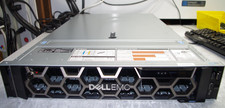
Dell R740XD All Flash 2U Server Full 24 x U.2 NVME 2x Xeon 6240R 48 CORE HOMELAB
$849.95

Dell Poweredge R630 2x Xeon E5-2680 v3 2.5ghz 24-Core | HBA330 | No RAM or HDD
$169.99

DELL R740 8LFF Server 2x Gold 6152 2.1GHz =44 Cores H740p 4xRJ45
$895.00