-
Mouse doesn't work after Knoppix upgrade
Hi,
I did apt-get upgrade, and apparantly messed up my config. I have a normal PS/2 mouse, and now it doesn't work. When I do 'cat /dev/psaux' I can see the signals it sends when I move it and it's fine. I had gpm, but I removed it (apt-get remove gpm), since I understood it conflicts with the X config.
Here's the relevant snippet from the xconfig. I know there are some duplicates. Pls tell me what I have to remove or edit. It's a scroll whell mouse, ps/2, standard (by Dell).
Section "InputDevice"
Identifier "Keyboard0"
Driver "keyboard"
Option "CoreKeyboard"
Option "XkbRules" "xfree86"
Option "XkbModel" "pc105"
Option "XkbLayout" "us,il"
Option "XkbOptions" "grp:switch,grp:alt_shift_toggle,grp_led:scrol l"
EndSection
Section "InputDevice"
Identifier "Serial Mouse"
Driver "mouse"
Option "Protocol" "Microsoft"
Option "Device" "/dev/ttyS0"
Option "Emulate3Buttons" "true"
Option "Emulate3Timeout" "70"
Option "SendCoreEvents" "true"
EndSection
Section "InputDevice"
Identifier "PS/2 Mouse"
Driver "mouse"
Option "Protocol" "auto"
Option "ZAxisMapping" "4 5"
Option "Device" "/dev/psaux"
Option "Emulate3Buttons" "true"
Option "Emulate3Timeout" "70"
Option "SendCoreEvents" "true"
EndSection
Section "InputDevice"
Identifier "PS/2 Mouse"
Driver "mouse"
Option "Device" "/dev/input/mice"
Option "SendCoreEvents" "true"
Option "Protocol" "IMPS/2"
Option "ZAxisMapping" "4 5"
Option "Buttons" "5"
EndSection
-
If you have your mouse working with the live-cd you can copy over the XF86Config-4 file to your hd.
This is what I have for PS/2:
Section "ServerLayout"
Identifier "XFree86 Configured"
Screen 0 "Screen0" 0 0
InputDevice "Keyboard0" "CoreKeyboard"
InputDevice "PS/2 Mouse" "CorePointer"
# Serial Mouse not detected
# USB Mouse not detected
EndSection
Section "InputDevice"
Identifier "PS/2 Mouse" # Match this with InputDevice above
Driver "mouse"
Option "Protocol" "IMPS/2" # Try PS/2 if it doesn't work
Option "ZAxisMapping" "4 5"
Option "Device" "/dev/psaux"
Option "Emulate3Buttons" "true"
Option "Emulate3Timeout" "70"
Option "SendCoreEvents" "true"
EndSection
Similar Threads
-
By pearman in forum General Support
Replies: 2
Last Post: 07-19-2005, 03:15 PM
-
By markleong in forum General Support
Replies: 1
Last Post: 01-08-2005, 03:58 PM
-
By mdy in forum General Support
Replies: 6
Last Post: 07-07-2003, 07:02 PM
-
By clfest in forum Hardware & Booting
Replies: 8
Last Post: 04-30-2003, 01:59 AM
-
By ool in forum Hdd Install / Debian / Apt
Replies: 7
Last Post: 04-04-2003, 07:15 PM
 Posting Permissions
- You may not post new threads
- You may not post replies
- You may not post attachments
- You may not edit your posts
-
Forum Rules


HP ProLiant MicroServer Gen8 Tower Server Xeon E3-1220 v2 2.3GHz 16GB RAM
$289.99

Supermicro CSE-937 3U Storage Chassis No CPU No HDD No Ram Tested & Reset
$129.99

HP Proliant MicroServer Gen 8 2.23GHz Xeon 16GB RAM NO SSD
$249.99

Supermicro E300-12C Mini 1U Barebone X12SCV-LVDS LGA1200 SNK-P0073A4 w/ Adapter
$225.00

Supermicro 5019D-4C-FN8TP Xeon D-2123IT (4C/8T) 64GB DDR4 10GbE 480GB 1U Server
$649.00

New Barebones Supermicro 5019D Server, 4C/8T Xeon D-2123T, 1U Rackmountable, 10G
$449.99

HPE ProLiant MicroServer Gen10 Plus 32GB RAM Xeon E-2224 3.40Ghz No HDD No AC
$750.00
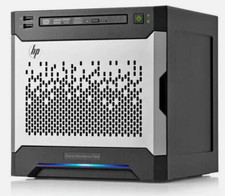
HP MicroServer Gen8 LOADED 12TB + 16GB RAM Win Server 2025 iLO Advanced SSD Boot
$679.00

POGO ATLAS 1102 Server 32 Gb RAM 4TB Storage 2x2TB HDD’s (Tested-Working) No OS
$179.85

Supermicro 938-16 16-LFF MicroCloud SuperServer 5038MR-H8TRF *No Blade Servers*
$159.99



 Reply With Quote