-
Installing without running knoppix
Hi!
Is it possible to install Knoppix via the script without running it itself?
Explanation: I don't have a burner here, so I have to mount the image and install it on hdd, if that works...
regards
Jeriko
-
Senior Member
registered user
You will need to 'run' knoppix for the hardware detection, and setup. There are several ways that you should be able to run knoppix from an image on your hd, do some searching around here for info on that.
You will have to install to a different partition than the one you are using to run knoppix.
HTH
rock
-
How to start Knoppix.iso form hd in pure Linux enviroment?

Originally Posted by
RockMumbles
You will need to 'run' knoppix for the hardware detection, and setup. There are several ways that you should be able to run knoppix from an image on your hd, do some searching around here for info on that.
Salve Rock,
sorry, but there isn't a solution here how to run the Iso directly.
If you know it how, please be so kind, take some minutes and write
it down for the Docs-Wiki.
So image to have the iso on one ext3 partiton like
/mnt/hda3/Knoppix.iso
the knoppix boot.img can be mounted like
mount boot.img /mnt/floppy.loop -o loop -t vfat
cp /mnt/floppy.loop/* /mnt/hda3
I would copy /etc/lilo.conf to /mnt/hda3/lilo.conf
what is needed to change in lilo.conf to boot Knoppix.iso?
(than lilo -C /mnt/hda3/lilo.conf)
Greetings
rob
PS: I don't mean to copy extracted files from KNOPPIX, this
would need more than > 2,5 GB space! I will know a way to boot
the iso directly from hd, without a CD-Rom 
-
Senior Member
registered user
I'm going from memory, but if you are running windows copy the KNOPPIX directory from the iso to your C:\ drive (you'll need some way to get into the iso, such as isobuster or winiso from what I've read). Then you will have a c:\KNOPPIX directory with the compressed knoppix image, the two boot-images, rawrite2 and some batch files, some graphic files and some html stuff. Then boot with the proper knoppix boot floppy and it should find and use c:\KNOPPIX as your cd-rom. Note: you will not be able to write to this device (partition) as knoppix thinks it is running from a CD and the filesystem will be read-only. Also note: if you put the KNOPPIX directory in another place (not in c:\) you will have to change the startup stuff (syslinux config) on your boot floppy.
I just found a thread, look near the bottom, he is doing it with a different tool, but http://www.knoppix.net/forum/viewtopic.php?t=519
HTH
rock
-
Originally Posted by
RockMumbles
I'm going from memory, but if you are running windows copy the KNOPPIX directory from the iso to your C:\ drive...
Salve Rock,
thanks - last night I found a way how to run Knoppix from CD,
copy the /dev/cdrom to /dev/hda3 and configure LILO to boot
Knoppix from HD without a bootdisc
Will post here when my explaination is ready.
Because of I don't use M$ anymore I was not so interested in
the C:\ way 
Would you like to write about the M$ way for
http://www.knoppix.net/docs/index.php/FaqHdBased?
Greetings
rob
Similar Threads
-
By ldsguy in forum General Support
Replies: 0
Last Post: 09-18-2004, 10:13 PM
-
By Markp.com in forum Hdd Install / Debian / Apt
Replies: 7
Last Post: 07-06-2004, 02:53 PM
-
By jojo in forum General Support
Replies: 5
Last Post: 01-15-2004, 05:43 PM
-
By Raineri in forum General Support
Replies: 2
Last Post: 09-24-2003, 10:46 PM
-
By myk in forum General Support
Replies: 0
Last Post: 06-17-2003, 03:07 AM
 Posting Permissions
- You may not post new threads
- You may not post replies
- You may not post attachments
- You may not edit your posts
-
Forum Rules


SFP TO RJ45 TRANSCEIVER SFP MODULE COPPER SFP OPTICAL PORT TO RJ45 ETHERNET PORT
$7.99

Dell Intel X710-DA2 5N7Y5 Dual-Port 10GbE SFP+ PCIe 3.0 x8 Network Adapter
$27.50

Cisco Acacia DP04QSDD-E25-840 400G QSFP-DD Coherent DCO Transceiver Module
$699.99

NEW Sealed Cisco SFP-10G-LR 10GBASE-LR SFP+ 1310nm 10km *US Shipping*
$24.00

Genuine Cisco SFP-10G-SR 0-2415-03 10 Gigabit Transceiver
$5.40

Intel X520-DA2 10Gb 10Gbe 10 Gigabit Network Adapter NIC Dual Port E10G42BTDA
$28.94

HP 560SFP+ 10GB 2-port PCIe NIC Ethernet ADAPTER 669279-001 w/ (2) 10GB SFP+
$16.99
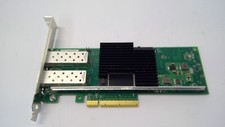
Lenovo 00YK615 Intel X710-DA2 10GbE 2-port SFP+ PCI-E FC Network Adapter NIC
$27.99

Dell 10 Gigabit SFP+ SR Transceiver 0XYD50 NEW SEALED
$24.99

Arista SFP-10G-SR 10GBASE-SR XVR-10001-20 850nm SFP+ Optical Transceiver
$30.00



 Reply With Quote