View Poll Results: Is knoppix safe for beginners?
- Voters
- 20. You may not vote on this poll
-
Senior Member
registered user
Bob58,
Good point, like a "who's who" of Linux, kinda thing...
Hmmmm, I know they have a "big" site on WinModems, and the doc files here are numerous, but one big list, like a list you can take down to your computer manufacturer and say: "Build me one of those!" [?]
You know, from what I know, its not a list of what works, but more likely, a list of what won't. Basically, I think of Winmodems in this catagory. You can get some, if not all, of the Winmodems to work, but not as good as they were "supposed" to in Windows. This is usually resolved by getting a modem that doesn't require Windows to work, like a hardware modem. They can have just as much "functionality" as there counterparts, but will easily plug 'n' go on a Linux OS.
As for monitors, hmmmm, they usually work, its only the video card that tells it what to do, so the video cards are the issue, not the monitors. A monitor does what the video card tells it to do, which either does it, or complains, and the video card is only doing what the operating system is telling it to do, which either can do it, or complains.
Motherboards, now we are talking techie here. I don't go around looking at peoples motherboards, maybe there BIOS, but I don't get inside the case when I want to boot an OS. So, whatever the OS, or the BIOS tells me the motherboard is, I have to agree with it. As for the CPU, I did buy a seperate motherboard and CPU combination, so I am very familiar with the CPU I have installed - some of the "standard" "Windows" people may not be that "techie", and would simply respond, "its a fast one!", or "I know its a new one!". This kind of response can also come from asking what kind, or size of hard drive they have, or the amount or type of RAM they have, etc...
For some people, if it isn't plainly labled on the "outside" of the case, or monitor, they have no clue what it is. They only know, it worked in Windows, or that it was just bought.
For these reasons, are why I say "techie" or "geek", not the physical attributes of them, but the fact they can probably find the CPU inside there computer case, or where the RAM is, or have "tinkered" with the cabling inside the case. Maybe, even replaced a card, or device, inside the computer. You have these types in the Windows World as well, but, more often than not, these are the people people call when they need help, or "something" isn't working as they expected. In the Windows World, most of the "techies" are viewed as the "grunts", who delve into the depths of computers, and possibly talk binary to each other. Whereas, in the Linux World, you are almost given the title for just booting the operating system (heck, you almost have too be, if you want to understand what is going on).
I never knew of Google, or SourceForge, until coming over the wall to Linux. Before that, it was just MSN, Microsoft, Lycos, or Yahoo. Now, I seem to only use google and sourceforge. Not so much for like, but for need. Most replies in "help" posts, usually fall back to these sites, like "have you googled?", or "have you checked for it on SourceForge?" - so the need arose for "bookmarks" on these sites, at least on my running Mozilla.
A list, a "common" list, would be a good idea, but maybe not on the stuff that works, but more along the lines of what stuff to stear clear of. Like, don't buy this! list... I not only think it would be a benifit, but be easier to not only keep updated, but to walk into a computer dealer and say, "I don't want any of these things on my computer!"
When I bought my new computer, which was being "designed" to only run Linux, Knoppix to be specific, I had, pretty much, a list of things I wanted "standard", and ideas of what I didn't want. Some of the ideas were based on "Windows specific" hardware, like modems, which, unfortunately, I was in error on my assumptions. I, therefor, had numerous trips back to the place of purchase to "swap" these devices for ones I thought were right, after a few "extra" trips, I got the right modem. Video, I posted here for the best "usable" card to get. Motherboard was a flat thing, just buy one that handles the CPU, the CPU was fastest but with cost being an issue. Modem was as stated above. Monitor, simple, had one, tried it on the Live CD, it worked, so it stayed. Keyboard, mouse, pretty much standard stuff - I like the wheel and "ball-less" type, but not the USB, had to be PS2, for the mouse, and the keyboard was my "old tried and true" M$ Natural, both worked in Live CD, so they stayed.
I think this is a good reason why the Live CD is being used, it "tests" your hardware, if it works with the Live CD, it will probably work with the HDD installed. First time I ran the CD, I just thought it was a "teaser" disk, one that, if you wanted the OS, you went out and bought the "full blown" version, only to find out "this was it." - I was incredibly impressed. Not in the Windows World, would it be released this way, nor a full version on the same media.
Hmmmmm, wonder what other people think about this "list" idea?
time will tell,
Cuddles
Similar Threads
-
Replies: 32
Last Post: 10-22-2008, 01:14 PM
-
By visitor in forum Networking
Replies: 1
Last Post: 12-18-2004, 01:42 AM
-
By Mlight in forum General Support
Replies: 1
Last Post: 06-16-2004, 04:39 PM
-
By DimGR in forum General Support
Replies: 4
Last Post: 04-22-2004, 06:54 AM
-
By urpk in forum General Support
Replies: 1
Last Post: 12-27-2003, 03:55 PM
 Posting Permissions
- You may not post new threads
- You may not post replies
- You may not post attachments
- You may not edit your posts
-
Forum Rules

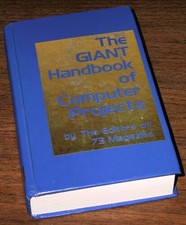
1979 Microprocessor Projects Altair 8800 Intel 8080 KIM-1 COSMAC Elf SWTPC 6800
$59.99

S-100 Vector Graphic 64K Ram Board (Altair, IMSAI)
$99.95

S-100 Vector Graphic 12K PROM/RAM Board (Altair, IMSAI)
$99.95

Computer Photo History Altair 8800 Philco 212 CDC 6600 DEC PDP-8 Apple 1 UNIVAC
$69.99
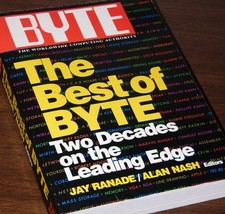
640pg Best of BYTE Magazine 1984 Mac Steve Jobs Altair 8800 IBM 5100 Bob Moog
$85.00

Vintage Digital Research ZSID 1.4 8" Floppy Disk CP/M Z80 Software S-100 Altair
$69.99
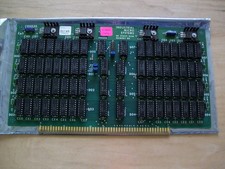
S-100 Industrial Micro Systems 8K Static Ram (IMS, Altair, IMSAI)
$69.95

BYTE Magazine Cover Jan 1977 Canvas Print 8"x10" Retro Computer Altair 880
$7.00

CP/M 86 1.1R 8086 Highmonitor 8 Inch Floppy Diskette 80s IMSAI Altair
$29.99

ALTAIR Bitcoin Mining Solutions PDU IEC SERIES 100-250V 30A/24A Power Distribute
$99.00



 Reply With Quote