-
Problem
Hey,
I'll start off by saying I'm a complete newbie when it comes to linux. I just tried Knoppix on my Intel P4 2ghz 512ddr ram box, and I encountered some problems.
After pressing enter at the boot prompt, I got a message saying "Error: only one proccessor detected." Then it said something like "Pci Device not detected because of resourse collisions." Right before the gui loaded the screen flashed a couple of times (I don't know if this is normal...).
KDE loaded up fine, but there was no sound and I couldn't connect to the internet. I have a wireless network set up but this computer is the one connected to the modem so I don't think that is the problem.
My ethernet card is Realtek RTL8139 FAMILY PCI FAST ETHERNET NIC, and my sound card is Intel 82801DB/DBM/DA AC'97 Audio Controller.
Thanks in advance,
Hatem
-
I can only answer one of your questions. I believe the latest KNOPPIX is using an smp kernel and it's looking for a 2nd cpu, thus the
"Error: only one proccessor detected."
Shouldn't be a problem.
In the few months I've been watching these forums it seems to me audio is the most difficult resource to get working properly.
Good Luck!
-
Thanks for your reply,
I noticed something else, that I had forgetton to include in my message. After I press enter at the boot prompt it says:
"You have passed an undefined mode number
Press <RETURN> to view all video modes, <SPACE> to continue, or wait 30 secs"
I have no idea what this means...
I tried directly connecting the cable modem to my computer but it froze while booting while it was "Autoconfiguring devices"...
Any suggestions will be greatly appreciated,
Hatem
-
Senior Member
registered user
Re: Problem

Originally Posted by
Hatem
....After pressing enter at the boot prompt, I got a message saying "Error: only one proccessor detected." ....
Hatem
Try 'knoppix nosmp' at boot.
-
Senior Member
registered user
Originally Posted by
Hatem
Thanks for your reply,
I noticed something else, that I had forgetton to include in my message. After I press enter at the boot prompt it says:
"You have passed an undefined mode number
Press <RETURN> to view all video modes, <SPACE> to continue, or wait 30 secs"
I have no idea what this means...
I tried directly connecting the cable modem to my computer but it froze while booting while it was "Autoconfiguring devices"...
Any suggestions will be greatly appreciated,
Hatem
hit enter and ignore that message. I do.
-
Senior Member
registered user
could you do me 3 favors?
list the PCI devices you have, and the order they are in, AND the device number of the PCI error?
Similar Threads
-
By bongski55 in forum Hardware & Booting
Replies: 4
Last Post: 11-15-2003, 10:19 AM
-
By Triple Six in forum Hardware & Booting
Replies: 2
Last Post: 04-15-2003, 04:23 AM
 Posting Permissions
- You may not post new threads
- You may not post replies
- You may not post attachments
- You may not edit your posts
-
Forum Rules


S-100 Vector Graphic 12K PROM/RAM Board (Altair, IMSAI)
$99.95

Vintage Digital Research ZSID 1.4 8" Floppy Disk CP/M Z80 Software S-100 Altair
$69.99

S-100 Vector Graphic 64K Ram Board (Altair, IMSAI)
$99.95
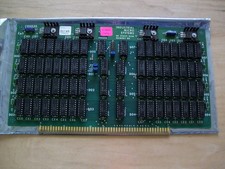
S-100 Industrial Micro Systems 8K Static Ram (IMS, Altair, IMSAI)
$69.95

Altair MITS S100 Backplane 8080A S-100 Replica IMSAI CP/M (bare board)
$40.00

BYTE Magazine Cover Jan 1977 Canvas Print 8"x10" Retro Computer Altair 880
$7.00
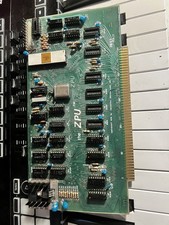
TDL “the ZPU” rev 1 February 1977 s100 cpu board
$345.00

S-100 backplane motherboard bare PCB 9 slot (for Altair/IMSAI)
$34.99

CP/M 86 1.1R 8086 Highmonitor 8 Inch Floppy Diskette 80s IMSAI Altair
$40.00

ALTAIR Bitcoin Mining Solutions PDU IEC SERIES 100-250V 30A/24A Power Distribute
$99.00



 Reply With Quote