-
standby
does anyone know how to prevent the system from entereing standby mode?...... when it does i lose the entire filesystem, kernel, daemons, everyhing... and its a apin to have to confire my dsl, email, gaim, and all of this stuff....
oh, and also, i see to be able to only cron one thing at a time, and only as root (i tried to cron some comands to prevent the computer from sleeping, but no luck)..... is there a fix to this?
-
Senior Member
registered user
Re: standby
--What make/model of computer are you using; is it a laptop, etc...
--You may have to go into the BIOS to disable power-saving stuff.

Originally Posted by
punk000
does anyone know how to prevent the system from entereing standby mode?...... when it does i lose the entire filesystem, kernel, daemons, everyhing... and its a apin to have to confire my dsl, email, gaim, and all of this stuff....
oh, and also, i see to be able to only cron one thing at a time, and only as root (i tried to cron some comands to prevent the computer from sleeping, but no luck)..... is there a fix to this?
-
i doubt that that is it, because when my family rauns windows they can leave it for days........ but i have to play with it at least every 30 mins
-
Senior Member
registered user
Dave is correct. You need to turn off power management. If you don't want to do it in your bios, then use the 'noapm' option when you boot.
E.G. 'knoppix noapm'
-
but, if it was a bios problem.... wudnt it have effected the windsows os also?
-
Senior Member
registered user
Originally Posted by
punk000
but, if it was a bios problem.... wudnt it have effected the windsows os also?
No. The problem is not in the bios. The problem lies in how linux is interacting with the power management features which are ENABLED in the bios. Apparently windows doesn't have this problem. This could be for a variety of reasons. Most likely it's due to the fact that your bios and/or hardware makers disclose information about how their products work to Microsoft but not to others.
By "pulling the plug" on power management in the bios you will solve your linux problem but will loose the ability to use these features in Windows. If you want to keep power management enabled in Windows, but fix your linux problem then you need to disable the power management features by passing on the "noapm" option to the kernel at bootup.
If this doesn't work, then post back here with details.
-
Senior Member
registered user
--AFAIK, Windoze has Power Management settings that can override the BIOS.
Originally Posted by
punk000
but, if it was a bios problem.... wudnt it have effected the windsows os also?
-
thank you, i will try that... but the "cheat codes" can u have more than one at a time.. cuz i cant start the compu w\o the screen=MY_RES one..... if you can, please include the syntax
-
Senior Member
registered user
Originally Posted by
punk000
thank you, i will try that... but the "cheat codes" can u have more than one at a time.. cuz i cant start the compu w\o the screen=MY_RES one..... if you can, please include the syntax
This should not be a problem. I often pile on several options. Just do this: 'knoppix noapm xxx xxx xxx' whre xxx = you other options.
-
than you... i did it, i have no jsut to see if it will standby... but i have to wait till bed time.. cuz i cant get off unix (in love)
Similar Threads
-
By Slippery in forum Hardware & Booting
Replies: 1
Last Post: 10-25-2004, 05:35 PM
-
By rrud in forum Hardware & Booting
Replies: 0
Last Post: 02-22-2003, 08:42 PM
 Posting Permissions
- You may not post new threads
- You may not post replies
- You may not post attachments
- You may not edit your posts
-
Forum Rules


IBM System X3850-X5 Server w/4x Intel Xeon E7-4870 CPU , 512 GB DDR3 RAM,NO HDD
$1599.99

IBM QRadar xx29 2x Xeon E5-2650v4 2x 900W PSU M5120 12x 3.5" Bay Server No RAM
$179.99

DELL POWEREDGE HP IBM SERVER XEON GOLD 5315Y 8 CORE PROCESSOR 3.2 GHZ SRKXR
$1100.00

IBM ADP Server Type 7870 AC1 NO HDD | 128GB RAM PC3L | 2 x Xeon E5620
$199.99

IBM X3650 M5 5462-AC1,2 X E5-2640V3 2.6GHZ 8C, 16 GB, DUAL 750W, 2 X 1TB SERVER
$349.99

IBM SYSTEM X3500 M3 SERVER 7380AC1 TOWER Server XEON E5620 8GB RAID SEE NOTES
$111.70

IBM System x3550 M3 1U Server 2x Xeon E5645, 192GB RAM, 2x 300GB HDD (7944-AC1)
$150.00
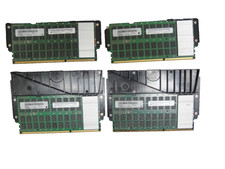
Lot of 4 IBM 00LP740 32GB DDR3 CDIMM Server DRAM MT80KLF4G72MDZ-1G6N1B50A
$109.95

IBM X3650 M4 Server System Board 00MX553 00AM209 00Y8499 00Y8457 00D2888 00W2671
$230.00

IBM System x3755 M3 2U Rackmount Server – No Drives or Trays
$150.00



 Reply With Quote