-
Newbie: Booting Problem
Hi,
Newbie here. Been a Windows slave for many years. Time to break free!
Downloaded the ISO file and successfully burned a boot CD. Managed to get it boot in my home PC. Everything is wonderful - the desktop & customization etc.
However, my 2 office PCs have problem. Tried to boot them but got this message: "ACPI: Unable to locate RSDP". It can detect all/some(?) of my hardware stuff. After this, the screen went blank. Then a messsage appeared - "Out of Range". Can someone help?
I am planning to switch all my company OS to Linux. Still testing. I am not a technical person (I'm a chemist).
Thank you.
Mark
-
Senior Member
registered user
Mark,
First of all, let me be the first to Welcome you to Knoppix 
Second, can't remember what the ACPI stands for, but that doesn't seem to be the booting problem, you can probably disable the ACPI through a boot cheatcode, and still lock up on the later part of your boot.
Third, the real problem, which isn't really that bad, and actually has happened to me, as well as many others who start Knoppix for the first time. The Out Of Range message you are getting is from your monitor, not the system (OS). Knoppix probably has detected your video card, and its capabilities, and is trying to use the "best" settings of your video card it can. Unfortunately, I think your monitor can't handle just "exactly" what your video cards "best", or what Knoppix has thought, can handle. Usually something like the refresh rates.
One thing you are going to get used to, using Knoppix on the CD boot, is the cheatcodes you enter on the "boot:" prompt. To get a list of these, just press F2 when the Boot: prompt shows up, while you are booting Knoppix. Quite a few exist.
I am going to guess your monitor is getting a refresh rate that Knoppix is telling your video card to use, that the monitor is unable to use, or set, thus, the message. I would also guess, that even when you get this message on your monitor, if you look at your CDROM drive, it will still be running. Knoppix is still booting, but your monitor is unable to display this.
For me, yes, I had the same problem with this, it was that Knoppix (X11) wants to use a resolution of 1024 x 768, I think, and a refresh rate like 32 - which my monitor specs don't like. You might try a refresh rate of 60, thats what mine liked.
Best thing to do is, read your monitor specs, find out what resolutions your monitor can handle, and what refresh rates they can use. i.e. 1024 x 768 w/ 60Hz, and then use the boot: cheatcode to "force" Knoppix to use them.
As a start, try the following:
boot: knoppix lang=us screen=1024x768 vrefresh=60
Don't enter the "boot:" part, thats the prompt. You can remove the "lang=us" if you want to, or don't need the language to be in English, the default language may be German though.
I have learned one thing running Linux/Knoppix, you get "very" intimate with your hardware in your computer. If you run Windows, this is a "completely" new experiance, and tends to add to the "learning curve" of running a Linux OS. But, anyway, the above cheatcodes might get you going, if not, post back on results, if you press the F2 in the "boot:" prompt screen, you will see that there are numerous options for "configuration" changes on booting, and, I am sure, no matter what you have as hardware, you can get Knoppix to boot it, at least.
Again, I would like to Welcome you to the Wonderful World of Linux 
Cuddles
Similar Threads
-
By jlsweet53 in forum Hardware & Booting
Replies: 3
Last Post: 06-14-2005, 12:13 AM
-
By Fifigunit in forum General Support
Replies: 2
Last Post: 01-04-2005, 03:46 PM
-
By Guardian in forum General Support
Replies: 10
Last Post: 04-06-2004, 09:18 AM
-
By Steven Wallace in forum General Support
Replies: 5
Last Post: 11-07-2003, 02:18 AM
-
By baillie in forum General Support
Replies: 3
Last Post: 06-13-2003, 06:19 PM
 Posting Permissions
- You may not post new threads
- You may not post replies
- You may not post attachments
- You may not edit your posts
-
Forum Rules


Cisco SFP-10G-SR Transceiver
$4.00

Qty 20 New Cisco QSFP-100G-FR-W2 10-3659-01 Module Hologram Brand New 20 Pack
$260.00

Cisco SFP-10G-SR-S Transceiver Module 10-3105-01
$100.00

Cisco Acacia DP04QSDD-E25-840 400G QSFP-DD Coherent DCO Transceiver Module
$699.99

Intel X520-DA2 10Gb 10Gbe 10 Gigabit Network Adapter NIC Dual Port E10G42BTDA
$28.94

SFP TO RJ45 TRANSCEIVER SFP MODULE COPPER SFP OPTICAL PORT TO RJ45 ETHERNET PORT
$7.99
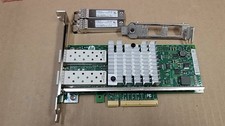
HP 669279-001 560SFP+ Ethernet 10Gb 2-Port Network Adapter Card W/SFPx2 -Both
$14.99

Genuine Cisco SFP-10G-SR 0-2415-03 10 Gigabit Transceiver
$5.40
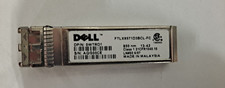
Lot of 20 Dell FTLX8571D3BCL-FC 10 Gigabit SFP+ Transceiver 10GBase-SR 0WTRD1
$59.95
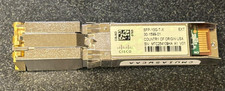
Cisco SFP-10G-T-X 10G SFP 30m Transceiver 30-1599-01 w/ Hologram
$200.00



 Reply With Quote