
RGB2HDMI Amiga HDMI Games, non-RTG A2000 / A500 / A500 plus For Sale

When you click on links to various merchants on this site and make a purchase, this can result in this site earning a commission. Affiliate programs and affiliations include, but are not limited to, the eBay Partner Network.

RGB2HDMI Amiga HDMI Games, non-RTG A2000 / A500 / A500 plus:
$25.00
Are you ready for high-quality flicker-free HDMI output from your Amiga 2000, 500, or 500 plus? Space is tight on an A500 when you have a Pi Storm Classic or any card that extends from the CPU towards the back of the machine, but would work well if you use a Standard 68000, Lazarus Storm, or A2000. Optionally, you can get a right-angle ribbon HDMI and/or a Raspberry Pi GPIO extension as needed.Keep in mind on an Amiga 500 this model requires space around the 68000 CPU, so if you have an accelerator or other adapter installed on the 68000 socket please check out the alternate models that can accommodate your space requirements. That being said it will fit well in an Amiga 2000 (under the power supply bracket), but should be protected to prevent shorting by covering the Pi with something (like thermal tape).
New non-CPLD RGB2HDMI for the Denise socket (Raspberry Pi Zero 1/2 required). There is no CPLD on this board to program making it lower cost.
If this does not meet your spatial requirements check alternate designs: RGB2HDMI Amiga HDMI Games, non-RTG A500 / A500 plus | RGB2HDMI Amiga 500 UltraLong (Accelerator Friendly) | Best FlickerFixer RGB2HDMI Amiga HDMI Games, non-RTG A500 / A500 plus CPLD v2 | Best FlickerFixer RGB2HDMI Amiga HDMI Games, non-RTG A2000CPLDSlot v2.2 | External RGB2HDMI Amiga Mac Atari Commodore & more Retro HDMI Games, non-RTG | Installation instructions areincluded.
- Fully assembled, high-quality Purple rev 2.0 PCB.
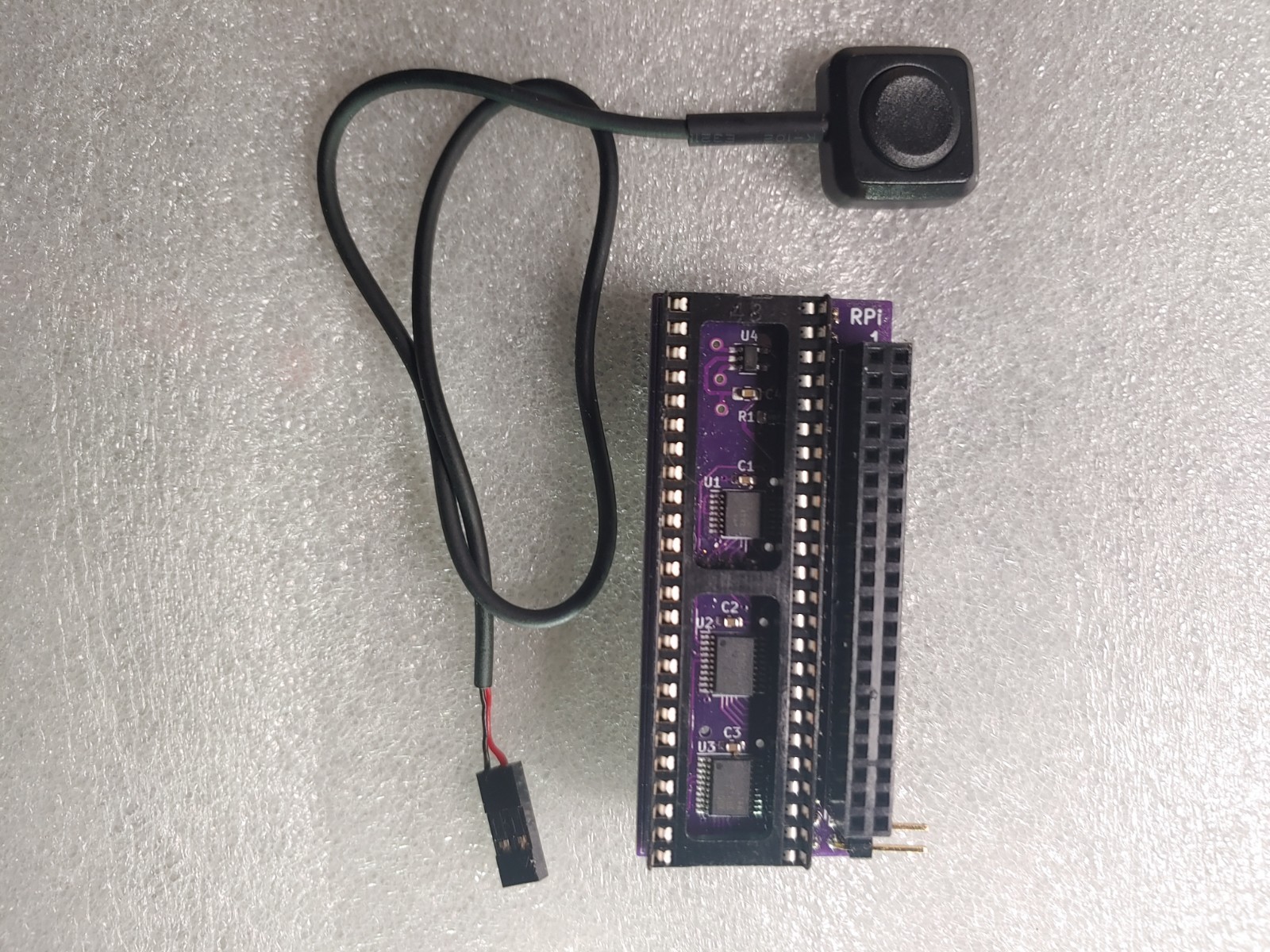
- Plastic button included* (see pictures)
- works great for non-RTG standard display modes such as Games, boot screen, etc.
- Ready to install, but you will still need to install the software on the SD Card for the Pi.
- on-screen menu that enables adjusting video including settings, profiles, and more.
- connect your monitor to the Raspberry Pi's HDMI port.
- works with low-cost Raspberry Pi Zero and Raspberry Pi Zero 2 (with the latest software).
- works with a small and economical SD Card in the Raspberry Pi Zero, like 1GB; the software only takes approx. 30MB (depending on version)
- works well with most any expansion such as a PiStorm and Accelerators. Basically, it works independently.
- automatically boots/shutoff with the Amiga
What you will need (not included):
- Raspberry Pi Zero, Raspberry Pi Zero 2, or Raspberry Pi 3/4 with Header Pins installed
- SD Card to install the software.
- Mini-HDMI cable or adapter to connect to a monitor.
- You may need to modify your case to install the button and/or HDMI port, but this is up to you.
Look for our pre-Install Raspberry Pi with SD Card service in our other listing if you need a Raspberry Pi.Retro Pre-Installed Raspberry Pi with SD Card | We reserve the right to change the shipping type/carrier when free shipping is selected to improve speed and/or cost
Documentation
- Customizing Knoppix
- Remastering Knoppix
- Hard Drive Install
- Knoppix Cheat Codes
- Install Knoppix How-To