
Vintage Hitachi VisionBook Pro 7590 Pentium MMX 266MHz Windows 95 WORKING For Sale

When you click on links to various merchants on this site and make a purchase, this can result in this site earning a commission. Affiliate programs and affiliations include, but are not limited to, the eBay Partner Network.

Vintage Hitachi VisionBook Pro 7590 Pentium MMX 266MHz Windows 95 WORKING:
$224.00
Description
Vintage Hitachi VisionBook Pro 7000 Series Laptop – Pentium MMX – Windows 95 – Complete Collector Package
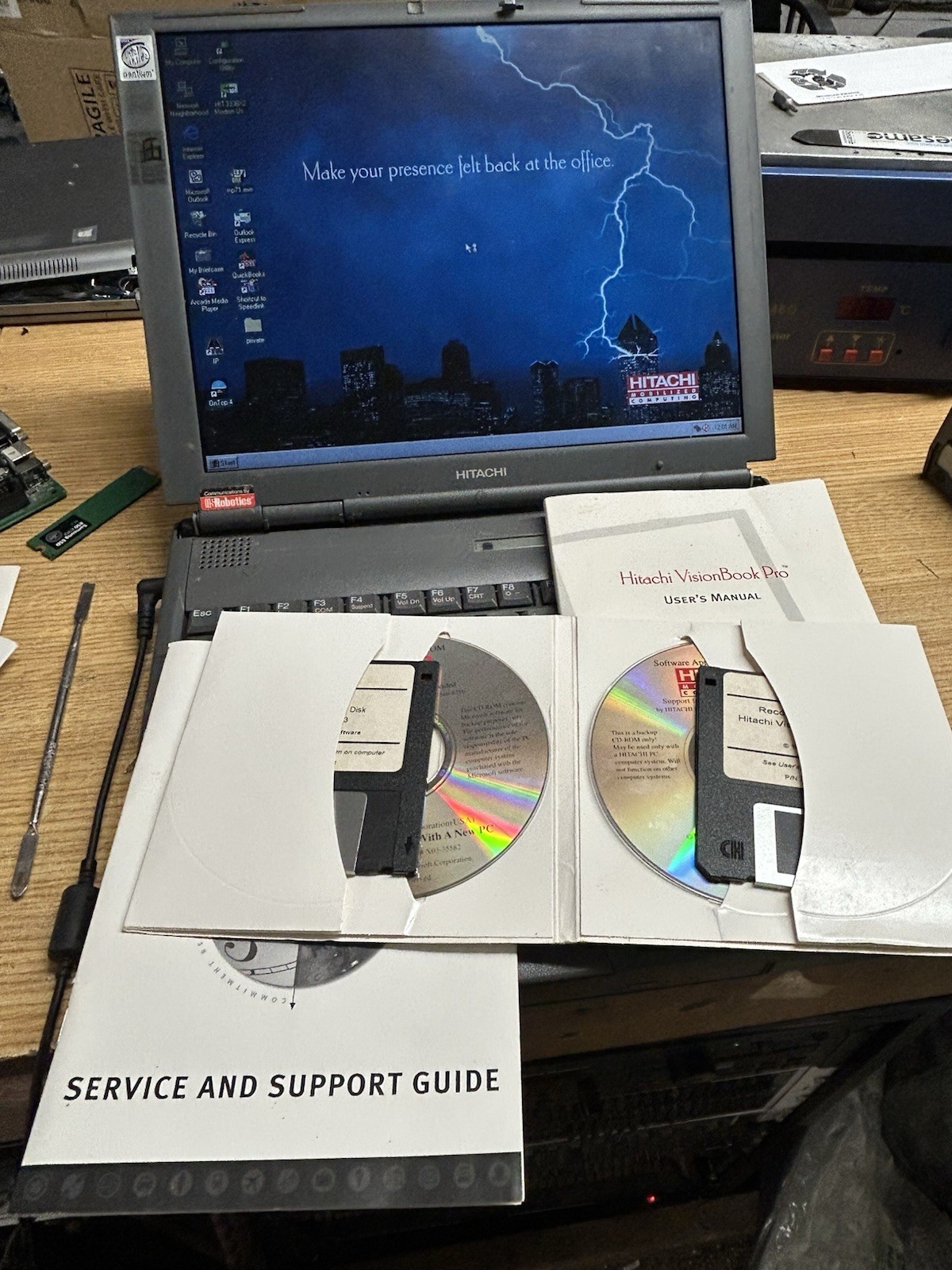
Up for sale is a vintage Hitachi VisionBook Pro 7000 Series laptop from the late 1990s. This is an unusually complete surviving setup with the original Hitachi documentation, recovery/diagnostic media, docking station, modular drives, and additional battery packs.
The computer has been tested and successfully boots into its installed Microsoft Windows 95 operating system, as shown in the photos.
System Specifications
* Hitachi VisionBook Pro 7000 Series
* Intel Pentium MMX 266 MHz processor
* 48 MB RAM
* Hard drive installed and working
* Microsoft Windows 95 installed and booting
* Built-in color LCD display
* Integrated keyboard and touchpad
* PhoenixBIOS
* Modular CD-ROM and floppy drive system
The LCD, keyboard, touchpad, hard drive and basic Windows operation were functional during testing.
Included Accessories & Original Materials
This is being sold as a package and includes a substantial collection of original Hitachi equipment and documentation, including:
* Hitachi VisionBook Pro laptop
* AC power adapter
* Original Hitachi docking station / port replicator
* CD-ROM drive module
* Floppy drive module
* Two Duracell DR202 rechargeable battery modules
* Original Hitachi VisionBook Pro User’s Manual
* Original Hitachi VisionBook Pro Service and Support Guide
* Original Hitachi Product Recovery CD-ROM
* Original Hitachi Applications CD-ROM
* Original Hitachi PC Doctor bootable diagnostic floppy disk
* Original Hitachi VisionBook Pro Recovery Utility floppy disk
* Additional original paperwork shown in the photographs
The two vintage battery modules are included as untested/as-is accessories. No battery runtime or capacity is guaranteed.
IMPORTANT — CMOS Battery / Startup Instructions
The computer’s CMOS/RTC battery is no longer functioning, so the BIOS may lose its configuration after the computer has been disconnected from power.
The hard drive and Windows 95 installation ARE present and working.
If the BIOS configuration has been lost, the computer may initially display “Missing Operating System.” This does not mean that the hard drive or operating system is missing.
To boot the computer:
1. Press F2 during startup to enter the PhoenixBIOS Setup Utility.
2. Locate Secondary Master.
3. Change Type from NONE to AUTO.
4. Press F10 to save the configuration and exit.
5. The computer will detect the drive and boot into Windows 95.
This procedure was performed during testing and the computer successfully booted into Windows 95 afterward, as shown in the photographs.
Replacement of the CMOS/RTC battery will be necessary if the buyer wants the BIOS configuration to remain stored after loss of power.
Condition
The computer shows normal cosmetic wear associated with vintage equipment of this age, including marks, scratches and other signs of previous use. Please examine the photographs carefully for the exact cosmetic condition.
This is approximately 30-year-old vintage computer equipment and is being sold based upon the functionality specifically described above. Ports, accessories and functions not specifically mentioned as tested should be considered untested. No guarantee is made regarding vintage battery capacity or long-term reliability.
The existing Windows 95 installation has been retained rather than replacing it with a modern operating system.
Please review all photographs carefully. They are part of the description.
This is a particularly interesting package for a vintage computer collector, Windows 95 enthusiast, retro computing setup, restoration project, or Hitachi collector, especially given the amount of original Hitachi recovery media, documentation and accessories still accompanying the machine.
Documentation
- Customizing Knoppix
- Remastering Knoppix
- Hard Drive Install
- Knoppix Cheat Codes
- Install Knoppix How-To