

 Reply With Quote
I really dont want to make things worse, and I am not sure what the Preferences-GParted program is. Is this my only option, is there anything else I can do? because this seems a bit confusing and risky. thanks so much for your help.


I've gotten this type of error message, too. Since we're still not sure what type of filesystem you're dealing with, I suggest using the Preferences-GParted program to get an overview of the hard drives' filesystem(s.) Note that you can make things worse, too - these are powerful programs, and need to be used cautiously.Originally Posted by Tattered Phoenix

In my own case, Windows was installed on a partition formatted with NTFS which had become corrupted. Since the error message related to a M$oft file system, it made sense to use their tools to regenerate it, but I needed the benefit of those tools without having the (working) infrastructure (Windows OS to support running M$ programs.)
I ended up using chkdsk successfully, but in order to get their programs to run I needed something I could boot up that supported that. Although Knoppix includes Wine, which would in theory do that, I followed advice I got here and used Hiren's Bootcd- which you can get LOTS of places on the web, esp. via BitTorrent. Knoppix will support that via Transmission on the Internet menu, but you'll need something to save stuff to, e.g. a flash drive.
NOTE Since that disk also contains unlicensed commercial software, be forewarned that, should you choose to download it, you are on your honor to only use the FreeDOS OS and software you have a license to use, e.g. M$oft chkdsk. In my own case, the chkdsk on the Windows partition was not working, but the copy/version on Hiren's worked for me.
Cheers!
Krishna
I really dont want to make things worse, and I am not sure what the Preferences-GParted program is. Is this my only option, is there anything else I can do? because this seems a bit confusing and risky. thanks so much for your help.
You can run the program without fear, to get information; just don't tell it to DO something to a partition (like erase/format/delete it.) I don't know what happened with the link (on your other thread.) Here is what I meant.
Cheers!
Krishna
Last edited by krishna.murphy; 07-05-2010 at 06:30 PM. Reason: Clarity
ok, so is this a program that is part of knoppix that I should open and use, or is it something separate I need to download, I am bit unsure of this part. Thanks so much for all the help.
Click the main menu, then Preferences, then GParted. Here's a screenshot (attached.)
hey,
i have opened up the GParted and i am not sure what to do next,
 Posting Permissions


S-100 Vector Graphic 64K Ram Board (Altair, IMSAI)
$99.95

S-100 Vector Graphic 12K PROM/RAM Board (Altair, IMSAI)
$99.95
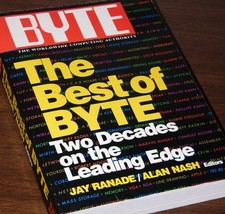
640pg Best of BYTE Magazine 1984 Mac Steve Jobs Altair 8800 IBM 5100 Bob Moog
$85.00

Vintage Digital Research ZSID 1.4 8" Floppy Disk CP/M Z80 Software S-100 Altair
$69.99

Computer Photo History Altair 8800 Philco 212 CDC 6600 DEC PDP-8 Apple 1 UNIVAC
$69.99
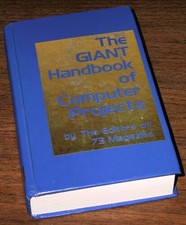
1979 Microprocessor Projects Altair 8800 Intel 8080 KIM-1 COSMAC Elf SWTPC 6800
$59.99
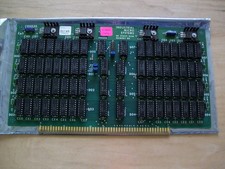
S-100 Industrial Micro Systems 8K Static Ram (IMS, Altair, IMSAI)
$69.95

BYTE Magazine Cover Jan 1977 Canvas Print 8"x10" Retro Computer Altair 880
$7.00

CP/M 86 1.1R 8086 Highmonitor 8 Inch Floppy Diskette 80s IMSAI Altair
$29.99

ALTAIR Bitcoin Mining Solutions PDU IEC SERIES 100-250V 30A/24A Power Distribute
$99.00