
Page 2 of 2 FirstFirst 12
Results 11 to 18 of 18

Thread: CD?

  1. #11
    Senior Member registered user
    Join Date
    May 2006
    Location
    Columbia, Maryland USA
    Posts
    1,631
    @ ant

    Pendrive Universal USB Installer is a Windows program
    that allows you to make LiveUSBs directly from isos.

    It currently lists Knoppix V7 as one of its offerings.
    You might give this a try. You'll need an 8 Gb usb to include persistence.

    Caveats are:
    0. If it's called 'V7' it must be a DVD-size offering (today, anyway).
    1. This is not a Knopper product.
    2. If this is the CeBIT Knoppix 7, it may have some errors and it's not the latest.
    3. You may not have a way to verify like testcd or checksum; I don't know.

    We'd be happy to hear how this works for you.

  2. #12
    Member registered user
    Join Date
    Mar 2005
    Location
    An Ant Farm
    Posts
    36
    Quote Originally Posted by utu View Post
    @ ant

    Pendrive Universal USB Installer is a Windows program
    that allows you to make LiveUSBs directly from isos.

    It currently lists Knoppix V7 as one of its offerings.
    You might give this a try. You'll need an 8 Gb usb to include persistence.

    Caveats are:
    0. If it's called 'V7' it must be a DVD-size offering (today, anyway).
    1. This is not a Knopper product.
    2. If this is the CeBIT Knoppix 7, it may have some errors and it's not the latest.
    3. You may not have a way to verify like testcd or checksum; I don't know.

    We'd be happy to hear how this works for you.
    Thanks. Wow, 8 GB. The biggest size I have is 1 GB. Heh. Another reason for CD version. I will just wait.

  3. #13
    Senior Member registered user
    Join Date
    May 2006
    Location
    Columbia, Maryland USA
    Posts
    1,631
    8 Gb Class 10 SDHCs are $7, sport.

  4. #14
    Senior Member registered user
    Join Date
    Sep 2006
    Posts
    802
    Actually, I had already used qemu-kvm to create flash directly, I just forgot about it, see http://knoppix.net/forum/threads/293...or-root-device post #10. (It runs best in 64-bits system, and I haven't used that since remastering 6.7.0.

    Code:
    # lsusb Bus 002 Device 006: ID 0951:1624 Kingston Technology  ..... 
    #qemu  -cdrom /store/download/iso/KNOPPIX_V6.7.0DVD-2011-08-01-EN.iso -hda  /store/vm/qemu/knx670_disk.img -m 1024 -boot d -usb -usbdevice  host:0951:1624 &
    Then "Install Knoppix to flash disk" can be used in the virtual machine.

    I think anything below 8GB (good brands cost from about $10) is rather impractical for Flash Knoppix 7.X. But masochism is of course an option

  5. #15
    Member registered user
    Join Date
    Mar 2005
    Location
    An Ant Farm
    Posts
    36
    Quote Originally Posted by utu View Post
    8 Gb Class 10 SDHCs are $7, sport.
    But I will have to buy one of those memory card slots. Do they even work fully with very old computers?

  6. #16
    Senior Member registered user
    Join Date
    Sep 2006
    Posts
    802
    Quote Originally Posted by ant View Post
    But I will have to buy one of those memory card slots. Do they even work fully with very old computers?
    An 8GB USB stick may be the safest bet for old computers. The SD cards have changed a bit, at least my old DSLR thinks so..

  7. #17
    Member registered user
    Join Date
    Mar 2005
    Location
    An Ant Farm
    Posts
    36
    Quote Originally Posted by Capricorny View Post
    An 8GB USB stick may be the safest bet for old computers. The SD cards have changed a bit, at least my old DSLR thinks so..
    Yeah, I will have to get one of bigger sizes. Of couse assuming the PC can boot from USB devices. I know Dell Dimension 8250 PCs can't. Blah!

  8. #18
    Senior Member registered user
    Join Date
    May 2006
    Location
    Columbia, Maryland USA
    Posts
    1,631
    Quote Originally Posted by ant View Post
    But I will have to buy one of those memory card slots. Do they even work fully with very old computers?
    I use a Sony adapter. So long as your USB is USB-2, It'll work fine.

    For your first attempt,
    buy a Class 10 SDHC but don't buy a premium class jobbie unless you are into
    using a video camera. And don't pay more than 1$ per Gb.

    After that, treat yourself to something more expensive if you think you still want it.

    Cheers.

Page 2 of 2 FirstFirst 12

Posting Permissions

  • You may not post new threads
  • You may not post replies
  • You may not post attachments
  • You may not edit your posts
  •  


INTEL XEON E5-2680V4 SR2N7 2.40GHZ CPU picture

INTEL XEON E5-2680V4 SR2N7 2.40GHZ CPU

$11.00


Dell Precision Tower 7810 Xeon E5-2630 v3 @ 2.40GHz , 32GB Ram, NO HDD, NO OS picture

Dell Precision Tower 7810 Xeon E5-2630 v3 @ 2.40GHz , 32GB Ram, NO HDD, NO OS

$239.99



Dell Precision T7820 2x Xeon Silver 4114 2.20GHz 950W No RAM GPU HDD 4x SATA picture

Dell Precision T7820 2x Xeon Silver 4114 2.20GHz 950W No RAM GPU HDD 4x SATA

$350.48



Dell Precision T5820 Workstation 3.70GHz W-2135 No RAM/ GPU/ HDD/ OS picture

Dell Precision T5820 Workstation 3.70GHz W-2135 No RAM/ GPU/ HDD/ OS

$179.98



Intel Xeon E5-2699 V4 2.20GHz 55M 22-CORES LGA2011-3 Server Processor 145W SR2JS picture

Intel Xeon E5-2699 V4 2.20GHz 55M 22-CORES LGA2011-3 Server Processor 145W SR2JS

$84.49



DELL Precision 5820 Workstation Xeon W-2123 3.6ghz/NO RAM/NO SSD/P400 Vid picture

DELL Precision 5820 Workstation Xeon W-2123 3.6ghz/NO RAM/NO SSD/P400 Vid

$139.99
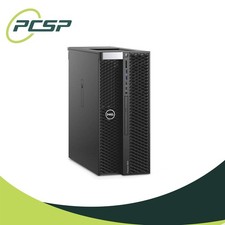


Dell Precision T5820 Workstation 3.70GHz W-2135 32GB No GPU/ HDD/ OS DISCOUNTED picture

Dell Precision T5820 Workstation 3.70GHz W-2135 32GB No GPU/ HDD/ OS DISCOUNTED

$363.94



Dell PowerEdge FX2s + 8x FC430 Blades 16x E5-2630v4 160 Cores Rails No PSU/RAM picture

Dell PowerEdge FX2s + 8x FC430 Blades 16x E5-2630v4 160 Cores Rails No PSU/RAM

$699.00



Dell EMC PowerEdge R440 Xeon silver 4215 2.5GHz 16 GB ram  2x 550W PSU No HDD picture

Dell EMC PowerEdge R440 Xeon silver 4215 2.5GHz 16 GB ram 2x 550W PSU No HDD

$275.00
