

 Reply With Quote
...oops, sorry.


I have download the KNOPPIX_V3.6-2004-08-16-EN.iso image and burned it on a CD.
If i try to boot the pc from the CD it doesn't , and directly boots from windows even tough the boot from CD options is set in bios.
Please tell me how to start the installation from the above image or if i have to download some other files.
Thanks
Marcel
...oops, sorry.
The most common cause of this is improperly buring the iso image. If you look at the CD under Windows do you see an entire file structure (right), or do you see a disc with one iso file on it (not so right)?Originally Posted by marcelbraz30
You did check the md5 sum of what you downloaded before you burnt it, didn't you? Did you burn at 4x or slower speed?
If the CD is made properly and it will boot on other systems but just not this one, then your BIOS likely has issues and there are tools that should help like Smart Boot Manager and XOSL. But don't rush to use these before checking the above issues.
There is a liittle more information here, and this has been discussed over and over again in these forums, you could search them if you need more details.
i did the md5 and the checksum is perfect
i can see only one file with iso image
do i have to copy it as a boot cd while buring on cd
good
bad
NO, Do not use any option to make it a boot CD.
You didn't say what burning software that you use, so I can't give you exact instructions for every burning program. But if you use Nero 5.x just get to the main screen (past the wizard) and pick Burn Image from the file menu. If you have the Nero6.x with the full menu, Go to the file menu and pick OPEN and open your ISO image. If you have Nero Express then it's the 4th item, which is something about buring from a saved disk image. If you are using Roxio, NTI or something else, look for a way to burn from an ISO file or from an "image" file. And when you burn, do burn no faster than 4x - a lot of people have posted back that once they slowed their burns to 4x the problems that they were having went away.
I used an external CD writer and used HP my CD
If i can't use CD rom boot then is there any way to start the installation using floppy disk ?
please help
The CD that you made the way that you burnt it is just a copy of the Knoppix ISO. It is not bootable. (Some people know some tricks to bott from an iso file, but it takes another Knoppix bootable CD). I'm not clear on what software that you used. Is it named "HP my CD"? Does whatever it is have any option to burn from an ISo or a disk image (almost all burning software does)?
There have been links to free software for burning ISO files under XP, but I don't have them handy, you could search for them.
If all else fails, you could go to The Ahead NERO home page and download Nero from there. They will give you a free 30 day trial, which is more than enough time to burn your ISO file. Once you have a working copy of Knoppix then you can use the CD burner in that to burn future ISO files (actually, if you have only one drive that wouldn't work unless you "installed" Knoppix or have a gig of ram to use the "toram" cheat code, so you might want to make a CD of Damn Small Linux in your first 30 days. Samn Small Linux can be loaded to RAM, and then you should be able to use that to burn your next ISO.
I just made a copy of the iso image .
I have nero installed on my other PC i will check and copy it as a iso image . Thanks for all help , shall i need more info i'll get back on the bbs.
Thanks again
 Posting Permissions


Genuine Cisco SFP-10G-SR 0-2415-03 10 Gigabit Transceiver
$5.40

Cisco Acacia DP04QSDD-E25-840 400G QSFP-DD Coherent DCO Transceiver Module
$699.99

NEW Sealed Cisco SFP-10G-LR 10GBASE-LR SFP+ 1310nm 10km *US Shipping*
$24.00

Cisco WS-C3650-12X48UR-L 48-Port Stackable Layer 3 8x10G SFP+ Port Switch
$129.99

SFP TO RJ45 TRANSCEIVER SFP MODULE COPPER SFP OPTICAL PORT TO RJ45 ETHERNET PORT
$7.99

Intel X520-DA2 10Gb 10Gbe 10 Gigabit Network Adapter NIC Dual Port E10G42BTDA
$28.94

HP 560SFP+ 10GB 2-port PCIe NIC Ethernet ADAPTER 669279-001 w/ (2) 10GB SFP+
$16.99
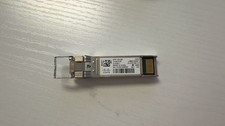
Cisco SFP-10G-SR 10-2415-03 10 GigE SFP Transceiver Module
$5.00
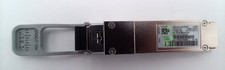
Cisco QSFP-40/100-SRBD 100G 40GBase BiDi 100m LC Transceiver Module W/ Hologram
$125.00
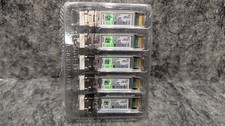
5 x Cisco SFP-10G-LR-S 10GBASE SFP Module converter w/ Genuine Hologram 🔥New🔥
$174.99