

 Reply With Quote
I don't kow about a remount command but I've done it with the mount command (see man mount for details and the right switches) or by right clicking on the partition icon and using the actions sub-menu.


Hey,
I am having an issue trying to change the read/write of a hard drive to write. When I try to, I get this message:
The remount command failed. Maybe there is another process accessing the filesystem currently.
I've rebooted and tried again, no help.
Thanks,
Newb
I don't kow about a remount command but I've done it with the mount command (see man mount for details and the right switches) or by right clicking on the partition icon and using the actions sub-menu.
This is what I did:
right click on the hd>mount
then,
right click on the hd>action>change read/write thing
Yea, That has worked for me. Are you sure it didn't work for you? Did you try doing it with the mount command and the remount switch? Is there anything that you are not telling us about the drive, like is it a usb flash drive with a write protect switch? Or maybe an NTFS partition?
First of all, sorry for the late reply. I forgot to set it to notify. Anyway,
It is a hard drive. As in an 18 gig hardware device which perminatly stores information on a hard disc. I am sure that it didn't work, as it still says The remount command failed. Maybe there is another process accessing the filesystem currently. when I try to set it to write.
Is that using the actions sub-menu? I have only tried clicking 'change read/write' from the actions sub-menu. Any other way of doing it is unknown to me: Could you please explain?Did you try doing it with the mount command and the remount switch?
Thanks,
Thunda 'Late is better than never(?)' One
This is just a shot in the dark, but could editing the /etc/fstab file and inserting a 'rw' in the configuration for the drive fix the problem?
I did that on my machine, but mine may have worked for me due to the fact that my persistent home is located on the same partition (which makes it read/write as it must write to the hard drive)
I do realize that the fstab file is recreated after each boot(on a PMI install), but perhaps the edit that I did was saved in the configuration file. Again, just a shot in the dark.
James
Oh, also, could it be that the iso image is on the partition that you are trying to make read/write. I think I heard somewhere that you can not make the partition containing the CD ISO read/write, although this may depend on whether or not you have done a Poor Mans Install.
Please note that it is always helpful if you provide more information related to your type of install and your hardware. For example, I run Knoppix 3.6 as a WinPartition poor mans install on a Dell Inspiron 3800 with a 10GB hard drive with 2 partitions, an NTFS partition for XP and a FAT32 for FreeDOS and the linux kernel/minirt files. Since my iso is on the NTFS partition, this partition is read/only.
I understood a good 1/32 of that. Someone translate?
I did get the part where I should describe what version, etc.
It's not installed. It's still on live cd. I have to be able to read/write in order to install. The machine is a custom made, Soyo Dragon KT600 board, AMD 2800 processor, Radeon 64 graphics, and my hd was formatted with the linux disc. No windows installed.
Interesting...
You're booting from CD and can't get the hard drive mounted read/write. You've tried right-clicking the icon and removing the x from the read only bubble I assume? Is that the "actions submenu"? I've had some trouble with Knoppix in that sometimes I have had to open a Root Shell and unmount the drive and remount it from the command line. Perhaps this is what you must do:
Okay, the -w will mount the partition as read/write. Note that the above example uses my first partition hda1. I don't know how your drive is partitioned, but you may need to adjust the 'hda1' depending on your setup.Code:$ umount /dev/hda1 $ mount -w /dev/hda1 /mnt/hda1
You should try the above code and see if that works.
Hope this helps.
James
 Posting Permissions

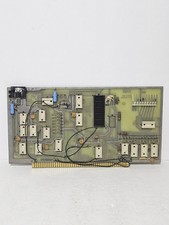
MITS 88 SIOB Serial-TT, An Single Serial I/O Port S-100Board For the Altair 8800
$189.95
$675.00
KLA 0770891-00 ALTair KLARITY DEFECT SOFTWARE KIT V3.6 OEM ORIGINAL
$3933.62
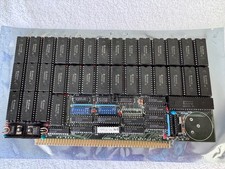
Vintage Octagon 256K Static RAM (32 x HM6264LP-12) Board S-100 Altair IMSAI
$150.00
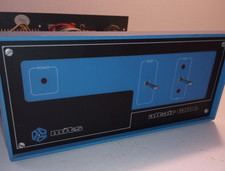
MITS ALTAIR 680b Turnkey Computer
$2550.00

S-100 Vector Graphic 64K Ram Board (Altair, IMSAI)
$99.95

S-100 Vector Graphic 12K PROM/RAM Board (Altair, IMSAI)
$99.95

Altair MITS S100 Backplane 8080A S-100 Replica IMSAI CP/M (bare board)
$40.00

CP/M 86 1.1R 8086 Highmonitor 8 Inch Floppy Diskette 80s IMSAI Altair
$29.99

ALTAIR Bitcoin Mining Solutions PDU IEC SERIES 100-250V 30A/24A Power Distribute
$99.00