-
Senior Member
registered user
MOUNT /USR
I am trying to mount my /usr directory in order to be able to install programs for knoppix persistenly, after I have rebooted the machine, but whenever I go to mount the drive : knoppix@1[/]$ mount /usr /mnt/uba1 I get an error:
mount: only root can do that
The error appears even when I am in the root directory, is there something I am missing, what do I need to do in order to be able to mount correclty here?
-
Senior Member
registered user
Re: MOUNT /USR
omgwtfbbq... 
--You need to BE root to do that...
--Root logins are available at Ctrl-Alt-F1 thru -F4, or prefix the command with ' sudo '

Originally Posted by
dvryknopper
I am trying to mount my /usr directory in order to be able to install programs for knoppix persistenly, after I have rebooted the machine, but whenever I go to mount the drive : knoppix@1[/]$ mount /usr /mnt/uba1 I get an error:
mount: only root can do that
The error appears even when I am in the root directory, is there something I am missing, what do I need to do in order to be able to mount correclty here?
-
Senior Member
registered user
sudo problem
Well, I tried using the sudo prefix to mount the /usr directory to the drive, but I still got an error, I realize that this is probably because I am not typing the command correctly, or I am not using the correct file paths, here is what I typed, if anyone could offer any ideas as to why the sudo prefix didn't work to solve the problem please post it here 
Code:
sudo mount /usr /mnt/uba1
mount: /usr is not a block device

sudo mount /usr /dev/uba1
mount: /usr is not a block device
also, what exactly is meant my "not a block device"
-
Senior Member
registered user
You've got the parameters wrong: mount <device> <mountpoint>, not the other way around.
-
Senior Member
registered user
Thankyou for correcting my syntax error, I got the folder to be mounted to the uba1, but now I ge the following error whenever I try to access the desktop or edit files on the desktop:
Service
'/UNIONFS/usr/share/applications/kde/kwrite.desktop' is
malformatted.
Does the above error mean that I need to reformat the drive in some special way before mounting /usr to the uba1 without causing errors?
-
Senior Member
registered user
Oh yeah, if this helps anybody out in responding to my last post, I am using knoppix 3.8 and I am mounting the /usr directory to a fat32 formatted 64mb usb thumdrive
-
Senior Member
registered user
MOUNT /USR
First let's understand that you are mounting your usb drive (/dev/uba1) at /usr. It is important to realize that /usr is just a directory and that you have chosen to ignore what is already there and use the namespace as a mount point for your external drive. In other words, you are not mounting the /usr directory, you are mounting your thumbdrive at /usr. This should clear up some confusion here.
Having said that, anything previously in the /usr directory will now be ignored. The _malformatted_ message you are receiving references the .desktop file, not your filesystem. There is much in the /usr directory that knoppix expects to find there. Find another mount point.
-
Senior Member
registered user
So, if I had an image file of the /usr directory, or a copy of the file present of the /usr directory of the cd, then mounting it would work properly then correct? And thank you for the reminder about mount points, I took a unix class about a year and a half ago, but have forgotten alot
-
Senior Member
registered user
MOUNT /USR
Per my previous post, forget the /usr directory _find another mount point_. This could be done, however, you would be remastering the knoppix system on the fly and this distro was never meant to be manipulated this way.
You seem to wish a persistent /home/user directory which see hundreds of posts here for assistance.
You can certainly put executables in your home directory as long as any required libraries are present in your system and the application knows where to find them.
Similar Threads
-
By markpelletier in forum Networking
Replies: 0
Last Post: 10-31-2005, 07:06 PM
-
By Wassim in forum Hardware & Booting
Replies: 2
Last Post: 02-03-2005, 03:59 PM
-
By nemof in forum Hardware & Booting
Replies: 0
Last Post: 05-07-2004, 02:37 PM
-
By Superstoned in forum Hdd Install / Debian / Apt
Replies: 0
Last Post: 09-16-2003, 09:13 PM
-
By beaky in forum General Support
Replies: 3
Last Post: 03-07-2003, 01:34 PM
 Posting Permissions
- You may not post new threads
- You may not post replies
- You may not post attachments
- You may not edit your posts
-
Forum Rules


VINTAGE DEC LA34/ LA100 SERIES KEYBOARD W/NUMERIC PAD 70-17864-01C
$140.00

Vintage DEC Digital Starion 200 Desktop PC Powers On Boots To BIOS NO HDD - DW
$269.99

Vintage DEC/Mostek memory systems MK 8015 AA-00 6805-08015 1100 REV C(B7)
$279.99

Vintage Digital DEC 54-15688 rainbow color graphics option
$129.99

Vintage DEC LK201 Computer Keyboard Used
$59.97

Vintage DEC PDT11 (VT100 Series) Terminal (Powers On).
$550.99

6 Vintage DEC Digital System Building Blocks - Flip Chips
$295.00
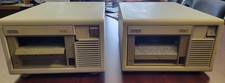
Vintage DEC (Digital Equipment Corp) TK-50 Tape Drive
$80.00
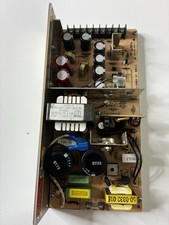
Vintage DEC LR150-11 Power Supply 70-0464-01 Rev C Sun Shoebox Micropolis
$140.00
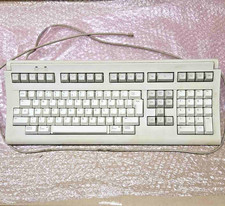
Vintage Digital LK401-AA J03 keyboard with RJ11 cable for DEC terminals, English
$70.00



 Reply With Quote