-
Especially as the usage instructions for "flash-knoppix" are contained in a section headed "Computers without DVD" and state "just add the name of the .iso file as commandline parameter to flash-knoppix"
Thank you for this hint. Therefore I looked over the script "flash-knoppix" in the different Knoppix versions and found since V7.4.1 a new funktion within the script
Code:
usage(){ echo "Usage: $0 [-a] [-f] [-m i|p|n] [-p mb] [image|dir] [target_device]" >&2
 echo "       -a            Allow fixed disks" >&2
 echo "       -f            Force overwrite, no questions (batch mode)" >&2
 echo "       -m i          Method: Create overlay image" >&2
 echo "       -m p          Method: Create overlay partition (recommended)" >&2
 echo "       -m n          Method: No overlay (read only)" >&2
 echo "       -p mb         Overlay partition or image size in MB >= 200"  >&2
 echo "       image.iso     Loopmount source ISO file" >&2
 echo "       dir           Source data directory containing files" >&2
 echo "       target_device Destination block device (flash disk)"  >&2
 exit 1
}
You can see the possible additional parameters with
Code:
flash-knoppix --help
With elderly Knoppix versions this doesn't work. In the next days I'll supplement the Wiki.
 Posting Permissions
- You may not post new threads
- You may not post replies
- You may not post attachments
- You may not edit your posts
-
Forum Rules


Original Vintage Old Style STANDARD Black CD Jewel Case (Heavy Duty) 90g Lot
$316.95

Vintage GTE XT300 Action Station Terminal 1984 - Tested Works Orig. Box & Foam
$889.00
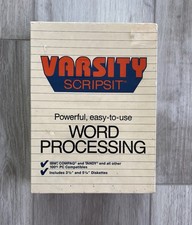
Vintage Tandy Computer Varsity Scripsit Word Processing 3.5 & 5.25 Disks SEALED
$29.95
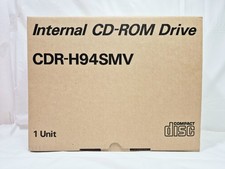
Vintage Sanyo CDR-H94SMV Internal SCSI CD-ROM Drive. 1994 NIB
$70.00
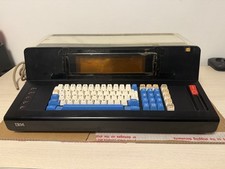
Rare Vintage IBM 3604 Model 2 Keyboard Display Terminal, Beam-Spring, Blue Caps
$1749.00
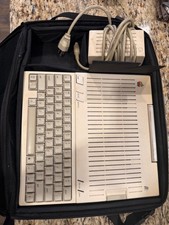
Apple IIc Computer and Monitor Vintage 1980s Working
$499.00
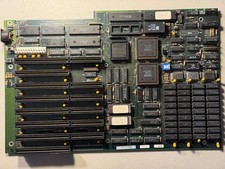
Vintage Everex EV1812 Intel 80286-10 640K Motherboard - Works
$160.00
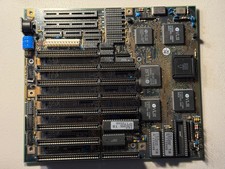
Vintage Siemens 286-16 Motherboard - Works
$140.00
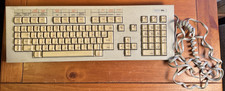
Vintage Super Rare Exxon Office Supplies Keyboard Mechanical Untested* 1980-85
$499.99

VINTAGE COLLECTIBLE Comp USA Maxtor 20 GB 3.5 Inch EIDE Hard Drive NEW SEALED
$500.00



 Reply With Quote