-
-

Originally Posted by
Ricardo777

Hello

. I'm new to Knoppix. I wanted to try it out. I had to join the forums to get some help on this question that I can't find the answers to else where. I am a Windows XP user. I already got Knoppix v6.2 installed on my SD card (put in a card reader as a usb), but when I have reboot to boot in Knoppix, it loads, then it brings me to a menu option if I want to have data put on the Live SD (enter a certain amount of ram to store or leave blank). I did nothing, then secs later it brings me to another menu of options, such as:
www
email
firefox
& etc.
What I want to know is how not to be just stuck in a cmd-line like state, but to have load the Knoppix desktop view. I have read the FAQs, but no help there for this considered problem or confusion. Please help. Thanks. God bless
.
You got the Adriane version (visually-impaired assistance - happened to me, too.) Either re-do your disk with the regular version or type in (at the screen right after boot) and then[Enter] - it will boot to the GUI you're looking for.
Cheers!
Krishna
Tags for this Thread
 Posting Permissions
- You may not post new threads
- You may not post replies
- You may not post attachments
- You may not edit your posts
-
Forum Rules


Dell Poweredge R720 8SFF 2.5" x Xeon E5-2680 v2 2.8GHz 20-Cores 128gb 4x Trays
$349.99

Dell PowerEdge R730XD Server 2x E5-2695 V4 = 36 Cores H730p 32GB RAM 4x trays
$649.99

Dell EMC PowerEdge R440 Xeon silver 4215 2.5GHz 16 GB ram 2x 550W PSU No HDD
$275.00

Dell PowerEdge R420 Rack Server Intel Xeon 1.90GHz Six-Core 8GB DDR3 RAM
$95.00

Dell Poweredge R720 8SFF 2.5" 2x Xeon E5-2680 v2 2.8GHz 20-Cores 64gb 4x Trays
$259.99

Dell PowerEdge R620 2x Xeon E5-2630 v2 3.1GHz 2.5" 4-BAY 32GB RAM No OS 2x 495w
$168.95

Dell Poweredge R740 8 Bay LFF 3.5" 2U Rack Server DUAL XEON GOLD CPUs HOMELAB US
$399.94
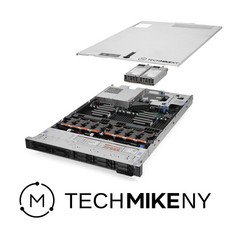
Dell PowerEdge R640 Server 2.10Ghz 32-Core 64GB RAM Energy-Efficient
$649.95

Dell PowerEdge R530 2x E5-2630v4 H330 iDRAC8 Port Card Riser No PSU/RAM/HDD
$99.99

Dell Poweredge R630 2x Xeon E5-2680 v3 2.5ghz 24-Cores / 64gb / Raid / 2x 1Tb
$374.99



 Live USB Knoppix 6.2 - Boot Help...

 Reply With Quote