

 Reply With Quote
I found this thread posted by philo on 08-09-2014:
Time zone change cannot be made permanent.
I can set the time zone and it shows correct in /etc/timezone "America/Vancouver".
After reboot /etc/timezone is overwritten and says "localtime"


More Help needed:
Time and Day Settings:
I live in Time zone America/Vancouver. After each reboot the Time zone is reset to local time which is my time +8 hours.
Where is the configuration file for Time and Day Settings to find?
I might be able to change "local" to "America/Vancover" ?
I found this thread posted by philo on 08-09-2014:
Time zone change cannot be made permanent.
I can set the time zone and it shows correct in /etc/timezone "America/Vancouver".
After reboot /etc/timezone is overwritten and says "localtime"
I entered UTC in /etc/adjtime and set the time zone again to America/Vancouver.
After reboot /etc/adjtime was still ok (UTC) but /etc/timezone was again "localtime".
What to do?
BIOS time (hardware clock) --> UTC
/etc/adjtime --> UTC [instaead of LOCAL]
/etc/timezone ---> America/Vancouver
and maybe in :
/media/sd__/boot/syslinux/syslinux.cfg
LABEL knoppix LABEL knoppix64, add inside APPEND:
--> tz=America/Vancouver
To 1):Originally Posted by philo

The BIOS is for MSI motherboard 785GM-E51.
I can not change the time - it shows +7 hours from my local time.
To 2):
Ihave changed this to UTC!
To 3):
Ihave changed this to America/Vancouver - but it is mysteriously overwritten to America/New-York
To 4):
root@Microknoppix:/# sudo nano /media/sdg/boot/syslinux/syslinux.cfg
/media/sdg/boot/syslinux/syslinux.cfgdoes not exist
root@Microknoppix:/# ls
config-4.12.7 grub ipxe.lkrn System.map-4.12.7-64 vmlinuz-4.12.7
config-4.12.7-64 ipxe.efi System.map-4.12.7 vmlinuz vmlinuz-4.12.7-64
I just run this script automatically on boot (see https://wiki.lxde.org/en/Autostart). Good enough for me. Change the 2nd line as needed.
time=$(date +%Y%m%d\ %H:%M:%S)
echo Europe/Amsterdam | sudo tee /etc/timezone
sudo dpkg-reconfigure -f noninteractive tzdata
sudo date --set="$time"
sudo hwclock --systohc
You could even add something like:
(sleep 60 && sudo rdate -n pool.ntp.org && sudo hwclock --systohc) &
Then that's set at UTC already?
Last edited by philo; 10-13-2017 at 07:02 PM.
I found syslinux.cfg in >Root >KNOPPIX >boot and added
inside APPEND: -->tz=America/Vancouver
Now, in window under ---> Preferences ---> Time and Date the line 'Time zone' is filled in correctly (America/Vancouver) and the line 'Configuration' is filled in correctly (Keep synchronized with Internet servers) as well.
I still don't get the PST (Pacific Standard Time) though. Only if I switch the configuration back and forth between 'Manual' and '...synchronized...' then, after a few minutes, the PST is shown....
What else is missing?
Last edited by Karibu; 10-14-2017 at 02:53 AM. Reason: more text
The ntp package?
 Posting Permissions


SK Hynix 32GB 2RX4 PC4-2666V DDR4 RDIMM Server Memory RAM, HMA84GR7AFR4N-VK
$169.95

SMART(Micron)SafeStor 32GB(1X32GB) 1RX4 NN4-3200AA(DDR4) HPE Server Memory
$159.98
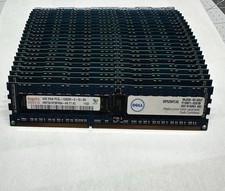
Hynix & Samsun (Lot Of 36) 4GB 2Rx8 PC3L-10600R DDR3 Server Memory 144GB Total
$120.00

Dell 16GB PC4-21300 (DDR4-2666) Memory (SNPPWR5TC16G)
$89.99
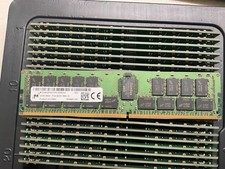
MTA36ASF4G72PZ-2G9E2 MICRON 32GB (1X32GB) 2RX4 PC4-2933Y MEMORY
$229.00
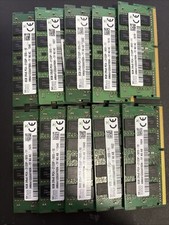
Lot Of 10 SK hynix 8GB 2rx8 PC4 -2133p Laptop Memory
$285.00

Kingston 32GB 64GB 128GB 256GB USB 3.0 Flash Drive Thumb Memory Stick Pen lot
$285.90
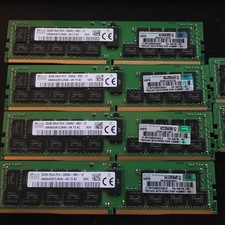
lot of 5 SK Hynix 32GB (160GB) PC4-2666V ECC Server RAM HMA84GR7CJR4N-VK Tested
$1000.00

Micro SD Adapter To SD HC SDHC Memory Card Adapter Reader NEW
$1.39

x4 Intel 128GB NMB1XXD128GPS Optane Memory 200 Series PMEM Module 3200 DDR4 RAM
$329.99