-
Newbie here...
Hello. I'm a newbie from NC USA and I have some questions. I downloaded the knoppix 6.2.1 release 2010-01-31 and put it on a dvd. i would appreciate any replies to my questions.
How do I get it to stop talking? I don't want it talking everytime I mouse-over or click on something.
I used iceweasel 3.5.6 to try to connect to my wireless network. it says "connection established. you are now connected to dlinkwireless. But when I try to browse the internet I cannot. I get a page not found error.
Thanks for any help and I'm sure I'll have some more questions as I learn more about knoppix.
-

Originally Posted by
jones28786

Hello. I'm a newbie from NC USA and I have some questions. I downloaded the knoppix 6.2.1 release 2010-01-31 and put it on a dvd. i would appreciate any replies to my questions.
How do I get it to stop talking? I don't want it talking everytime I mouse-over or click on something.
Did you get the 'Adrianne' version for visually-impaired folks? It bugs me, too. At boot time (big penguin onscreen), you can override the default and force the regular GUI interface as follows:If that fixes it, just download the non-Adrianne version (it can be done by tweaking, but it's easier by far, IMHO, to just get the right one.)
I used iceweasel 3.5.6 to try to connect to my wireless network. it says "connection established. you are now connected to dlinkwireless. But when I try to browse the internet I cannot. I get a page not found error.
That sounds like a DNS problem. I recommend manually setting it in the network manager, if you can get the DNS Server numbers (depends on your ISP - look.on their website or call in to get them) you can set them. To look at the setup and change it, right-click the icon on the taskbar to the left of the clock (probably looks like a staircase once connected.) You'll need a "persistent store" to avoid having to set it every time, which means flash memory or hard drive space.
Thanks for any help and I'm sure I'll have some more questions as I learn more about knoppix.
Hope that helps!
Krishna 
 Posting Permissions
- You may not post new threads
- You may not post replies
- You may not post attachments
- You may not edit your posts
-
Forum Rules


Amiga Model 1080 RGB color CRT monitor - Parts Or Repair - Doesn’t Power On
$100.00

RGB2HDMI Amiga 500 UltraLong (Accelerator Friendly) HDMI Games, non-RTG A500
$50.00

Microbotics Starboard 2MB + SCSI Sidecar for Amiga 1000 Vintage Computer READ
$329.00
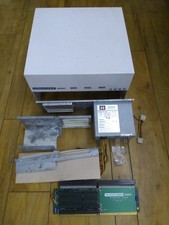
HighFlyer Amiga 4000 Tower & Bus Extender, Expansion Systems A4000T Kit
$888.50

Amiga 1000 Computer w/ Monitor Keyboard Mouse Disc Drive Sidecar Expansion Discs
$895.00

Amiga Emplant Emulator Card For Commodore Amiga 2000 4000 3000
$249.00

Commodore Amiga 4000 Motherboard Rev B - untested
$225.00
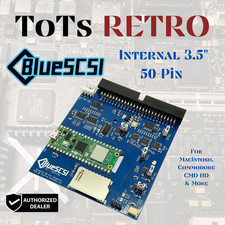
BlueSCSI v2 Internal 50-pin 3.5" SCSI Drive ,Wi-Fi,For Macintosh, Amiga, PC
$52.99
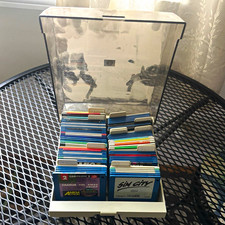
ALS Storage Box with Assorted Amiga Format 3.5" Floppy Disks
$199.00
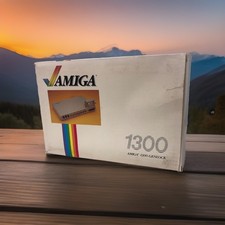
OPEN BOX - AMIGA Genlock Interface Vintage Video Adapter 1300- GREAT
$329.95



 Reply With Quote